

Disclosure: This article contains affiliate links. If you sign up through them, we may earn a commission at no extra cost to you. This doesn't influence our review.
Price check: USD prices and product facts were checked on September 30, 2026. Store listings, promotions and checkout offers vary by country, platform and account. Annual prices are billed annually unless stated otherwise; a monthly equivalent is not a monthly payment option.
Looking for the best Spanish learning app? We tested 10 popular self-study apps and compared an 11th option, Preply, for learners who want a human tutor rather than a fixed app curriculum.
The short answer: It depends on your goal. Want to speak confidently in real conversations? Copycat Cafe is built for speaking practice. Prefer AI apps you can practice with on your schedule? Langua is a strong option. Want to build pronunciation through audio drills on your commute? Consider Pimsleur. If you want 1-on-1 lessons or a tutor from a particular Spanish-speaking country, Preply takes a tutor-led approach. Also consider which variety of Spanish an option teaches: Latin American Spanish, Spanish from Spain, or a mix.
Below, you'll find honest comparisons based on hands-on testing of the 10 self-study apps, plus a separate research-backed comparison of Preply, including what each option does well and where it falls short. Natulang was tested in one focused Spanish session on iPhone; the other app assessments draw on longer testing and earlier reviews. (Spoiler: No option is perfect.)
How we evaluated these apps
We tested the self-study apps through hands-on use and evaluated them for Spanish. Natulang was tested in one focused Spanish session on iPhone, while the other assessments draw on longer testing and earlier reviews. Preply is the exception: it's a tutor marketplace rather than a fixed self-study curriculum, so we evaluated it separately using its current Spanish tutor listings and platform features. We focused on what matters most for adult learners who want to actually speak Spanish: pronunciation feedback quality, conversation practice, audio quality, grammar instruction, daily time commitment, value for money, and, critically, whether the option teaches Latin American Spanish, European Spanish, or lets you target a specific region. Product facts, prices and platform restrictions were checked against current official sources on September 30, 2026. This is a factual update of our earlier testing, not a new hands-on test of every app or recently added feature. Screenshots illustrate the versions reviewed, unless their captions say otherwise. CEFR labels below describe course coverage, not guaranteed learner outcomes.
Why trust this comparison: I'm Nur, co-founder of Copycat Cafe. We spent months researching and testing Spanish learning apps while building our own Spanish course. Natulang received a focused one-session evaluation, and Preply is included as a separate 11th comparison rather than presented as a hands-on app test.
Copycat Cafe is our own product, so we're obviously biased there, but the other options are honestly assessed based on the criteria above.
What is the best app to learn Spanish in 2026?
Unfortunately, I can't tell you what the best Spanish learning app is. No, I'm not even going to say Copycat Cafe! :-)
This is because everyone learns differently and has different goals and needs. The real question is, what is the best Spanish learning app for you? (And if you're not sure an app is even the right vehicle, start with what actually works to learn Spanish: apps, tutors, online Spanish courses and live classes, and immersion compared.)
Here are some areas where the different options on our list excel:
| Category | Best Fit |
|---|---|
| Best app for practicing everyday Spanish conversations | Copycat Cafe |
| Best app for Spanish listening practice | FluentU / Copycat Cafe |
| Best app for relatively short but varied lessons | Babbel |
| Best app covering the most aspects of Spanish | Rocket Spanish (Busuu is a close second) |
| Best app for pronunciation through audio repetition | Pimsleur / Copycat Cafe |
| Best free app for Spanish | Duolingo |
| Best app for AI conversation practice (as a supplement) | Langua |
| Best app for speech-first practice with custom scenarios | Natulang |
| Best fit for 1-on-1 lessons with a human tutor | Preply |
| Best fit for targeting a specific regional variety of Spanish | Preply |
If you're curious about these options, as well as some others, read on to see some of the good and bad points of each one, as well as a brief description. And if you want to go more in-depth, you'll also find links to longer reviews of most of the apps here.
Latin American vs. European Spanish: why it matters for choosing an app
Pronunciation, everyday vocabulary and some grammar vary across the Spanish-speaking world. Latin American and European Spanish are useful course labels, but neither region has just one uniform accent. Choose material that fits the people and places you expect to speak with.
For example, in much of Spain, c before e or i and the letter z use a sound like the “th” in “think.” Across Spanish-speaking America they are pronounced like s, as they are in the Canary Islands and parts of southern Spain. The RAE explains this pronunciation pattern. Similarly, vosotros is the informal plural “you” in most of Spain, while ustedes is used throughout Spanish-speaking America and in some southern Spanish regions. Our guide to Latin American and European Spanish explains more differences.
If you plan to use Spanish mainly in Mexico, a Latin American course is a sensible starting point; if you are moving to Madrid, a Spain-focused course may be more directly useful. Your intended conversations matter more than choosing the variety with the most speakers. Copycat Cafe offers separate courses for both.
Throughout this guide, I've noted which variety each option teaches or lets you target. Several offer separate courses, others mix regional voices, and Preply lets you search for a tutor by country.
Copycat Cafe
Spanish variants: Spanish (Latin America) and Spanish (Spain), offered as separate complete courses with 200 structured lessons per course.
Verdict: Copycat Cafe is my best app for learning to speak Spanish through everyday conversations, using the Copycat Method to watch, copy and chat with guided dialogue material.
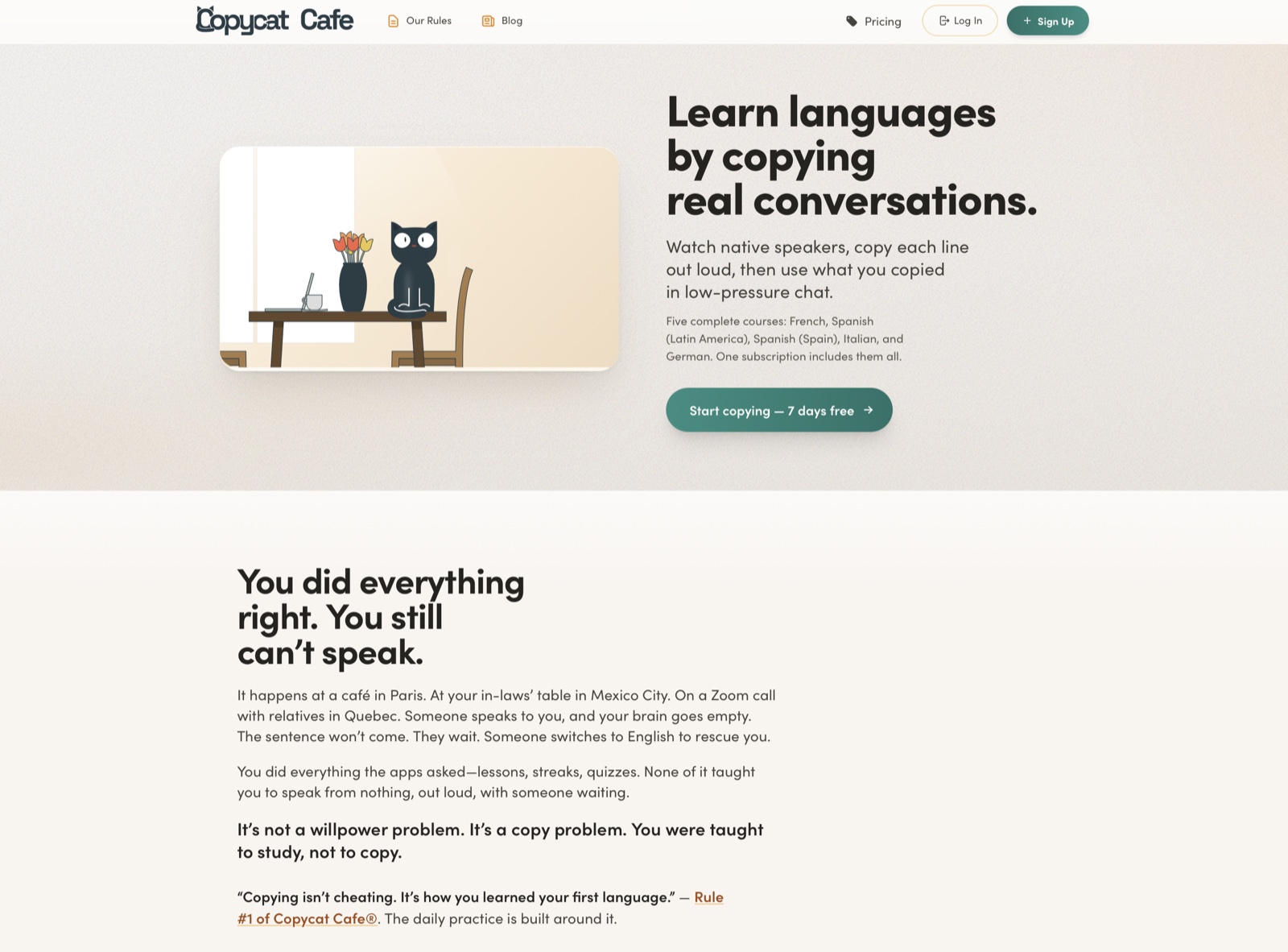
Full disclosure: Copycat Cafe is our own app, so we're obviously biased. We built it because we were frustrated with how other apps teach languages. Here's what makes it different:
Copycat Cafe uses the Copycat Method™ (Watch → Copy → Chat). In Watch, you listen to a dialogue and rebuild its lines; Copy gets you saying useful chunks aloud with pronunciation feedback; Chat lets you reuse what you learned with Copy, the AI conversation partner. The sequence is recommended rather than locked. The method reflects our belief in learning by copying and practicing useful speech.
One subscription includes all five complete courses: French, Spanish (Latin America), Spanish (Spain), Italian and German. Each has 200 structured lessons with an A1–B2 curriculum. That describes the material covered, not a guarantee that completing it will give you a particular proficiency level.
The app focuses on everyday conversations through listening and speaking practice. It includes:
- 200 structured conversation lessons per course covering everyday situations
- Copy, the AI conversation partner, with up to 1,000 normal-chat messages per day and up to 30 minutes of Call Mode per day
- Instant pronunciation feedback with a score out of 100 for an attempt. This is a practice aid, not an overall proficiency score or a percentage of how native you sound
- Authored Spanish dialogues with generated, natural-sounding audio at normal and slow speeds
- Speech-to-text transcription so you can see what the app heard, which can sometimes differ from what you said
Spaced-repetition review to help keep phrases fresh
Plan for about 15 minutes of practice, with the time varying by lesson, pace and how much you repeat. Lessons focus on practical Spanish for everyday conversations.
What's good about Copycat Cafe
The app includes a pronunciation checker that gives you a score out of 100 and focused feedback to help you improve.
- Dialogues have normal-speed audio as well as a slowed-down version.
- The app has separate Spanish (Latin America) and Spanish (Spain) courses, so you can follow the variety that matches your goals.
You can see lines of dialogue in their written form too, which is helpful for visual learners.
As you work, the app also has helpful windows of information about grammar and vocabulary that you can choose to read or ignore.
- The structured curriculum gives complete beginners a place to start, with dialogue material to practice before moving into more open conversation.
Experiences shared by Copycat Cafe users across our courses, not Spanish-specific test results or guarantees:
- Chris H., Switzerland, reported passing a FIDE test with B1 oral and A1 written results. This testimonial concerns his experience with the course, not a Spanish exam result.
- “This course has given me more confidence in my pronunciation and usage.” - Rebecca S., United States. Read these user testimonials in their wider context.
Who Copycat Cafe ISN'T for
Copycat Cafe is specifically designed for learners who want to speak Spanish in real-life situations. That means it's NOT ideal if you:
Need comprehensive grammar textbooks. The app teaches grammar contextually, not through extensive written explanations (check out the Copycat Cafe blog for supplementary grammar resources)
Prioritize reading and writing over speaking. The app focuses mainly on listening and speaking practice
Learn better from varied exercise types. The method is focused and repetitive by design (Watch → Copy → Chat)
As creators of this app, we're obviously biased. Use the trial to judge whether the method suits you.
How much does Copycat Cafe cost?
The current personal-plan USD reference prices are $174 per year (equivalent to $14.50/month, billed annually) or $29/month. Check Copycat Cafe's pricing page for your local currency and checkout total.
Paid plans start with a 7-day trial that requires a card and renews into the selected paid plan unless you cancel before it ends. There is no permanent free plan. The 30-day money-back guarantee applies to the first paid charge.
Price vs. value: Copycat Cafe costs more than free options such as Duolingo, but the paid experience focuses on spoken Spanish: conversation lessons, dialogue audio at two speeds and pronunciation feedback.
Official sources: Monthly pricing.
Langua
Spanish variant: Spanish with multiple dialect options; Langua supports more than 20 languages overall.
Verdict: Langua is a solid AI-powered conversation tool with a structured A1–A2 course for beginners and flexible, low-pressure AI practice for intermediate and advanced learners.
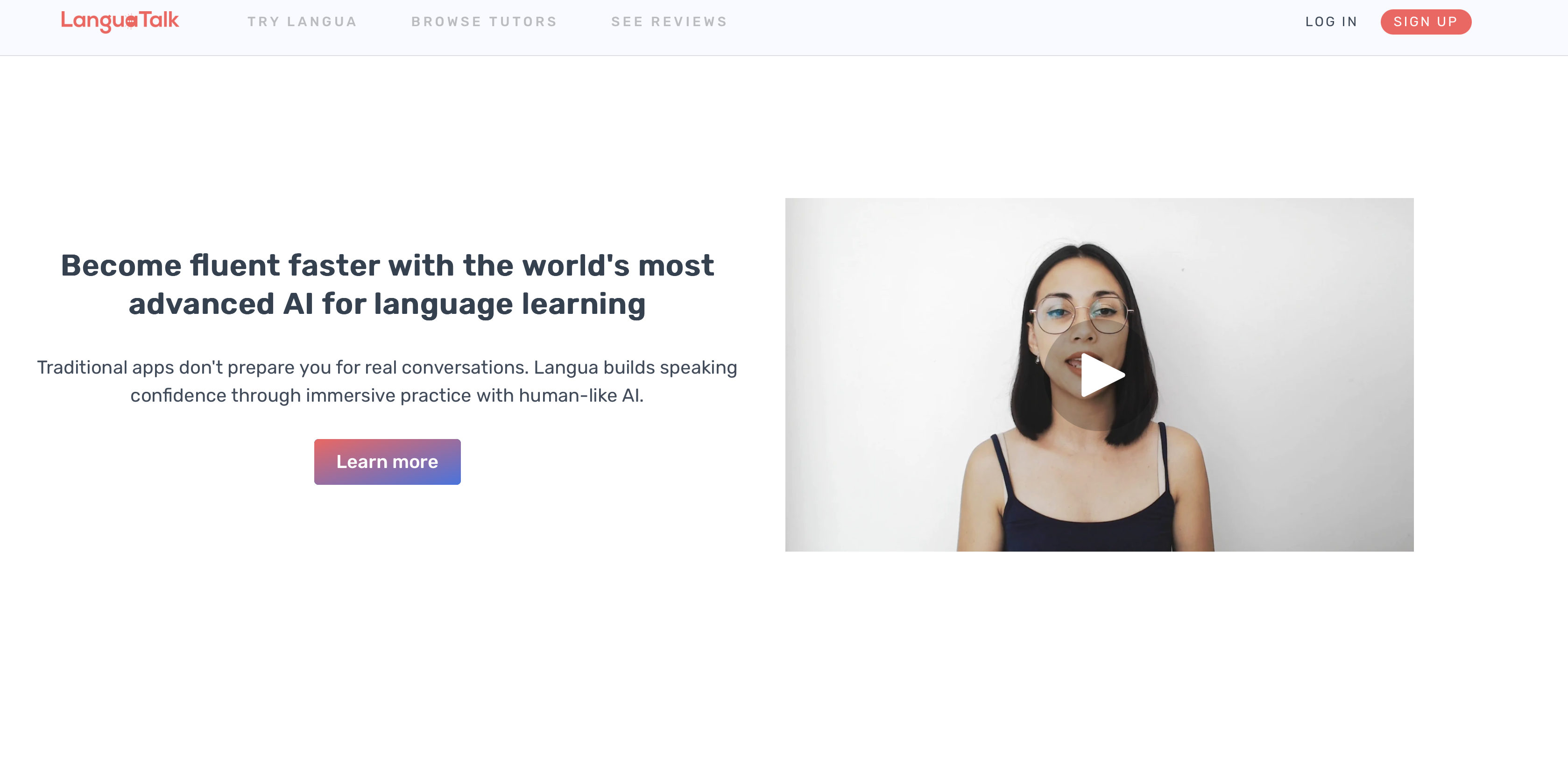
Langua is a web and mobile app that offers a number of features for language learners, including an advanced AI conversation partner and a structured A1–A2 course for beginners. It has limited free access. Paid trials currently last 5 days on monthly plans or 7 days on annual plans, with a card required. Its 30-day money-back guarantee applies to web and Android purchases, not Apple App Store purchases.
What's good about Langua
Human-like AI voices: The voices are cloned from real native speakers, making conversations feel remarkably natural compared to robotic-sounding alternatives.
- The most comprehensive feedback system among the chatbots we tested: I liked its written corrections, verbal feedback, post-conversation reports and mobile audio summaries. The current help guide explains that automatic corrections depend on the mode and settings; reports require at least six replies, and audio summaries are mobile-only.
- Call Mode for hands-free practice: A standout feature for speaking practice while walking or doing chores. Standard provides up to 30 minutes of Call Mode daily; Unlimited removes that plan limit.
Vocabulary integration: When you encounter unfamiliar words during conversations, you can add them to your flashcard deck with one tap. The app uses spaced repetition and weaves your saved vocabulary into AI-generated stories for contextual practice.
You can choose how to learn from a chat, with options to only listen to the bot, listen first then read, or only use text messages.
The podcasts, videos, and articles features are a great way to get lots of listening and reading practice in Spanish.
The role-play scenarios are flexible. You can choose a custom topic if the provided options don't suit your needs.
What's not good about Langua
- I still see Langua primarily as a practice tool. Its structured A1–A2 course gives beginners more guidance, and its newer My Path feature suggests practice based on your level, interests and progress. These updates broaden the offer, but we have not retested them as a complete course beyond A2.
- In our testing, the AI-generated Stories feature was neat but could contain small errors. I would not treat generated stories as an infallible reference.
My take: Langua now covers more ground than it used to: a structured A1–A2 course for beginners plus AI chat practice for intermediate and advanced learners. If you specifically want structured lessons paired with detailed pronunciation feedback (score out of 100), Copycat Cafe's focused approach is also worth a look.
How much does Langua cost?
Langua's free tier allows three minutes of calls per day and approximately 20 text/audio messages per week. Its US Apple listing shows the following paid purchases; web and Android checkout prices may differ:
- Communicate: $19.99/month or $149.99/year (about $12.50/month when billed annually). Langua’s web help calls its capped plan Standard and lists 30 minutes of calls and 75 standard-chat messages per day; confirm the included limits on your purchase screen.
- Unlimited: $29.99/month or $199.99/year (about $16.67/month when billed annually), with unlimited conversation practice under the advertised plan.
Langua's paid trial currently lasts 5 days on a monthly plan or 7 days on an annual plan, with a card required. Its 30-day money-back guarantee applies to web and Android purchases, not Apple App Store purchases.
Official sources: Languages, voices and structured course; Trial and refund terms.
Natulang
Spanish variant: General Spanish; Natulang does not name a course-wide regional variety in its public listing, but Free Dialogs can be tailored to locations such as Madrid.
Want the full picture? Read our in-depth Natulang review.
Verdict: Natulang is an engaging, speech-first app that gets you answering aloud from the start. Its custom Free Dialogs and built-in repetition are especially useful if you understand some Spanish but need more practice turning it into speech.
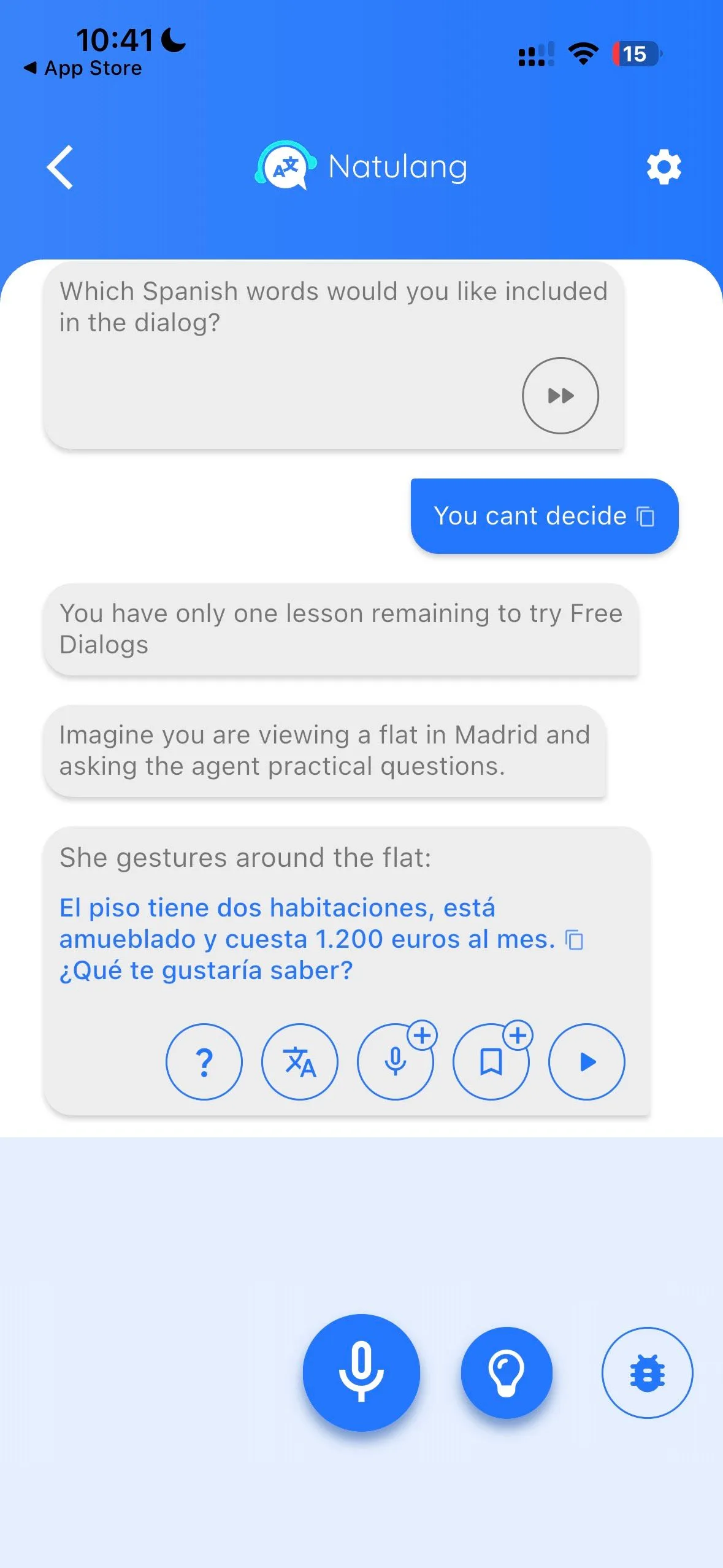
Natulang is available on iPhone, iPad and supported Apple-silicon Macs, as well as Android. In the Spanish lessons we tested, you listen, recall a phrase and say it aloud. Our review records Natulang’s description of its core lessons as linguist-created, while Free Dialogs uses AI to build role-plays around situations you choose.
What's good about Natulang
Speaking comes first: You regularly produce Spanish aloud rather than only recognizing the right answer on screen.
- Free Dialogs makes practice personal: In our test, describing a situation in English, such as renting a flat in Madrid, produced a tailored Spanish dialogue.
Help stays inside the conversation: You can hear each line, reveal its translation, and open suggested questions about the grammar without leaving the dialogue.
Saved phrases return for review: Bookmarking a useful line adds it to repetition lessons and flashcards, connecting conversation practice with spaced review.
You can try it before paying: Some lessons are free, letting you test the speaking flow, voices, and speech recognition on your own device.
What to know before trying Natulang
The lesson path could be clearer: Our placement result unlocked 196 lessons at once without clearly recommending what to do next. That breadth is useful, but the dashboard can feel crowded.
- Speech recognition was a practice aid, not a pronunciation score in our test: Natulang showed the recognized text beside the target phrase. We did not see individual-sound grades or detailed phonetic feedback in that session.
- The Spanish voices occasionally sounded synthetic in our test: They were clear and easy to follow, but some lines had a flatter cadence than human recordings. September release notes report additional voices and voice variation; we have not retested those changes.
My take: Natulang is a strong choice for learners who want frequent speaking prompts and custom role-plays without scheduling a tutor. It works best as a practical bridge between knowing Spanish and using it aloud.
How much does Natulang cost?
Natulang includes some free lessons. The US Apple App Store listed these purchases on September 30, 2026:
Premium: $9.99 (the public listing does not show the billing period)
Lifetime Spanish: $119.99 one-time
- All Languages: $199.99. The public listing does not state the access duration, so confirm the terms in the app before purchasing.
Try the free lessons first to see how the voices and speech recognition work with your accent and device.
Pimsleur
Spanish variant: Both Latin American Spanish and Castilian (Spain) Spanish, with two separate courses
Want the full picture? Read our in-depth Pimsleur Spanish review.
Verdict: Pimsleur is my strongest pick for Spanish pronunciation and listening through audio repetition. Both Spanish courses have 150 core audio lessons across five levels, about 75 hours of core audio per course. Reading and interactive exercises add support, but writing is still a smaller part of the experience.
Pimsleur is an audio-led language learning app for computers and mobile devices. Its core lessons rely on listening, spoken recall and repetition of words, sounds and syllables. The broader app also offers reading material and visual practice tools, depending on the plan.
A major plus for Spanish learners: Pimsleur offers separate courses for Latin American Spanish and Castilian (Spain) Spanish, making it one of the few apps to draw this distinction clearly. Both courses have five levels. For more on Pimsleur's approach, check out our Pimsleur vs Duolingo comparison.
An important note about the Pimsleur app
Pimsleur offers different plans within its app. Audio-only access focuses on the core lessons; Premium adds interactive review such as flashcards, quizzes, Voice Coach and Speak Easy. Each level has 30 core lessons of about 30 minutes. The core audio is intended for listening and responding without a full transcript. However, the Speak Easy exercises include written conversations and playback at normal, 0.75× and 0.5× speeds. It would be inaccurate to say the entire app has no speed control.
Pimsleur has also added an AI Conversation Coach feature (currently in beta) for All Access Latin American Spanish learners. The current iOS release notes name Latin American Spanish, not the Castilian course.
What's good about Pimsleur for Spanish
Separate Latin American and Castilian courses: one of the clearest distinctions between Spanish variants among all the apps on this list.
The use of repetition and listening-only lessons are helpful for pronunciation and listening skills. Good for audio learners.
The new AI Conversation Coach provides AI-driven conversation practice for All Access Latin American Spanish learners.
Pimsleur's All Access plan includes all 51 languages, making it good value if you want to dip into other languages too.
What's not good about Pimsleur for Spanish
- Probably not the best fit for visual learners who want lots of varied on-screen exercises. Pimsleur does have a structured lesson sequence; my reservation is about its audio-led format.
- No full transcripts of the main audio lessons: This can frustrate learners who want to read every line as they listen. Separate reading lessons are available, and Premium’s Speak Easy gives you written practice conversations.
- Light on explicit grammar in the core audio: I found the emphasis on spoken repetition less useful for studying rules in depth. Pimsleur also offers short grammar and culture material in Minis, so it is not entirely without explanations.
Lessons are about 30 minutes each, which is longer than apps like Babbel or Copycat Cafe that keep sessions around 10-15 minutes.
My take: Pimsleur is excellent for audio-focused learners who want to work on pronunciation through repetition. If you prefer written support throughout your dialogue practice, Copycat Cafe offers that alongside listening and speaking.
How much does Pimsleur cost?
Pimsleur advertises a 7-day subscription trial. It renews into a paid subscription unless canceled; check the cancellation deadline for your purchase channel. Its FAQ distinguishes subscription terms from the refund policy for one-time course purchases.
- All Access Subscription: $20.99 in the US App Store listing; the public label does not specify its billing period.
All Access Annual (all 51 languages): $131.99-$164.99/year in the current US App Store listing
Pimsleur's All Access plan gives you access to all 51 languages, making it good value if you're interested in learning multiple languages. One-time purchase options are also available per level. Check Pimsleur's official pricing page for current rates and promotions.
Official sources: Spanish course structure.
Babbel
Spanish variants: Mexican Spanish and European Spanish. Mexican Spanish requires American English as your display language.
Verdict: Babbel is the best app for structured Spanish grammar lessons, with bite-sized 10–15 minute sessions that cover listening, reading, speaking, and writing. For English speakers, its Mexican Spanish curriculum covers up to B1 and European Spanish up to C1.
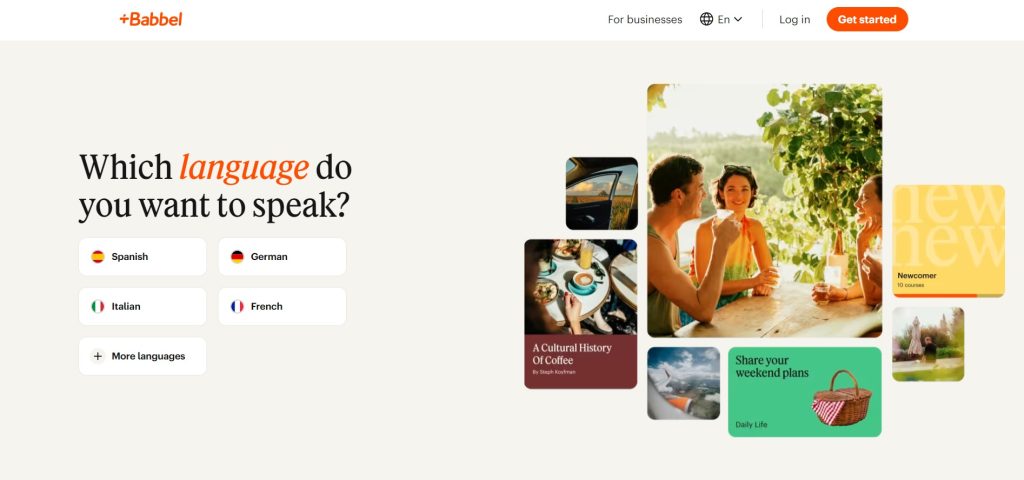
Babbel's language learning app offers separate Mexican and European Spanish paths. Lessons typically take 10-15 minutes and use a wide variety of exercises. Babbel covers listening, reading, speaking, and writing, with grammar and cultural explanations included along the way.
A notable strength for Spanish learners: Babbel offers separate Mexican Spanish and European Spanish courses, so you can pick the one that matches your plans. Babbel's current course guide lists European Spanish through C1, with additional topics through B2, and Mexican Spanish through B1. Mexican Spanish requires American English as the display language. These are curriculum levels, not guaranteed outcomes. Read our full Babbel Spanish review for the course-depth, speaking, and pricing details.
What's good about Babbel for Spanish
Each lesson focuses on specific vocabulary, and the review exercises are varied enough to keep things from getting boring, ranging from interactive dialogues to word scrambles.
Babbel uses what you learn in practical scenarios. For instance, master a few prepositions and you'll see them applied to a dialogue about asking for directions in Spanish.
Bonus information windows pop up with helpful grammar tips and cultural context.
Babbel covers a lot of ground, including writing, listening, and even speaking Spanish, so it will satisfy most learners.
Babbel Speak, currently in beta on mobile, provides guided AI conversation scenarios in a low-pressure setting and gives feedback after the conversation.
Babbel also offers Spanish podcasts including "Un día en Español" and "Hoy en el Pasado" for extra listening practice.
What's not good about Babbel for Spanish
- Audio controls depend on the activity: Babbel Speak lets you slow or repeat replies, and some ordinary speaking exercises have a snail button for slower playback. The level of control still varies by activity.
- Babbel no longer offers Babbel Live classes to individual learners. If live teaching is your priority, the self-study subscription is not a replacement for a tutor.
My take: Babbel is great for varied, bite-sized lessons. Copycat Cafe pairs well as a supplement if you prefer additional practice built around copying and reusing spoken dialogue.
How much does Babbel cost?
Babbel’s US product page quotes the following reference prices. Its help center says prices and included languages depend on your location, plan and purchase channel, so confirm the exact offer at checkout:
- 6 months: $80.70 paid every six months (equivalent to $13.45/month)
- 12 months: $107.40 billed annually (equivalent to $8.95/month)
Lifetime (All Languages): $299.99 (one-time payment)
Babbel’s free-access guide says the first lesson of every course is free. Some Babbel marketing pages advertise a 20-day money-back guarantee, but we could not confirm a current, channel-specific eligibility policy during this check. Confirm the refund terms shown with your offer before paying.
Official sources: Spanish courses and display language; Babbel Speak beta; Regular lesson speech exercises; Billing and price variation.
FluentU
Spanish variant: Mixed regional Spanish from real-world videos across the Spanish-speaking world
Verdict: FluentU is the best app for learning Spanish through real-world video content. It is great for building listening skills and cultural context, but I would combine it with more structured speaking and grammar practice.
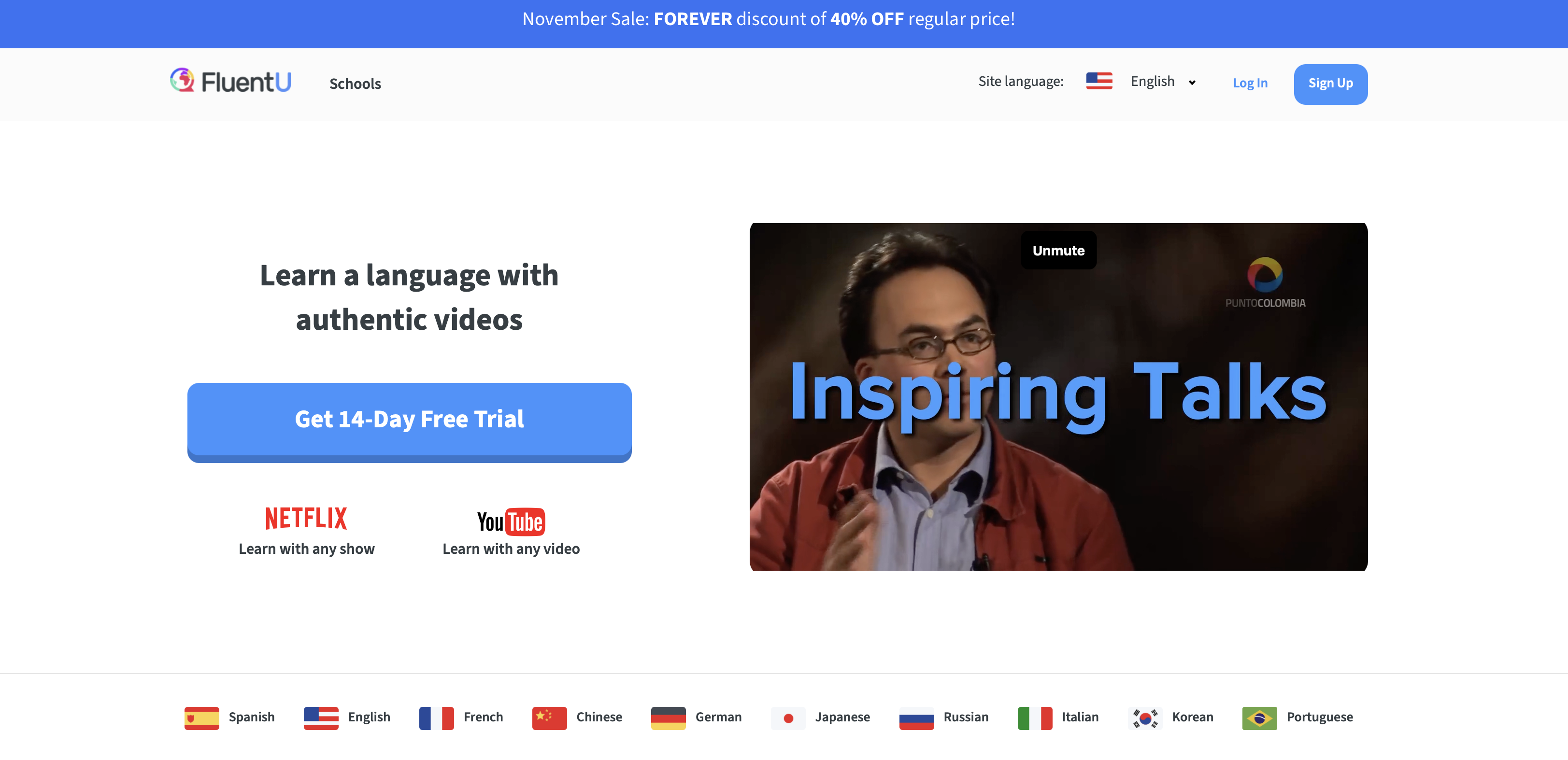
FluentU is a language learning platform with a cool concept: learning through videos. Namely, actual Spanish videos you'd find on YouTube or Netflix. You can watch and listen to the videos at regular or slowed-down speed, and benefit from features like highlighting words in subtitles to get a translation. Words and phrases you highlight can be saved and used in lessons.
What's good about FluentU for Spanish
- I found FluentU’s interactive subtitles and word explanations more useful for studying than ordinary video captions.
There's a huge variety of videos, covering a wide range of topics and genres, for learning levels beginner through advanced. Many of the videos are ones that actual Spanish speakers would watch.
Because FluentU uses real videos from across the Spanish-speaking world, you'll naturally hear different accents and regional variations, which is a big advantage for Spanish.
It's very helpful that you can save words and phrases to study and review later with spaced repetition exercises.
- FluentU’s Netflix Chrome extension adds interactive word lookup and vocabulary saving when the video has subtitles in your target language. It requires active Netflix and FluentU subscriptions and does not work on an iPad.
What's not good about FluentU for Spanish
- In my earlier testing, grammar explanations felt extremely concise. FluentU now also advertises beginner courses and grammar notes alongside video quizzes; I would still look elsewhere for the depth of explanation I prefer.
- Speaking was a limited part of the experience I tested. FluentU now advertises an AI Tutor for speaking practice, with higher daily limits on Super than Plus. We have not retested it, so the earlier review should not be read as saying FluentU has no speaking practice.
My take: FluentU remains my pick for immersive video learning and training your ear for different Spanish accents. If you prefer structured dialogue repetition as well, Copycat Cafe’s conversation lessons can complement that routine.
How much does FluentU cost?
Plus: $29.99/month, or $143.99/year at the current promotional rate
Super (higher AI Tutor limits): $39.99/month, or $199.99/year (~$16.67/month) at the current promotional rate
The prices above are the USD offers displayed on FluentU’s pricing page on September 30, 2026; annual promotions can change. One subscription covers its languages and web, iOS and Android access. The page advertises a 14-day trial and a 20-day money-back guarantee. Subscriptions renew automatically; check the trial payment terms and cancel before renewal if you do not want to continue.
Official sources: Automatic renewal.
Busuu
Spanish variants: Busuu lists Complete Spanish, focused on Spain, and a separate Complete Latin American Spanish course. Its public page gives A1–C1 coverage for Complete Spanish but does not separately specify the Latin American course’s CEFR endpoint or access tier. Check that course in your account before subscribing for it.
Verdict: Busuu is my best app for community feedback from native or fluent Spanish speakers. It reports more than 120 million registered users across the platform, and its Complete Spanish course covers A1–C1 material. Registered-user totals do not tell us how many people are available to correct an exercise.
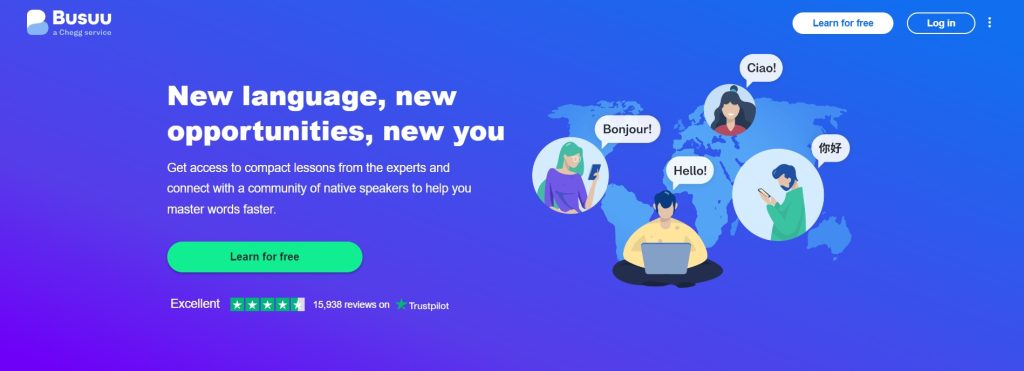
Busuu is a language learning app that features lessons for beginners through advanced Spanish learners. The app features a personalized learning plan with lessons that include practice with listening (both audio and video), vocabulary, and grammar. Busuu is also known for allowing users to record responses and ask other users who are native or fluent speakers for feedback.
What's good about Busuu for Spanish
Busuu feels like a one-stop shop: listening practice with audio and video, grammar lessons, and a variety of review activities.
Lessons follow one another in an orderly fashion, neatly organized into Chapters.
Excellent grammar material. Busuu's Grammar section covers Spanish grammar concepts with clear, concise explanations. Each topic can be accessed in any order, which is helpful for users who want to review specific concepts.
Many example words and phrases feature videos of native Spanish speakers, adding a human touch to vocabulary learning.
- Users can ask native or fluent speakers in the Busuu community for feedback on recorded responses. I like this social feature, although a response is not guaranteed.
The app uses everyday spoken Spanish well, and even includes a few sections on expressions from different Spanish-speaking countries.
- The Complete Spanish curriculum follows A1–C1 CEFR levels. Busuu certificates are available to Premium learners after passing a level-completion test and are backed by Busuu’s Education Team.
What's not good about Busuu for Spanish
- Our earlier review found conversation practice limited. Busuu now offers AI Conversations across Complete Spanish levels in its mobile app, with limited free tries and Premium Plus required afterward. It also offers speaking practice with highlighted words and pronunciation feedback; detailed feedback depends on the course and interface language. We have not retested these additions against dedicated conversation apps.
Lessons often feel too short (5-10 minutes each) and don't reinforce new concepts enough.
- In the version we tested, I wanted more review material and opportunities to speak. The current Premium Plus speaking tools above should be considered alongside that earlier impression.
AI Conversations are not live lessons. For feedback from people, you still need to use Busuu's community feature.
My take: Busuu is comprehensive and well-structured for grammar and listening. Its current speaking tools make it worth considering for that goal too. Copycat Cafe is an alternative if you prefer a routine centered on copying and reusing dialogue.
How much does Busuu cost?
Busuu offers both a free and premium version.
US Pricing (via App Store):
- Monthly listings: $6.99, $9.99 and $23.49, under different subscription labels. These are store entries, not a promise that every account can select each price.
- 12-month Premium listings: $70 and $138.99 per year.
- 12-month Premium Plus: $139.99. A separate “14 Day Trial - Premium Plus” entry shows $89.99 without specifying the subsequent billing period publicly.
According to Busuu’s plan comparison, the free plan includes core courses and community feedback. Premium adds grammar and vocabulary review, offline access, ad-free learning and certificates where available. Premium Plus adds AI Conversations, pronunciation feedback, Mistake Repair and exclusive courses, with language and device restrictions. Confirm your trial, renewal price and desired Spanish course in the app before paying.
Official sources: Spanish courses and registered-user count; US Apple purchase labels.
Rosetta Stone
Spanish variant: Both Latin American Spanish and European (Spain) Spanish, with two separate courses
Verdict: Rosetta Stone is a well-known immersion-based app with strong pronunciation tools, but its no-translation method feels slow and outdated compared to more modern approaches.
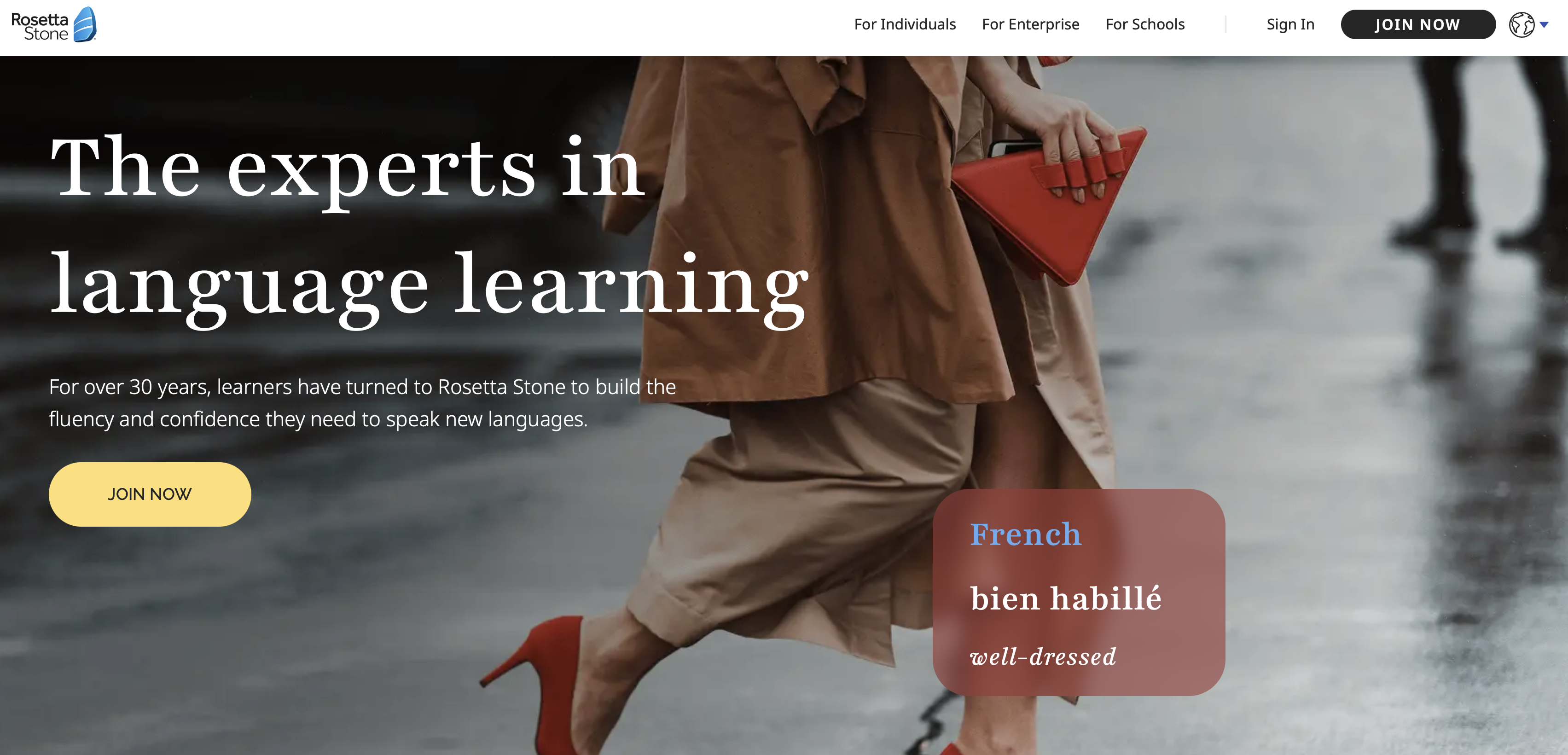
Rosetta Stone rose to fame as a language learning system. The Rosetta Stone app focuses first on teaching the fundamentals of a language through immersion, matching images to words and phrases without English translation. The hands-on comments below reflect the earlier Classic experience. New individual users now get Rosetta Stone Sapphire, which keeps the immersion approach and TruAccent while adding Chat Missions, 500+ flashcard sets, and Sapphire Studio. For more details, check out our Rosetta Stone review and Rosetta Stone vs Duolingo comparison.
A strong point for Spanish learners: Rosetta Stone offers separate courses for Latin American Spanish and Spain Spanish. TruAccent gives immediate pronunciation feedback in whichever course you choose.
What's good about Rosetta Stone for Spanish
Appealing for visual learners, with its use of words matched with images in an immersive experience.
Features structured, thematic lessons, making it appealing for learners who appreciate a no-nonsense approach.
TruAccent speech recognition provides real-time pronunciation feedback in whichever Spanish course you choose.
- Two separate Spanish courses: Latin American Spanish and Spanish from Spain are a useful choice at the curriculum level.
What's not good about Rosetta Stone for Spanish
Not particularly focused on audio learning, though there are basic audio and speaking features.
- The audio felt less realistic to me in Classic: Speakers used a slower, more formal delivery than the everyday Spanish I wanted to practice. That is my impression of the version tested, not a new assessment of every Sapphire activity.
The app doesn't feature a lot of intensive grammar information.
- Live tutoring costs extra: subscribers can purchase packages of 30-minute one-to-one sessions.
My take: Rosetta Stone works well for visual, structured learners, and the two Spanish courses are a real advantage. Copycat Cafe offers a different speaking routine with normal and slow dialogue audio, if that better matches how you like to practice.
How much does Rosetta Stone cost?
Monthly Plan: $19.99/month
Annual Plan: $13.25/month, billed as $159/year (includes all 25 languages)
Both the monthly and annual Sapphire subscriptions include all 25 languages. The main Sapphire pricing page does not list a lifetime plan. Rosetta Stone offers a 14-day money-back guarantee. Check Rosetta Stone's website for current rates.
Official sources: Sapphire plans and course features; Chat Missions.
Rocket Spanish
Spanish variant: Latin American Spanish
Verdict: Rocket Spanish is a thorough, audio-focused app that covers both conversation and culture, making it a good value if you prefer one-time payment over subscriptions.
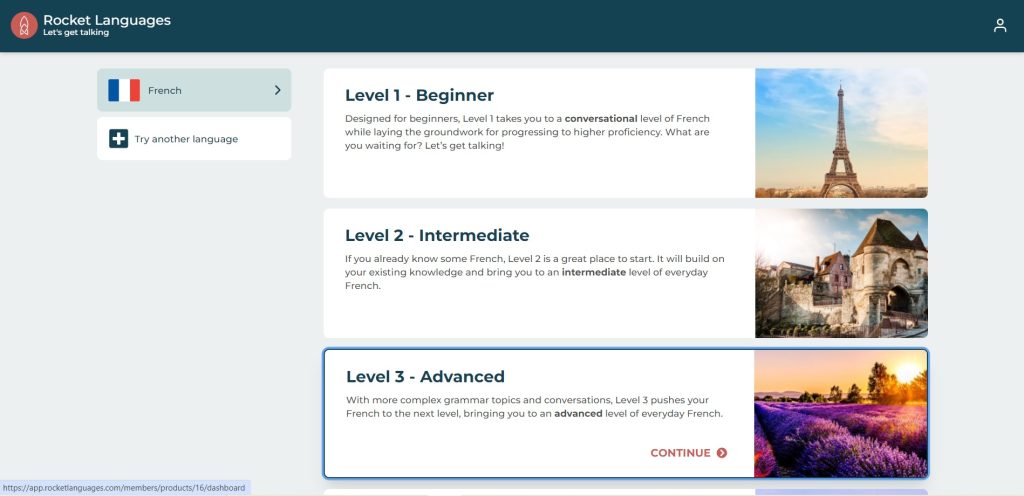
Rocket Spanish is an app that takes a fun but fairly thorough approach to language learning, with two sections of lessons. First, there's audio, where you'll study dialogues and build vocabulary, grammar, listening, and speaking skills based on those. Then there's a language and culture section featuring information about not only Spanish-speaking cultures but additional grammar information.
What's good about Rocket Spanish
Rocket Spanish includes a specific section for additional grammar information, and culture! I appreciate having cultural context alongside the language lessons.
Audio lessons feature fun, everyday dialogues and exercises that build on these. You can listen to a dialogue and then take part in it, with speech recognition analyzing your pronunciation.
- There is a Spanish learner forum where you can browse discussions and post questions. An answer to every question is not guaranteed.
- Rocket Spanish has three levels marketed from beginner to advanced. I consider its coverage one of its strengths, but those labels are not a promise of the level you will reach.
Lifetime access with a one-time purchase and no recurring subscription fees.
What's not good about Rocket Spanish
It's not as visually appealing as many other Spanish learning apps.
- The audio lessons I tried were on the longer side, around 20–30 minutes before additional review. That can be inconvenient if you have very little time.
Only covers Latin American Spanish. If you need Castilian, look elsewhere.
My take: Rocket Spanish is comprehensive with great culture lessons. If you prefer shorter sessions centered on speaking, Copycat Cafe’s roughly 15-minute practice routine may fit your schedule better.
How much does Rocket Spanish cost?
Rocket Spanish sells course access for a one-time price, with lifetime access under its terms. The standard USD prices shown on its pricing page are:
Level 1 (Beginner to Intermediate): $149.95
Levels 1 & 2 (Beginner to Advanced): $299.90
Levels 1, 2 & 3 (Complete Course): $449.85
The complete three-level course can also be paid over six months. This is an installment plan for a purchase, not an ongoing subscription. Promotional discounts may be available; check Rocket Languages’ current pricing before buying.
Official sources: Course format and regional Spanish.
Duolingo
Spanish variant: Primarily Latin American in the English-to-Spanish course we reviewed. Do not assume that every course taught from another language uses the same regional mix.
Verdict: Duolingo is my best free Spanish app for building a daily habit. Its expanded Spanish course covers B2 material for most learners. I would still combine its gamified lessons with less predictable conversation practice.
Duolingo is a learning app that offers courses in more than 40 languages. You can use it as a web app or download it onto your mobile device. Duolingo's Spanish course is one of its most popular and most developed courses, covering vocabulary, listening, reading, writing, and speaking. Duolingo says almost anyone learning Spanish can now study through B2 on the CEFR scale. For a deeper look, see our dedicated Duolingo for Spanish review, plus the broader Duolingo review, Does Duolingo Work? analysis, and best Duolingo alternatives.
What's good about Duolingo for Spanish
Duolingo makes learning feel fun and personal, with recurring characters that encourage you as you learn. It's addictive.
- Spanish is one of Duolingo’s most developed courses, with a broad range of lesson activities.
Lessons move along at a good pace and are varied, especially as you get into higher levels.
- Free core course access: You can work through the Spanish course without a subscription, although ads and the account’s Energy or Hearts system can limit practice at a given time.
- For English speakers learning Spanish on supported iOS and Android courses, Duolingo Max adds AI-powered Roleplay and Video Call with Lily.
What's not good about Duolingo for Spanish
A lot of the vocabulary is of dubious usefulness. Learning how to say things like "I am a cat" is fun but when will you ever say that in real life?
- I wanted more explicit grammar explanations in the version I tested. Duolingo does provide grammar through exercises, Guidebooks and some focused lessons, so “no grammar instruction” would be unfair.
- In my testing, some valid alternative answers were not accepted, which was frustrating. That experience does not mean Duolingo rejects every alternative wording or that its newer AI conversations behave the same way.
- Ads felt intrusive during my free-tier testing. I cannot verify a general rule that video ads increase the longer someone has used the app.
- In my testing, I wanted more cultural context, and some example sentences felt too casual for situations where I would choose more polite Spanish.
My take: Duolingo is great for building a daily habit and it is hard to beat the free core course. If you want a routine more focused on copying and reusing dialogue, Copycat Cafe is another option.
How much does Duolingo cost?
Duolingo’s core language courses are free, with ads and practice limits. Paid plans add convenience and features rather than being required to begin the Spanish course.
The US Apple listing shows several Super Duolingo purchases from $9.99 to $119.99, but their public labels do not identify billing periods. Check the offer in your account for the total charge, duration and renewal terms.
Super removes ads and adds premium practice perks such as Unlimited Energy. Duolingo currently advertises a 14-day Super trial in the US App Store. Max adds AI features including Video Call and Roleplay, while family-plan and Max pricing should be checked in the app for the current account-specific offer.
Official sources: Expanded Spanish coverage; Grammar instruction; Free practice limits.
Preply
Spanish variants: You can search tutors by country of birth and native-speaker status, then use their introduction and trial lesson to check the regional Spanish they teach.
Verdict: Preply is the clearest fit here if you want 1-on-1 lessons with a human Spanish tutor rather than a fixed self-study curriculum. It is especially useful if the exact regional variety matters to you, but it needs more scheduling and a bigger budget than a typical app.
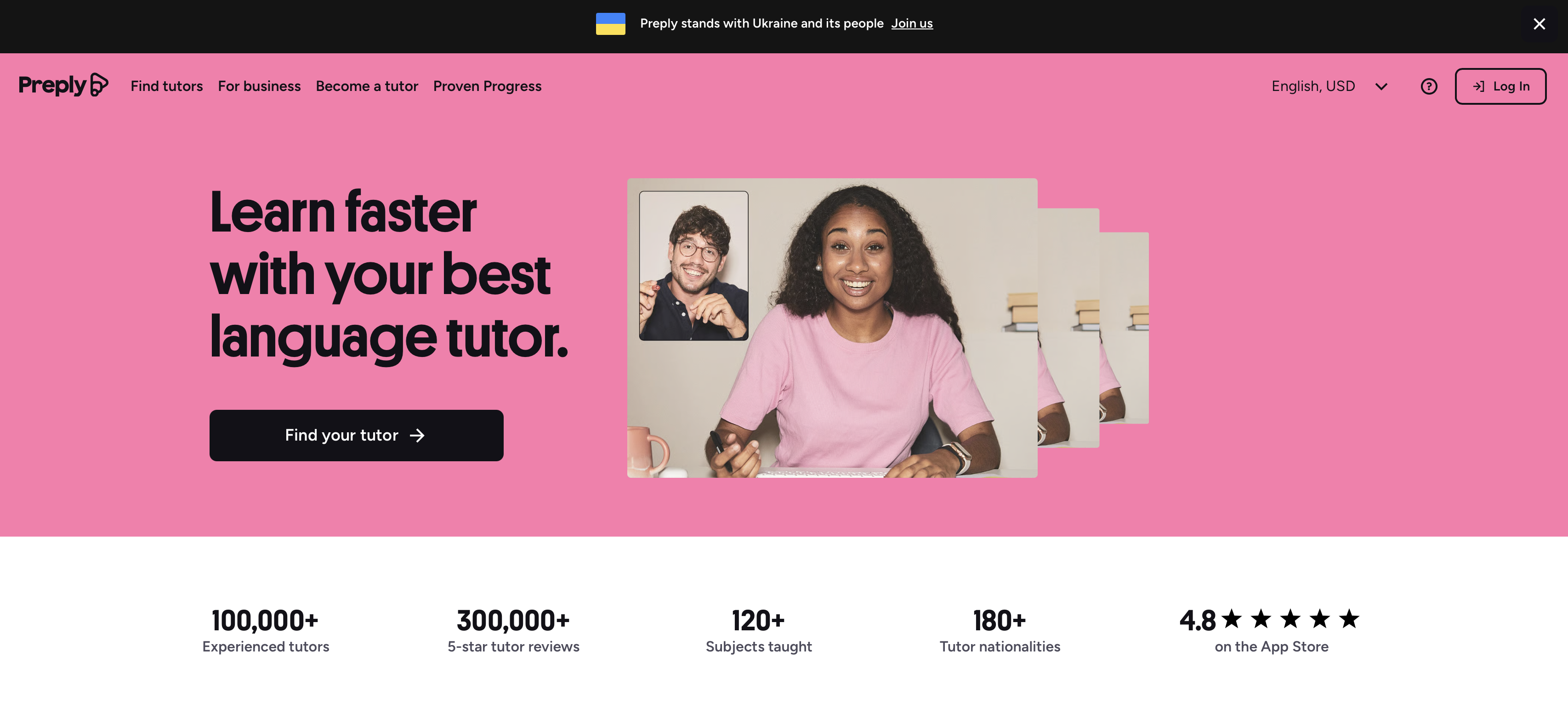
Why include Preply in an app guide? It isn't a traditional self-study app, and that's exactly why it earns a separate place here. Most apps make you accept the Spanish their curriculum recorded. With Preply, you choose the person teaching you, so you can look for a tutor from the country or region whose Spanish you actually want to learn.
Preply currently lists more than 15,000 Spanish tutors. You can browse tutor profiles, watch introduction videos, compare reviews and prices, filter by country of birth, and book 25- or 50-minute trial lessons in Preply's online classroom. The core experience is live tutoring rather than a fixed app curriculum.
Between-lesson tools need a language check: Preply’s Spanish marketing pages mention AI tools, but its Lesson Insights help page currently limits that feature to English. We could not verify Daily Exercises for Spanish. Do not choose a Spanish subscription on the assumption those tools will be included; agree on homework and review with your tutor.
What's good about Preply for Spanish
You can target a specific regional variety. Choosing a tutor by country gives you more control over accent and everyday vocabulary than a fixed course usually can.
Feedback comes from a real person in the moment. A tutor can hear what you're doing, explain it, and adapt the lesson around you.
Lessons can follow your immediate goals. If you need to prepare for a work call, trip, or exam, you don't have to wait for a fixed course sequence to get there.
You get sustained speaking time. A one-to-one lesson makes it difficult to stay passive.
- There is a wide price range: On September 30, 2026, the Spanish tutor search displayed a $3–$50+ price-per-lesson filter. This is a search range, not a fixed tariff or a guarantee that a suitable tutor is available at its lowest price.
What's not good about Preply for Spanish
It isn't a self-contained app course. The structure depends much more on the tutor and the plan you build together.
It requires scheduling. You can't always just open it for five minutes whenever you have spare time.
It can cost more than self-study apps. Even lower-priced tutors add up if you want several live lessons each week.
My take: Preply is worth considering if you want a human tutor, a specific regional variety of Spanish, or personalized live speaking practice. If you want a self-contained curriculum you can use entirely on your own schedule, Copycat Cafe is a stronger self-study alternative because it combines structured conversation lessons with pronunciation feedback without requiring you to book a tutor.
How much does Preply cost?
Tutors set their own rates. The Spanish tutor listing displayed a $3–$50+ price-per-lesson filter on September 30, 2026, with individual profile prices shown for 50-minute lessons. Paid trial lessons can be 25 or 50 minutes. After the trial, Preply’s subscription renews every 28 days for a fixed number of lessons with one tutor, with a minimum allocation equivalent to four 50-minute lessons per cycle. Unscheduled lessons expire at renewal, so factor the recurring commitment into your budget.
Official sources: Trial lesson lengths.
Quick Feature Comparison
To help you compare at a glance, here's how these options stack up on key features:
| App | Pronunciation Feedback | Audio and playback | AI Conversation | Latin Am. / Castilian | USD price and billing | Best For |
|---|---|---|---|---|---|---|
| Copycat Cafe | Score out of 100 per attempt | Normal + slow dialogue audio | 1,000 normal-chat messages/day; Call Mode 30 min/day | Both, separate courses | $29/month or $174/year | Speaking practice |
| Langua | AI corrections; detailed sound scoring not verified | Adjustable AI voices | Standard limits or Unlimited plan | Multiple dialect options | $19.99–$29.99/month or $149.99–$199.99/year on US Apple | AI chat focus |
| Natulang | Recognized-text comparison in our test | Generated audio; impressions above | Custom Free Dialogs | Course-wide variety unspecified | Premium $9.99, period not shown; Lifetime Spanish $119.99 | Spoken dialogue practice |
| Pimsleur | Voice Coach on eligible plans | Core audio + slower Speak Easy playback | All Access beta for Latin American Spanish | Both, separate courses | US Apple annual entries: $131.99 or $164.99/year | Audio learners |
| Babbel | Lesson speech recognition | Slow playback in some activities | Speak beta on mobile | Mexican + European; display setting matters | $107.40/year reference; checkout varies | Varied exercises |
| FluentU | Detailed sound scoring not verified | Videos with adjustable playback | AI Tutor; plan limits differ | Mixed video sources | $29.99–$39.99/month; annual promo $143.99–$199.99 | Video immersion |
| Busuu | Community + Premium Plus speaking feedback | Native-speaker video and audio | Premium Plus Conversations on mobile | Both listed; check course access | Free core; annual Premium $70 or $138.99; Plus $139.99 on US Apple | Grammar + variety |
| Rosetta Stone | TruAccent | Classic audio felt slow in our test | Text-based Chat Missions in a web browser | Both, separate courses | $19.99/month or $159/year | Visual learners |
| Rocket Spanish | Speech recognition | Recorded dialogue audio | No open AI chat verified | Latin American | $149.95–$449.85 standard one-time course prices | Comprehensive |
| Duolingo | Speaking-exercise recognition | Varies by activity | Max Video Call and Roleplay on supported mobile courses | Primarily Latin American in our English-to-Spanish review | Free core; paid prices and periods vary | Gamification |
| Preply | Human tutor feedback | Live tutor conversation | Human-led; Spanish AI tools not confirmed | Choose a tutor; discuss regional goals | Tutor-set per-lesson rates; 28-day subscription | 1-on-1 tutoring |
These are feature descriptions, not measured quality scores. Prices are reference offers checked on September 30, 2026; see each app’s section for store, plan, trial and regional restrictions.
Frequently asked questions
What is the best app to learn Spanish in 2026?
There is no single best app for everyone. Copycat Cafe is strongest for structured speaking practice, Langua for open AI conversation, Pimsleur for audio learning, Babbel or Busuu for a guided curriculum, and Preply if you want 1-on-1 lessons with a human tutor.
Which Spanish learning app is best for speaking?
Copycat Cafe connects dialogue listening, pronunciation feedback with a score out of 100 for an attempt, and guided conversation practice. It offers separate complete Spanish (Latin America) and Spanish (Spain) courses with 200 structured lessons per course. If you prefer live 1-on-1 speaking practice with a human tutor, Preply is the tutor-led option in this comparison.
What is the best free app to learn Spanish?
Duolingo is our pick for starting free. Busuu offers free core course access, and Langua provides limited free conversation practice. Copycat Cafe offers a seven-day trial requiring a card, then renews into the selected paid plan unless you cancel before the trial ends. It has no permanent free plan.
Should I learn Latin American Spanish or European Spanish?
Choose based on where and with whom you expect to use Spanish. A Latin American course can be a sensible starting point for Mexico or other Latin American destinations, and a Spain-focused course for Spain. Both regions contain multiple accents and local vocabulary; neither variety is inherently better.
Which apps offer both Latin American and Spain Spanish?
Copycat Cafe, Pimsleur and Rosetta Stone offer separate Latin American and Spain Spanish courses. Babbel offers Mexican and European Spanish; Mexican Spanish requires an American English display setting. Busuu lists Complete Spanish and Complete Latin American Spanish, but confirm access to the latter in your account. Preply lets you search for a tutor by country and discuss the regional Spanish you want to learn.
Is Duolingo good for learning Spanish?
Duolingo is useful for starting free and building a regular habit. Its Spanish course now covers content through B2 for most learners, according to Duolingo. Course coverage does not guarantee B2 proficiency. I would combine it with spontaneous conversation practice; Max adds AI conversation features on supported mobile courses.
Can you actually learn Spanish with an app?
An app can build a strong foundation in vocabulary, listening, grammar, and pronunciation. Most learners still benefit from combining structured lessons with regular listening and less predictable speaking practice.
Your Next Step: Find Your Perfect App Match
My personal recommendation? Don't just read reviews. Actually test 2-3 options through their free access, trials, or introductory lessons to find what clicks for you.
Start with options that match your primary goal:
- “I want to speak Spanish confidently” → Copycat Cafe’s guided speaking routine or Pimsleur’s audio-focused approach
"I want fun, gamified practice" → Duolingo (free) or Babbel (varied exercises)
"I want immersive video learning" → FluentU's authentic Spanish content
- “I want a choice of Latin American or Spain Spanish” → Copycat Cafe, Pimsleur, Babbel, Busuu or Rosetta Stone. Check course access and display-language requirements in each section.
"I want a human tutor or a specific regional variety" → Preply
Why try Copycat Cafe first? It combines structured conversations, pronunciation feedback for your attempts and normal plus slow dialogue audio. Start copying with a 7-day trial (card required). Cancel before it ends to avoid the paid renewal; the first paid charge has a 30-day money-back guarantee.
When you’re ready to go beyond app exercises, our guide to Spanish conversation practice ranks what actually gets you talking.
Several options on this list offer free access, trials, or money-back guarantees:
- Copycat Cafe: 7-day card-required trial, then a paid plan unless canceled; 30-day money-back guarantee on the first paid charge
- Duolingo: free core courses with ads and practice limits
- Babbel: first lesson of each course free; confirm current refund terms for your offer
- Pimsleur: 7-day subscription trial that renews unless canceled
Preply: Paid 25- or 50-minute trial lesson
Others: See individual sections above
Good luck with your Spanish! And if you have questions about any of these apps, feel free to reach out.
Resources to explore:
- The best way to learn Spanish: what actually works (and what doesn’t)
- How long does it take to learn Spanish?: honest timelines
- The best podcasts to learn Spanish: picks by level
- Best apps to learn French: options compared
- Best AI language learning apps: AI-powered options
- Best language learning apps: full roundup
- Language exchange apps: practice with native speakers
- Best Duolingo alternatives: alternatives compared