

Pricing note: Unless stated otherwise, prices below are US prices in USD, checked July 23, 2026. Web, app-store, promotional, and regional prices can differ. Trial length can also vary by purchase channel.
Rosetta Stone is the better fit for visual learners who want a structured, immersive path and stronger pronunciation feedback. Duolingo is the better fit for free daily practice, a broad language selection, and habit-building features.
- Rosetta Stone: Its core Learning Path uses target-language context, includes TruAccent feedback, and unlocks all 25 languages. The US list price is $19.99/month or $159/year.
- Duolingo: Its courses are free, gamified, and usually built around short sessions. Super and Max remove limits and add extra practice or AI conversation tools. Duolingo offers 40+ languages.
Jump to the quick comparison table, or read on for the differences that matter most.
Recognizing words is not the same as having an answer ready.
If you’re learning French, Latin American Spanish, Castilian Spanish, Italian, or German and want speaking at the center of every lesson, try the Copycat Method™ — Watch. Copy. Chat.
How we researched this comparison
We have documented hands-on experience with both apps: Benjamin Houy tested Rosetta Stone’s French course for our Rosetta Stone review, and Alysa Salzberg used Duolingo French across several days and levels for our Duolingo review. For this July 2026 update, we did not retest every feature. We rechecked current official product pages, support documents, app-store listings, and US pricing, and separated earlier hands-on observations from newly researched facts.
Which is better: Rosetta Stone or Duolingo?
Choose Rosetta Stone for structured visual immersion and stronger pronunciation feedback. Choose Duolingo for a free, highly motivating way to practice a little every day. Neither is automatically better for everyone.
Rosetta Stone teaches its core Learning Path through images, audio, and target-language context. Duolingo mixes translation, listening, reading, writing, and speaking exercises with streaks, XP, leaderboards, and characters.
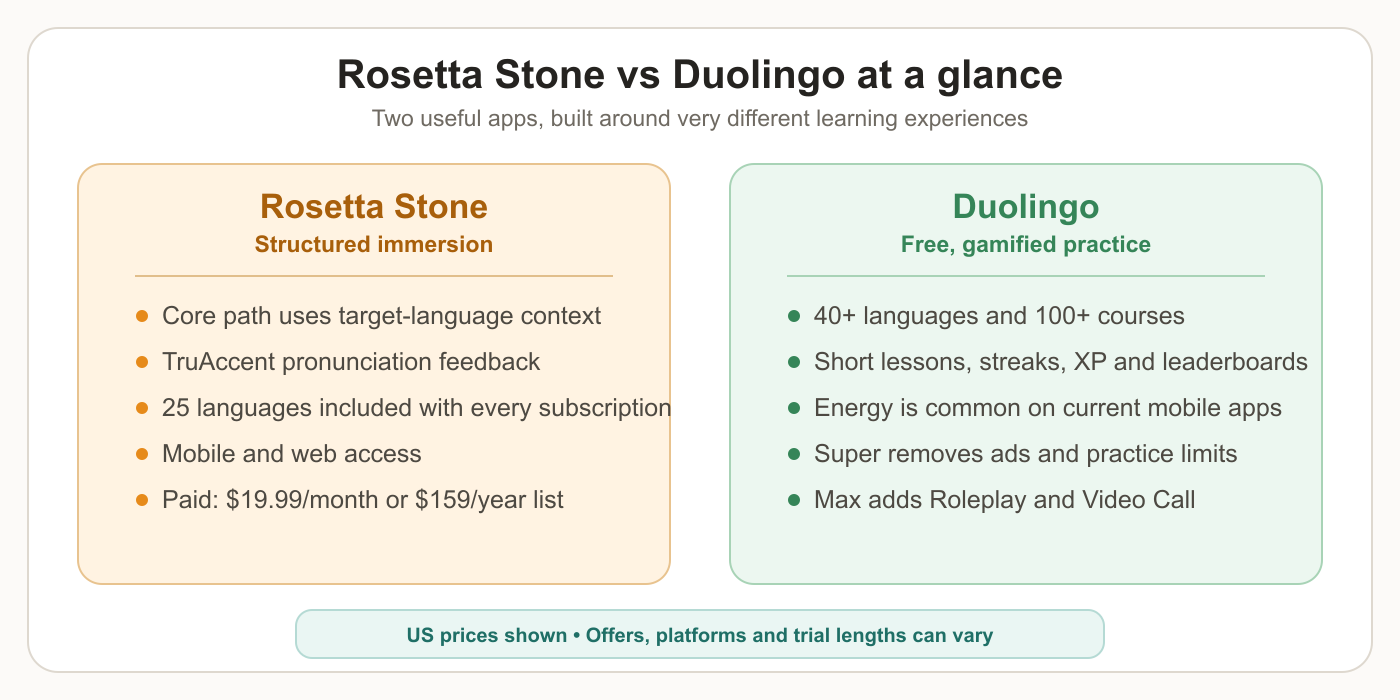
Rosetta Stone asks you to follow a paid, structured course. Duolingo lets you access its courses free, then offers Super for fewer limits and Max for AI conversation features.
One nuance: Rosetta Stone’s core Learning Path is immersive, but the whole Sapphire product is not translation-free. Its Flashcards show English on one side, and Chat Missions can display translations.
Our Duolingo French review and Rosetta Stone review go deeper into the hands-on experience.
Where do Rosetta Stone and Duolingo fall short?
Both now include more speaking or conversation practice than they used to, but neither makes measured, repeated speaking practice the center of the standard experience.
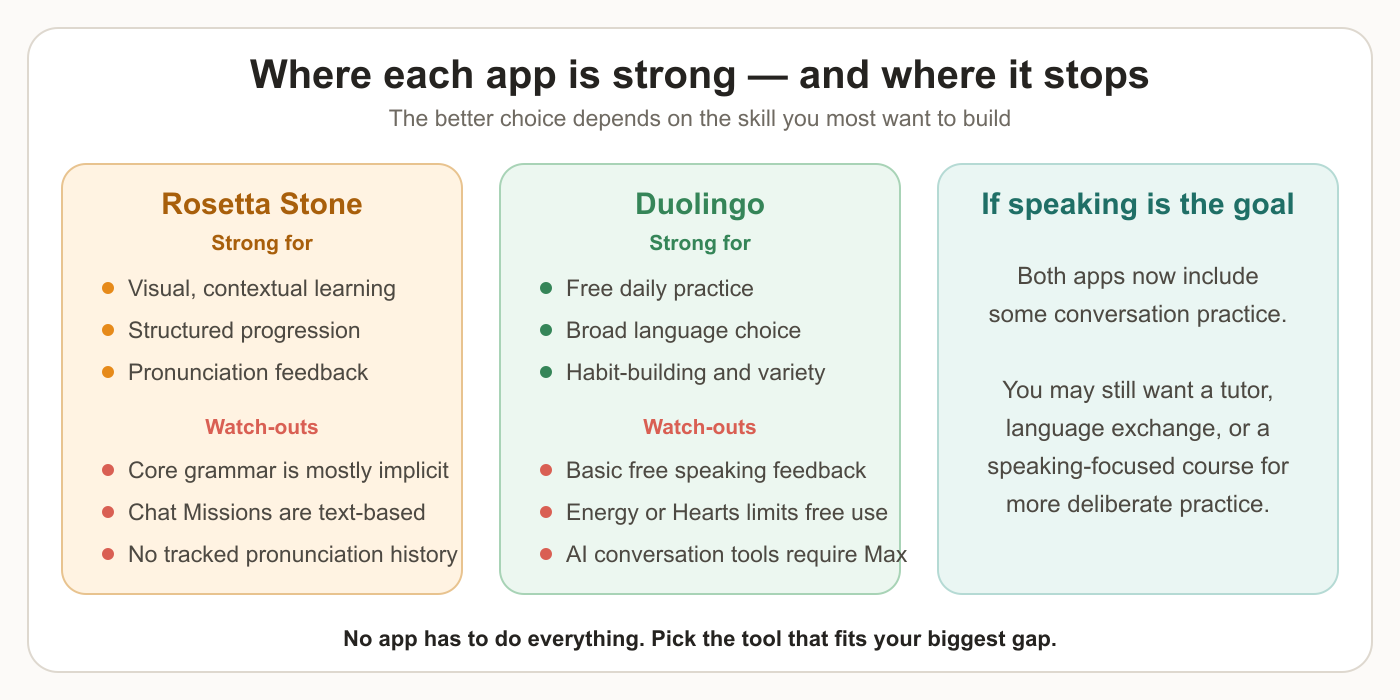
Rosetta Stone: TruAccent gives immediate pronunciation feedback. In our French testing, it was more useful than a simple pass/fail check, but Rosetta Stone does not provide a long-term pronunciation score history. Its Chat Missions are text-based, goal-led conversations in a browser.
Duolingo: Free speaking exercises check whether your response was recognized, but do not give detailed sound-by-sound coaching. Duolingo Max goes further with Roleplay and Video Call, including interactive feedback and unscripted conversation in supported courses.
Neither app consistently provides across its standard course:
- a pronunciation score history you can compare across repeated attempts
- paired slow and normal-speed versions of every dialogue
- large amounts of deliberate spoken conversation practice
If speaking is your main gap, you may still want a tutor, language exchange, or speaking-focused course.
Want measured speaking practice?
Copycat Cafe uses the Copycat Method™: Watch a conversation, copy it with 0–100% word-level pronunciation feedback, then use what you copied in low-pressure chat. It currently offers French, Latin American Spanish, Castilian Spanish, Italian, and German.
Rosetta Stone vs Duolingo: detailed comparison
Here’s how Rosetta Stone and Duolingo compare across the areas that matter most when choosing a language learning app.
Where can you use each app, and do they work offline?
Rosetta Stone Sapphire: Available on web and current iOS and Android devices. Current Sapphire documentation does not clearly promise offline lesson downloads, so we would not buy it assuming full offline access. Older Rosetta Stone Classic products have separate offline features.
Duolingo: Available on web, iOS, and Android with progress syncing. Duolingo says lessons are designed to work offline, although the exact content cached can vary. See its offline lesson explanation.
How does each app teach you?
Rosetta Stone calls its method Dynamic Immersion. The core Learning Path teaches in the language you’re learning, using images, audio, and context rather than constant translation. Grammar is mostly learned through patterns. Other Sapphire tools are less strict: Flashcards use English, and Chat Missions can show English translations.
Duolingo mixes translation, matching, fill-in-the-blank, listening, reading, writing, and speaking exercises. Guidebooks and the now-free Explain My Answer feature provide explicit grammar help in supported courses.
Bottom line: Rosetta Stone is more immersive and consistent. Duolingo is easier to start, more varied, and more explicit when explanations are available.
What does each app cover?
Rosetta Stone: Vocabulary, listening, reading, speaking, pronunciation, writing, and grammar through context. Every current subscription also includes text-based Chat Missions, 500+ themed Flashcard sets, and Sapphire Studio for generating custom practice materials in all 25 languages.
Duolingo: Vocabulary, listening, reading, writing, and speaking, plus Stories, DuoRadio, and course-specific activities where available. Max adds Roleplay and Video Call on iOS and Android. English speakers learning Spanish, French, German, Italian, or Portuguese currently get both; Japanese, Korean, and Chinese currently get Video Call.
How many languages does each app offer?
Rosetta Stone offers 25 languages, including Spanish, French, German, Japanese, Arabic, and less common options like Farsi and Filipino.
Duolingo offers 40+ languages for English speakers, including popular choices plus niche options like Scottish Gaelic, Hawaiian, and Navajo.
Bottom line: If you want to learn a widely-spoken language, both have you covered. If you’re interested in multiple languages or more unusual ones, Duolingo has the clear edge.
What levels do Rosetta Stone and Duolingo cover?
Rosetta Stone: A beginner-to-intermediate structured path organized around practical themes. Rosetta Stone does not publish one universal CEFR endpoint for every Sapphire course.
Duolingo: Coverage varies. As of April 2026, Duolingo says most learners studying English, Spanish, French, German, Italian, Portuguese, Japanese, Korean, or Chinese can access content through CEFR B2. That describes course content, not a guarantee that completing the app alone produces B2 proficiency. See Duolingo’s B2 announcement.
How long are lessons?
Rosetta Stone Sapphire: The current Learning Path is organized into bite-sized activities. In the older Classic French course Benjamin tested, fuller lesson sessions could run much longer, so the commitment depends on whether you complete one activity or a broader block.
Duolingo: Individual lessons are usually short enough to finish in a few minutes, and you can continue through several in one session.
Bottom line: Both fit short sessions. Rosetta Stone feels more like a structured course; Duolingo makes it especially easy to do one quick lesson and stop.
Which has better pronunciation feedback: Rosetta Stone or Duolingo?
Rosetta Stone has the advantage. TruAccent compares your voice with native-speaker data and gives immediate feedback. In Benjamin’s French testing, it offered more control and useful feedback than Duolingo’s standard speaking checks.
Duolingo’s free speaking exercises mainly confirm whether the app recognized the requested phrase. Max’s Video Call and Roleplay provide richer conversation feedback, but availability depends on course and feature.
Bottom line: Choose Rosetta Stone for pronunciation feedback between these two. Neither gives you a persistent 0–100% pronunciation history across repeated attempts.
Which has more useful listening audio?
Rosetta Stone: In our Classic French testing, the audio was clear and deliberate, helpful for beginners but less representative of fast everyday conversation.
Duolingo: Character voices add variety across exercises, Stories, and DuoRadio in supported courses. Some exercises include a slow “turtle” replay, but not every dialogue is available at both speeds.
Bottom line: Both provide substantial listening input, but neither consistently gives paired slow and normal-speed versions of the same full conversation. Copycat Cafe does this for each lesson conversation.
How does each app teach grammar?
Rosetta Stone: The core Learning Path teaches grammar mostly through examples, context, and repetition.
Duolingo: The main path also emphasizes learning by doing, but course guidebooks and Explain My Answer provide more direct explanations in supported courses.
Bottom line: Duolingo now offers more explicit help than our previous comparison credited it for. If detailed grammar teaching is your priority, a grammar-led course such as Babbel may suit you better.
Which is more motivating: Rosetta Stone or Duolingo?
Rosetta Stone: Calm, image-heavy, and course-like, with most game mechanics in the background.
Duolingo: Built around visible streaks, XP, leaderboards, quests, characters, and rewards.
Bottom line: Duolingo is stronger if external motivation helps you practice. Rosetta Stone may suit you better if game mechanics distract you.
Which has better cultural content?
Rosetta Stone: Uses practical themes such as dining, travel, work, and social situations, but culture is not the main focus of the core Learning Path.
Duolingo: Cultural depth varies by course. Stories, DuoRadio, and Spanish and French podcasts provide culturally situated listening and narratives, so “no cultural content” would be inaccurate. Duolingo still has no systematic culture curriculum across all courses.
Bottom line: Neither should be your only source for cultural competence. Duolingo offers more culture-rich formats in selected major courses than our previous comparison acknowledged.
How is knowledge applied in each app?
Rosetta Stone teaches vocabulary and grammar in themed, real-world contexts. You learn food vocabulary through a shopping scenario, prepositions through a directions exercise. This situational approach helps you connect language to practical use.
Duolingo takes a more whimsical approach. While some phrases are practical, many are memorable but unlikely to come up in real life. You’ll learn things like “The bear is eating bread” — fun and memorable, but not what you’d say at a café in Paris or a market in Madrid.
What extra resources does each app include?
Rosetta Stone Sapphire includes:
- Chat Missions: text-based AI conversations in 25 languages
- Flashcards: 500+ themed sets with English, images, target-language text, and audio
- Sapphire Studio: six AI tools for custom reading, vocabulary, flashcard, matching, and email materials
- Live tutoring: a US add-on; five 30-minute sessions cost $279 and ten cost $399
Duolingo includes:
- Stories and DuoRadio: course-aligned reading and listening where supported
- Podcasts: contextual listening for selected pairs, including English speakers learning French or Spanish
- Free Practice tab: targeted speaking, listening, mistakes, and vocabulary activities depending on course
- Duolingo Max: paid Video Call and Roleplay in supported languages
Bottom line: Rosetta Stone includes more separate study tools with its standard subscription. Duolingo offers more free formats; its strongest AI conversation features require Max.
How much does Rosetta Stone cost vs Duolingo in the US?
Rosetta Stone US list pricing: $19.99/month or $159/year. Every subscription includes all 25 languages. At our July 23 check, a 20% promotion reduced those prices to $15.99 monthly or $127.20 annually. Check current US pricing before purchasing.
The Sapphire mobile apps offer a one-time 7-day trial. Direct Sapphire purchases have a 14-day satisfaction guarantee. The mobile trial converts to $19.99/month unless canceled. See the trial details and refund terms.
Duolingo US pricing:
- Free: full course content, with ads and Energy or Hearts limits depending on account and platform
- Super: commonly $12.99/month or $95.99/year; Family $119.99/year for up to six accounts
- Max: commonly $29.99/month or $167.99/year; Family $239.99/year for up to six accounts
Prices and trial offers vary by purchase channel. The current US App Store listing shows multiple Super price points and a 14-day trial, while Duolingo’s US web offer showed a 7-day trial when checked.
What happened to Hearts? Duolingo introduced Energy as its mobile replacement for Hearts. It is now common on current mobile accounts, but availability still varies; some accounts, older app versions, and web experiences may show Hearts. Depending on your system, Super or Max removes the free-use limit. Duolingo’s Energy guide explains the mechanic.
Bottom line: Duolingo wins on price because course content remains free. Rosetta Stone charges for a more structured immersion experience.
Quick comparison table
| Feature | Rosetta Stone | Duolingo Free | Duolingo Max | Copycat Cafe |
|---|---|---|---|---|
| US annual price | $159 list | Free | $167.99 | $174 |
| Languages | 25, all included | 40+ | 40+ courses; AI varies | French, Latin American Spanish, Castilian Spanish, Italian, and German |
| Core method | Structured immersion | Gamified mixed exercises | Duolingo + AI conversation | Watch → Copy → Chat |
| Pronunciation | TruAccent | Basic phrase recognition | Speaking + conversation feedback | 0–100% word scoring |
| Conversation | Text Chat Missions | Speaking exercises | Roleplay + Video Call | Lesson chat + Chat with Copy |
| Grammar | Mostly implicit | Guidebooks + explanations | Plus conversation feedback | Grammar in context |
| Audio speeds | No paired speeds for every dialogue | Slow replay on some exercises | Varies | Slow + normal lesson audio |
| Best for | Visual immersion | Free daily practice | AI conversation in Duolingo | Measured speaking practice |
We make Copycat Cafe, so treat its inclusion as transparent context rather than a neutral award. Its limitations are real: French, Latin American Spanish, Castilian Spanish, Italian, and German only, no leaderboards, and no grammar-first course.
Should you choose Rosetta Stone or Duolingo?
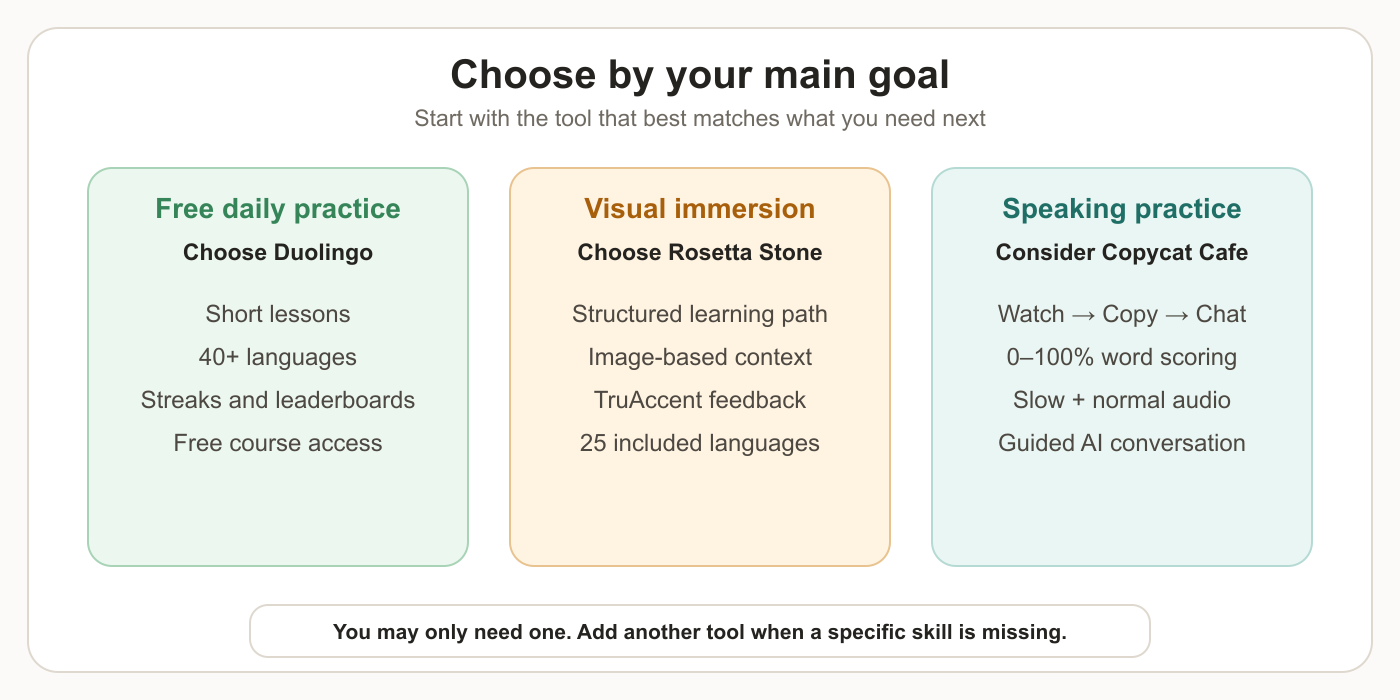
Choose Rosetta Stone if you:
- learn well from images and target-language context
- want stronger pronunciation feedback
- prefer a structured course with fewer game mechanics
- want all 25 languages in one subscription
Choose Duolingo if you:
- want free course access
- like short, gamified sessions
- want 40+ languages
- benefit from streaks, quests, and leaderboards
Consider Duolingo Max if you:
- want Video Call or Roleplay inside Duolingo
- are learning a language supported by that feature
- already enjoy Duolingo enough to pay for its highest tier
Consider Copycat Cafe if you:
- want speaking at the center of each lesson
- want 0–100% word-level feedback you can revisit
- want the same conversation at slow and normal speed
- are learning French, Latin American Spanish, Castilian Spanish, Italian, or German
You may only need one app. Add another only if a specific skill is still missing.
Which app is best for your goal?
“I want to start from scratch”
Either can work. Rosetta Stone suits image-and-context learners; Duolingo is easier to try because its courses are free.
“I want to improve my pronunciation”
Rosetta Stone’s TruAccent is stronger between these two standard experiences. For repeated 0–100% word-level scoring and a history you can compare, Copycat Cafe is built more specifically for that job.
“I want to speak in real conversations”
Duolingo Max offers spoken conversation through Video Call. Copycat Cafe includes guided Roleplay with Copy at the end of lessons and the standalone Chat with Copy. Rosetta Stone’s Chat Missions are text-based. Max may suit you if you already enjoy Duolingo; Copycat Cafe is built for learners who want AI conversation connected to listening, imitation, and pronunciation feedback.
“I’m on a tight budget”
Start with Duolingo. Its course content is free, and the Practice tab offers speaking, listening, vocabulary, and mistake review. Our free French guide has more options.
“I want to combine tools”
Combine around a clear gap. For example, use Duolingo for free daily practice and add speaking-focused work if you understand more than you can say. You do not need three subscriptions by default.
See our best language learning apps guide for more options by goal.
What if conversation practice is what you really need?
If you understand more than you can comfortably say, another vocabulary exercise may not solve the problem. You need to hear useful language, say it, get feedback, and use it without building every sentence from scratch.
That is what Copycat Cafe is built to address:
- Watch: listen to a practical conversation with text progressively revealed
- Copy: repeat each line with normal and slow audio plus 0–100% word-level feedback
- Chat: use what you copied in low-pressure conversation with Copy
It also includes Smart Review, Hands-Free Review, progress tracking, and up to 1,000 conversation messages per day. It currently offers French, Latin American Spanish, Castilian Spanish, Italian, and German; every active course option is included in one subscription.
What it is not: Copycat Cafe is not a 40-language game or grammar-first reference course. If you mainly want free vocabulary practice, Duolingo may fit better. If you want visual immersion across many included languages, Rosetta Stone may fit better.
Personal plans cost $174/year ($14.50/month) or $29 month-to-month, and start with a 7-day free trial, with a 30-day money-back guarantee on the first payment. Paid plans start with a 7-day trial.
Rosetta Stone vs Duolingo FAQ
Is Rosetta Stone better than Duolingo?
Rosetta Stone is better for structured visual immersion and stronger pronunciation feedback. Duolingo is better for free daily practice, gamification, and a broader language selection.
Which is better for speaking, Rosetta Stone or Duolingo?
Rosetta Stone has stronger standard pronunciation feedback. Duolingo Max has the stronger spoken-conversation option through Video Call; Rosetta Stone’s Chat Missions are text-based.
Is Rosetta Stone free?
Rosetta Stone is paid, but the Sapphire mobile apps offer a one-time 7-day trial. Direct Sapphire subscriptions also have a 14-day satisfaction guarantee.
Does Duolingo use Energy instead of Hearts?
Energy is now common on Duolingo’s current mobile apps and is intended to replace Hearts, but availability can vary by account, app version, and platform. Some experiences still show Hearts.
How much do Rosetta Stone and Duolingo cost in the US?
Rosetta Stone lists at $19.99/month or $159/year. Duolingo course content is free; individual annual Super and Max plans are commonly $95.99 and $167.99 in the US.
Can Rosetta Stone and Duolingo be used offline?
Duolingo says lessons are designed to work offline, although cached availability varies. Current Rosetta Stone Sapphire documentation does not clearly promise offline lesson downloads.
Is Duolingo Max available on Android?
Yes. Max is available on both iOS and Android, but Roleplay and Video Call availability depends on language and feature.
More resources
- Best apps to learn French
- Best language learning apps
- Best AI language learning apps
- Duolingo review
- Duolingo Max review
- Best Duolingo alternatives
- Babbel review
- Babbel vs Duolingo
- Pimsleur review
- French conversation practice
Editorial note: This comparison combines earlier documented hands-on use of both apps with a fresh July 2026 review of official product pages, support documents, app-store listings, and US pricing. We did not retest every feature for this update.