
Disclosure: This article contains affiliate links. If you sign up through them, we may earn a commission at no extra cost to you. This doesn't influence our review.
Some language learning apps use AI to simulate a conversation. Others combine AI practice with a structured course. Learning Spanish specifically? See our dedicated guide to the best AI apps to learn Spanish, and if you want to compare them with more traditional options, we also ranked the best Spanish learning apps overall.
I’ve tested several of the apps below to see how much they can help you with your language learning journey.
Here’s what I found out!
Updated September 30, 2026: We checked current features, pricing and access terms against official sources. The firsthand impressions below come from the author’s original tests.
First, which language are you learning? It changes which app makes sense:
- French, Latin American Spanish, Castilian Spanish, Italian, or German: Copycat Cafe combines structured lessons with AI conversation and pronunciation scoring.
- Another language: our app won’t help you outside French, Latin American Spanish, Castilian Spanish, Italian, and German. Langua is our favorite dedicated AI conversation partner from the earlier tests, with 20+ languages.
💬 “People I interact with regularly have been commenting on how much my French has improved.”
Stephanie Argy, a Copycat Cafe learner in Paris. Read her testimonial.
Want structured lessons and AI conversation in one app? Copycat Cafe combines both, with AI pronunciation feedback on the phrases you practice.
What to know about AI language learning apps
Before we begin our list, a few quick things to keep in mind:
Some language learning apps use AI to generate replies to your messages or speech. You are talking to software, not a live person. Apps such as Busuu also have separate community features where learners interact with people.
Several apps below offer limited free practice. Others offer a trial before you pay for a subscription. Check the limits and whether a trial requires payment details.
One advantage is being able to practice without booking a session with a language tutor or coordinating with a friend. Access still depends on the app, your plan and an internet connection.
Apps such as Langua support both text and voice practice. Others put more emphasis on speaking, so check the available modes if you want to practice writing too.
-
Never forget that AI language learning apps are not actual native speakers and can make mistakes or simply not react to you the way a real person would.
-
Some AI chatbots still work best once you have basic conversation and comprehension skills. Others now include structured beginner lessons or guided modes, so beginners should check what teaching support an app offers rather than assuming every AI tool works the same way.
AI role-plays can be a fun way to try scenarios such as ordering food or booking a hotel. I would use them alongside other practice, including conversations with people, rather than treat a smooth exchange with a bot as proof of fluency.
What’s the best AI language learning app to use?
Our top pick is Copycat Cafe (disclosure: we make this app), especially if you want structured lessons alongside conversation practice. You listen to dialogues, copy useful phrases aloud with pronunciation feedback, then use what you learned with Copy, our AI conversation partner.
Langua is a strong choice for AI conversation practice, especially if you already have a learning foundation. It also has a Guided Course for A1 and A2 learners. Its feedback was the most comprehensive in our earlier chatbot tests, and the role-plays impressed us. Langua says its natural-sounding voices are cloned from native speakers. Call Mode allows hands-free conversation.
Memrise’s AI coach (MemBot) is a solid option for vocabulary-focused learners. In my French test, it made attentive corrections to written responses, including missing accents. I preferred it as part of Memrise’s wider learning app rather than as my main conversation tool.
Praktika AI offers practice with animated AI tutors. I liked the immersive approach, although I preferred Langua’s feedback in our earlier tests. Praktika has since documented more review and feedback tools, which we cover below.
-
Speak has a polished interface, but our testing found its speech recognition to be overly lenient. That left me wanting clearer feedback on pronunciation and word order.
-
Based on my testing, Talkpal AI made concerning errors in French and may not be the best choice for French learners. However, it may perform better with other languages.
Here are more in-depth reviews of the AI language learning apps I’ve mentioned, as well as several others I tried out.
Copycat Cafe
Editorial note: We make Copycat Cafe, so we’re biased, but we’ve done our best to be fair in this comparison.
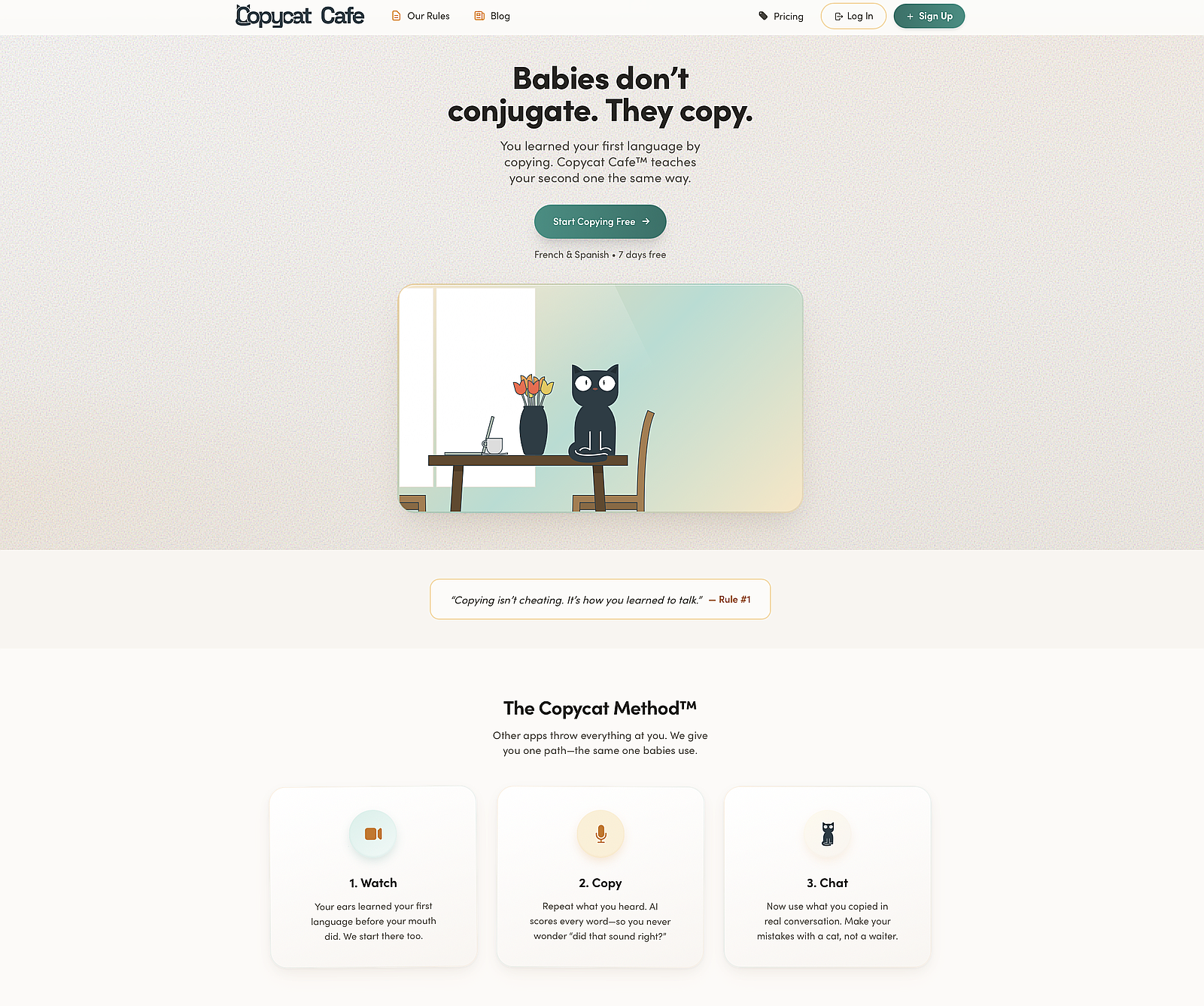
Copycat Cafe (formerly French Together) combines structured courses in French, Latin American Spanish, Spanish from Spain, Italian and German with AI conversation. Its approach is The Copycat Method™: Watch. Copy. Chat. You listen to an everyday dialogue and rebuild its lines, copy useful phrases aloud, then use the language with Copy. That sequence is suggested; you can also enter Chat independently.
The pros
Structured lessons plus AI conversation: Each of the five courses has 200 structured lessons, organized from A1 to B2, alongside conversation practice. Those labels describe the curriculum, not a guaranteed final level.
AI pronunciation feedback: When a recording can be assessed, you get feedback and a 0–100 score for that attempt. The score is guidance for your next try, not a measure of overall fluency.
Slow and natural-speed audio: Lesson phrases have both playback speeds. The audio uses natural-sounding generated voices.
A founder with a language-learning background: Co-founder Benjamin Houy is a native French speaker who previously taught English.
Works for beginners: You can start with the A1 material and use the lesson phrases as a starting point for speaking.
The cons
Five course choices: French, Latin American Spanish, Spanish from Spain, Italian and German. If you want another language, you will need a different app.
A card is required for the trial: The 7-day trial becomes a paid subscription unless you cancel before it ends.
How much does Copycat Cafe cost?
Personal plans cost $29/month or $174/year, billed annually (equivalent to $14.50/month). The 7-day trial requires a card. The 30-day money-back guarantee covers the first subscription payment. Chat allowances are up to 1,000 normal-chat messages and 30 minutes of calls per day.
The verdict
Copycat Cafe remains our top recommendation if you want a course path connected to speaking practice. It gives you phrases to hear and copy before asking you to use them in conversation. Other apps now offer beginner guidance too, so the choice comes down to which approach you prefer.
Langua
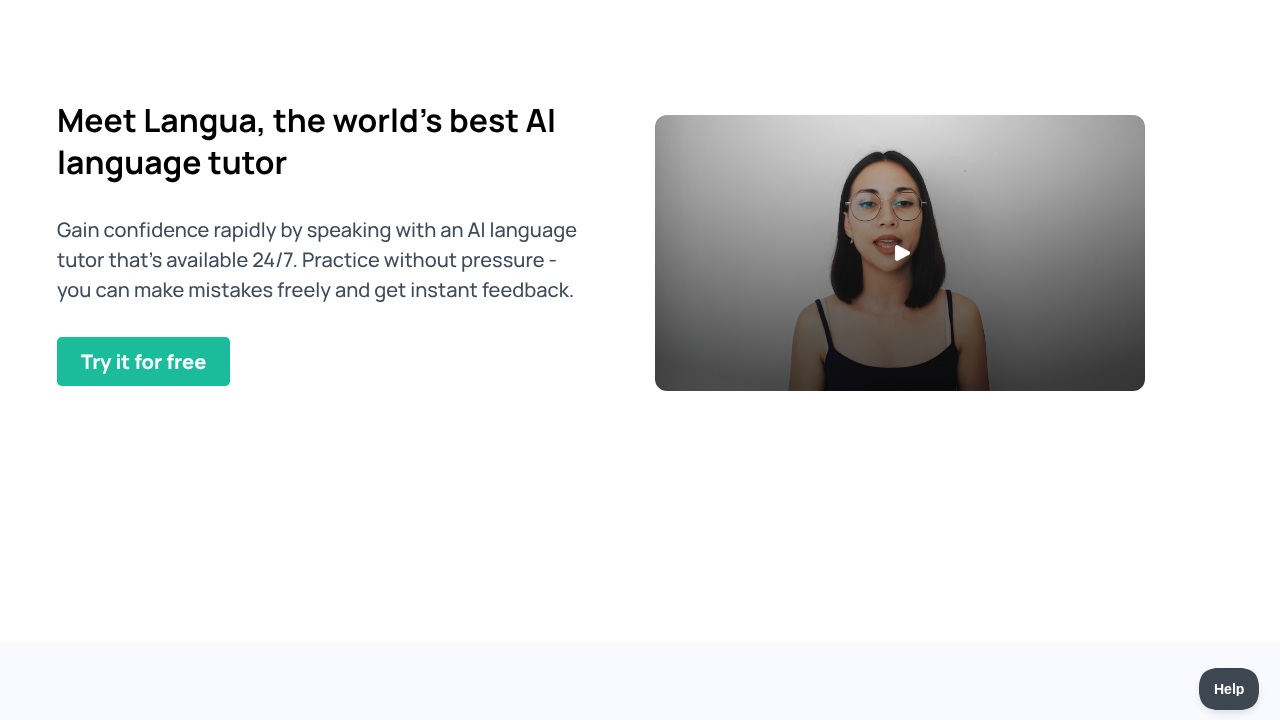
Langua is a web and mobile app built around AI conversation, with free and paid access. Its trial terms specify 5 days for monthly plans and 7 days for annual plans, with a card required. The 30-day money-back guarantee covers web and Android purchases; Apple handles App Store refunds separately. For more, read our LanguaTalk review.
The pros
Natural-sounding AI voices: Langua says its voices are cloned from native speakers. They sounded remarkably natural to me in the earlier review.
Detailed feedback: Langua offers written or verbal corrections, depending on your mode and settings. Feedback reports require at least six replies, and audio summaries are available in the mobile app. This range of feedback was a highlight in our earlier tests. See the conversation guide.
Call Mode for hands-free practice: I like the option to practice while walking or doing chores. The Standard plan includes up to 30 call minutes daily; Unlimited removes that advertised plan limit.
-
Vocabulary integration - When you encounter unfamiliar words during conversations, you can add them to your flashcard deck with one tap. The app uses spaced repetition and even weaves your saved vocabulary into AI-generated stories for contextual practice.
-
You can choose how to learn from a chat, with options to only listen to the bot, listen first then read, or only use text messages.
You can return to saved conversations and play back the AI’s replies.
I liked Langua’s simple interface. It was easy to find what I needed without getting distracted.
-
You can choose what to chat about, or just do a role-play.
The chatbot’s voice sounded natural to me. In my French test, it reacted with informal expressions such as “C’est génial.”
-
I’m impressed by how flexible the system is for role-playing with the chatbot, especially since you can choose a custom topic if the provided options don’t suit your needs. It makes the interaction feel very natural, almost like talking to a real person. Additionally, when you pose a random question, the chatbot delivers a quick and personalized response.
-
20+ languages supported - Beyond French, Langua supports Spanish, German, Italian, Portuguese, Dutch, Swedish, Russian, Japanese, Korean, Mandarin Chinese, and more.
The cons
-
Langua now has a Guided Course for A1 and A2 learners, but its main strength remains AI conversation practice rather than a full curriculum. Beginners who want a more extensive course may still prefer to pair it with a curriculum-based app like Copycat Cafe.
How much does Langua cost?
Langua has both a free and a paid version.
The free plan includes about 20 standard-chat messages per week and up to 3 minutes of Call Mode per day. Standard allows 75 messages and 30 call minutes daily; Unlimited removes those advertised plan limits.
The US App Store lists Communicate at $19.99/month or $149.99/year, and Unlimited at $29.99/month or $199.99/year. The web help calls its limited paid tier Standard. Store listings show available purchase options; check your checkout for the actual plan, price and renewal terms.
Verdict
Langua is our top recommendation for AI conversation practice as a supplement to structured learning. The combination of human-like voices, comprehensive feedback, Call Mode for hands-free practice, and vocabulary integration makes it stand out from other chatbots. It’s especially well-suited for intermediate and advanced learners who want serious conversation practice at an affordable price. Its Guided Course now gives A1 and A2 learners more support, although beginners who want a fuller curriculum may still prefer pairing it with an app like Copycat Cafe.
Memrise
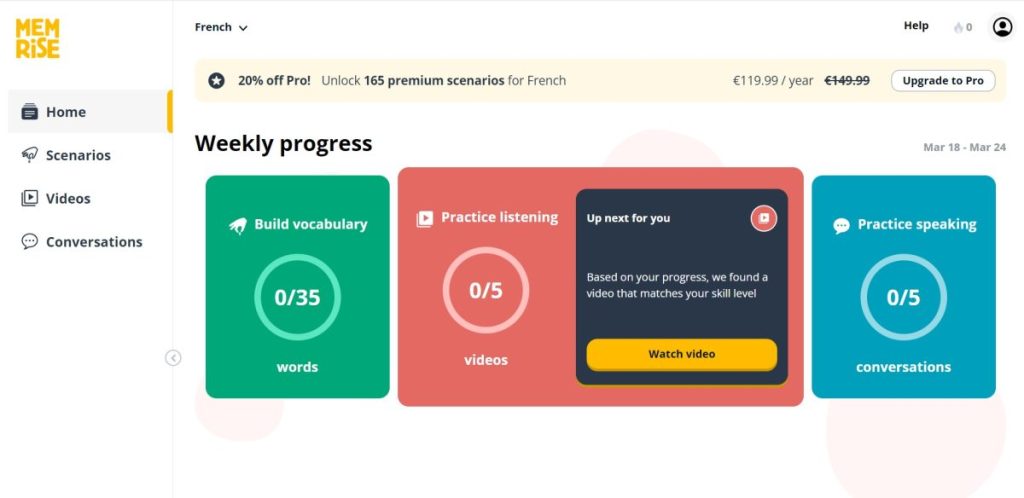
I previously reviewed the wider Memrise app. Here, I’m focusing on the AI coach, which Memrise’s help pages call MemBot. The reactions below come from that earlier French test. Memrise now also describes structured Lessons that combine learning activities, including conversations, in a rollout to new users.
The pros
-
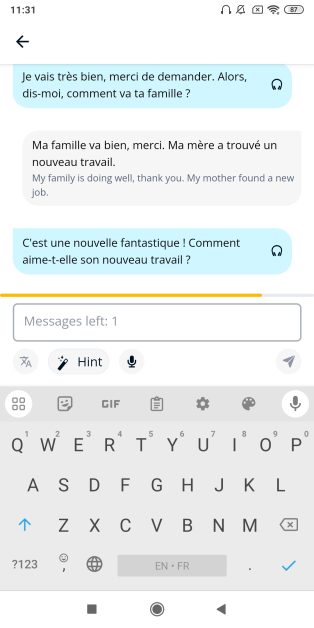
Memrise’s AI coach handled several of my written replies well. I was trying it out in French and it understood a somewhat informal response I gave (Je trouve ça rigolo) and even corrected it by adding the cedilla to ça. I was very impressed by this. Throughout the chat, it continued to add missing accents to my responses.
-
Memrise’s mobile app recognized my phone’s mic.
-
The AI seems to understand spoken language well and impressed me by rolling with the punches. For instance, when it asked how my family was, I said my mother had started a new job and it reacted to that in a normal, human-like way. A follow-up remark I made about my mother being stressed had the AI say that change can be stressful. Very convincing.
-
There is a brief explanation of the chat scenario at the start, in English, which is helpful for learners at lower levels.
The paid version includes additional features; check the current offer for the AI practice included in your plan.
Native-speaker videos: Memrise includes clips of people saying useful words and phrases, alongside its AI practice.
Spaced review: Memrise schedules vocabulary review over increasing intervals when you answer correctly.
The cons
-
The AI made a pretty egregious pronunciation error right off the bat, pronouncing the verb porter like “porter” in English.
-
The web app couldn’t recognize my computer’s mic.
In my earlier free-version test, the chat was cut short by a message limit.
The conversations I tried were short, with only a few questions and replies. I would check the current version if longer, open-ended chats are your priority.
I preferred it as part of the wider app: In my earlier test, the AI coach felt like a supplement to vocabulary learning, and I wanted more detailed feedback. Memrise now includes conversations among its structured lesson activities, so I would not describe AI as a separate add-on across the current product.
How much does Memrise cost?
Memrise has a free and a paid version.
Free access covers selected learning material; Pro unlocks additional content and features. The exact AI practice allowance should be checked in your account.
Memrise’s subscription help lists monthly, annual and lifetime options. Check the current offer in your account for the price and included features.
The verdict
Memrise’s AI coach is a solid option if you already use Memrise for vocabulary. I liked the natural replies and the attention to written accents in my French test, despite the pronunciation and microphone problems described above. For conversation practice alone, I preferred Langua and its wider feedback options.
Praktika AI
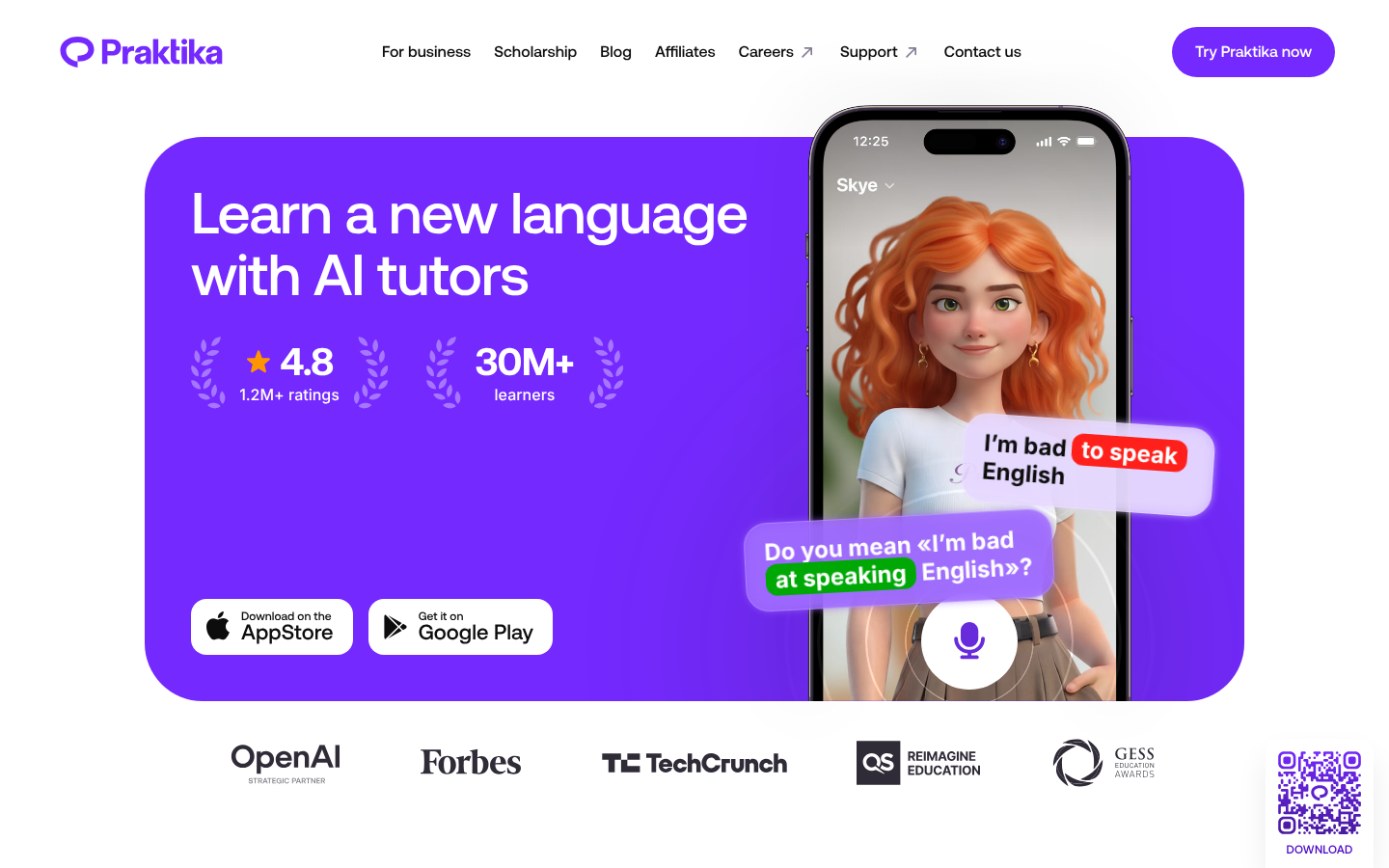
Praktika AI is an AI language learning app that features AI tutors for conversational practice. It emphasizes speaking fluency through natural dialogue.
The pros
-
Multiple AI tutors - Choose from different AI tutors with distinct personalities and teaching styles.
-
Adjustable feedback intensity - Set feedback to soft, balanced, or strict depending on your preferences.
-
Comprehensive practice - Includes speaking, reading, listening, vocabulary, and grammar exercises.
Feedback as you practice: Praktika documents corrections for pronunciation, grammar and word choice. You can tap your own message to review pronunciation feedback and try again.
Open conversation: You can choose a topic beyond the preset scenarios. “Free conversation” describes the format, not a promise that unlimited use is free of charge.
Annual purchase options: Some listed annual offers are less expensive than paying monthly for a year. Compare the actual total at checkout; there is no single worldwide price.
Animated AI tutors: I liked the immersive presentation. Response speed can vary, so I would not count on every reply being instant.
The cons
Check your target language: Praktika’s current help page lists English, French, Japanese, Korean, Portuguese, Brazilian Portuguese, German, Italian, Spanish, Russian, Arabic, Simplified Chinese, Dutch and Polish.
Feedback tracking has changed since our test: We preferred Langua’s summaries in the earlier comparison. Praktika’s current help now describes reviewing completed lessons, downloading them as PDFs, and checking individual words in your pronunciation feedback. Its feedback guide also covers grammar, vocabulary and pace. We have not retested the quality of these additions.
Vocabulary review: We did not find a spaced-repetition system in our earlier test. Praktika now documents saving vocabulary, so it would be inaccurate to say that it has no way to revisit words.
How much does Praktika AI cost?
Praktika has a limited free version with three avatars, limited speaking and basic feedback. Premium adds more access and features. The US App Store lists a one-month purchase at $9.99 and annual options including $49.99, $119.99 and $139.99. These are listed offers, not a promise of your checkout price. Check whether your offer includes a trial and what happens when it ends.
The verdict
Praktika remains worth considering if you like animated tutors and flexible conversation. Adjustable feedback was a feature we liked. I preferred Langua’s feedback in the earlier comparison, but Praktika’s newer review tools deserve consideration, and the better value depends on the offer you actually receive.
Speak
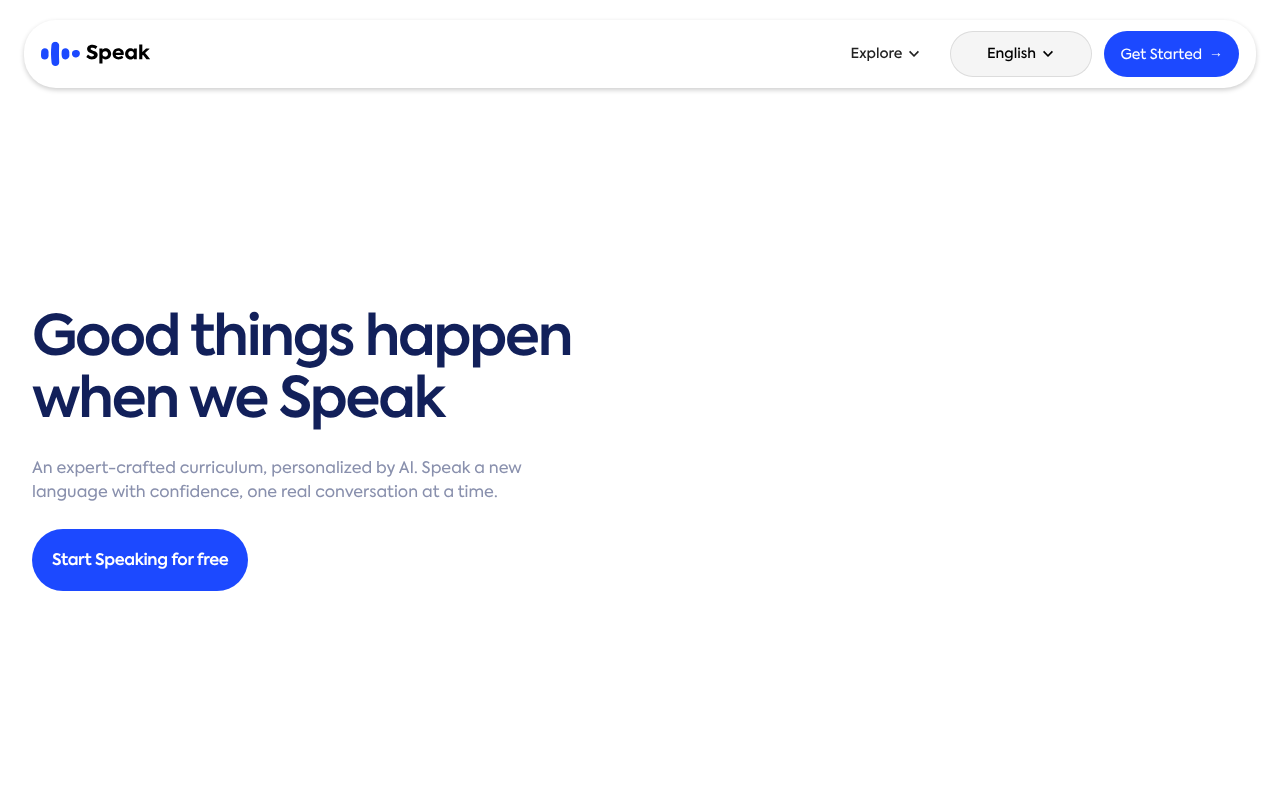
Speak puts spoken practice at the center of its lessons, with a curriculum, situational role-plays and Speak Tutor.
The pros
-
Speaking-first approach - Unlike apps that focus on reading and writing, Speak emphasizes actual conversation practice from day one.
Speak Tutor: You can ask questions, practice a topic and get additional exercises. Premium Plus adds more personalized learning features than Premium.
-
Polished interface - The app has a clean design and smooth user experience.
Multiple languages: For English speakers, Speak offers Spanish, French, Japanese, Korean, Italian and Simplified Chinese. English courses are available from several other interface languages. See its language list.
The cons
Speech recognition felt overly lenient: During our earlier testing, Speak sometimes accepted mispronounced words or reversed word order. That mattered to us: in French, un homme grand means a tall man, while un grand homme means a great man. I would not treat an accepted answer as proof that every part of it was correct.
Passing a drill was not enough feedback for me: I wanted the app to point out more of the errors we deliberately tried. I cannot infer why its recognition behaved that way, or whether every learner will see the same behavior.
I wanted more detail: Langua’s corrections suited me better in the earlier comparison. Speak’s current plan guide describes a dedicated Pronunciation Coach, but that feature is for English learners only.
Most features need a subscription: Free accounts get preview features. Premium and Premium Plus both include the core curriculum and Speak Tutor; Plus adds more personalization and generated practice.
Repetition: I liked the structured lessons for beginners, but the later practice felt repetitive to me.
How much does Speak cost?
Speak offers free preview features. Its 7-day subscription trial requires a payment method; Speak says to cancel at least one day before it ends to avoid a charge. The US App Store lists Premium at $17.99/month or $83.99/year and Premium Plus at $39.99/month or $164.99/year. These are listed purchase options; your offer can vary by region, platform and promotion.
The verdict
Speak is worth considering for beginners who want low-pressure spoken practice. I liked its polished interface, but the lenient recognition in our earlier French test left me wanting more detailed correction. I preferred Langua for conversational feedback, or Copycat Cafe for dialogue-based lessons and pronunciation practice. Those are preferences from our reviews, not proof that one app measures pronunciation more accurately. Read our full Speak app review for the examples behind the verdict.
Gliglish
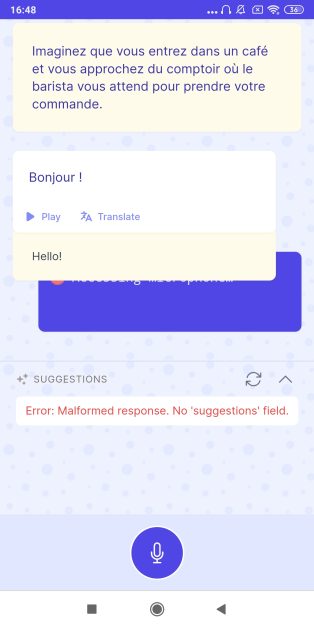
Gliglish offers voice-led conversation practice, translations and grammar feedback. Its free web option allows 10 minutes a day, with up to 50 messages per conversation and restricted access at busy times. Plus adds more practice and learning features.
The pros
-
Gliglish offers to talk to you in a lot of different languages, including variants from different places, for instance French from France and Canadian French; US English and UK English, etc.
-
Gliglish looks great: an easy-to-use interface with friendly 3-D-style drawings of people for each scenario.
In the version I tested, I could choose “Teacher” or “Role-play.” Gliglish now also advertises topics and mini-classes, so those two choices do not describe its whole current product.
-
I selected French on this app, and I like that the Role-play mode gives you a variety of scenarios to choose from, such as “Dans un taxi,” “Demander de l’aide à un inconnu,” “Au restaurant” and more.
-
Adjustable conversation speed helps learners at different levels.
-
Word-by-word explanations with context are helpful for understanding nuances.
The cons
-
Recording audio responses was slower than I would have thought and soon ended in an error message on my computer and the whole app restarting when I tried it on an iPad. When I tried again with my computer, the app did recognize my mic and did a great job transcribing my responses. But there was still a response delay despite my normal responses, and also and much worse, after a short exchange, an error message came up again.
The chatbot’s voice sounded a bit artificial to me compared with some of the other bots I tried.
Suggested responses appeared at the bottom of the page, but clicking them seemed to do nothing in either of the two modes I tried.
I could not get a useful text-only exchange going in my test. If you need a tool for writing practice, or rely on text rather than audio, check the current interface before paying.
-
Even when I tried to stick to one of the suggested responses, the bot still took time to process my answers and then ended up showing an error message after just a few exchanges.
-
Gliglish also couldn’t recognize my phone’s mic and kept asking permission to use it. Error messages also frequently came up, putting a quick end to every conversation I tried.
Good and bad
Gliglish offers guest practice without signing up. Guest conversations are periodically deleted, so create an account if you want to preserve your history.
The role-play instructions in my French test were in French, which I thought could be difficult for a beginner. Gliglish now advertises beginner support and mini-classes on Plus.
When I made a mistake that appeared in the transcript, the bot did not clearly flag it. It repeated my response in a corrected form, but I would have liked an explanation.
How much does Gliglish cost?
Gliglish has a free and a paid version.
The free version of Gliglish lets you chat for 10 minutes a day, with conversations capped at 50 messages each and restricted availability during peak hours.
On the website, Plus is $29/month or $192/year, billed annually (equivalent to $16/month). The US App Store lists $29/month and $192.99/year. Its dedicated pronunciation scores are currently advertised for American English, so do not assume the same scoring is available for French or Spanish.
The verdict
I’m really disappointed in my experience with Gliglish. This chatbot has so much promise, but it seems to have a lot of trouble recording and processing audio, or maybe just a lot of technical issues in general. Overall, Gliglish feels like an app that was lovingly made and offers useful free access, but it had a lot of bugs in my testing, and these kept me from having more than a few lines of conversation at best. Because you can access it without creating an account, you may at least want to give the free version of Gliglish a try. Although I experienced bugs over several days, by the time you’re reading this, maybe they’ve been fixed.
Mondly
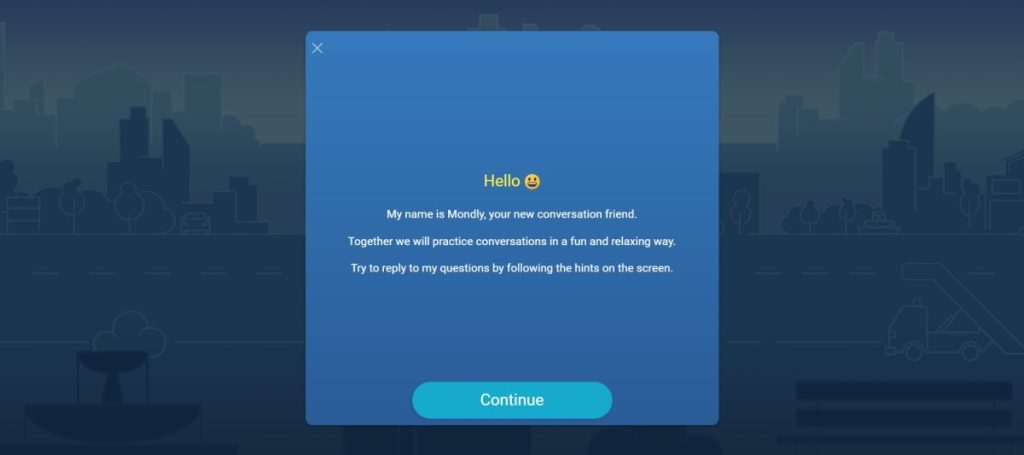
I previously reviewed the wider Mondly app. It had positive sides, but I found the interface visually cluttered and confusing. Here I’m focusing on the chatbot in the main app. Mondly VR is a separate product; the Steam version requires compatible VR hardware.
The pros
-
Mondly’s mobile app recognized my mic.
-
The chatbot sometimes incorporates emoji into the conversation, which is a cute touch.
-
Answer suggestions are provided, which can be helpful for lower level learners.
The chat I tried lasted a long time. That experience does not establish an unlimited allowance on every plan.
The cons
-
Mondly’s chatbot gets off on the wrong foot, telling you what you can say back (two response choices) before even letting you see how the bot has started the conversation. This sort of fits the vibe of Mondly’s cluttered, confusing interface.
I could not get the web microphone to work reliably. I followed the press-and-hold instructions but struggled to record a response.
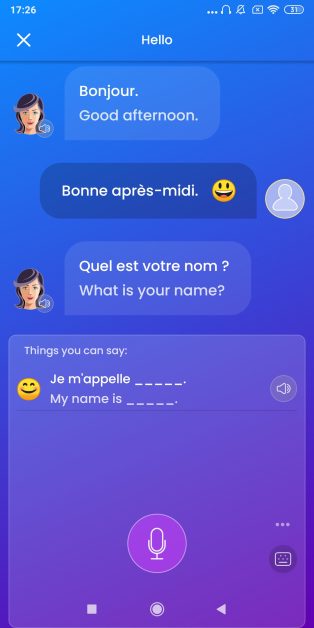
Some phrases did not feel natural to me in context. In the exchange pictured below, the chat paired Bonjour with “Good afternoon,” and I replied Bonne après-midi. I would normally use that second phrase to wish someone a good afternoon as we part, rather than as my opening greeting. That made this an awkward model conversation for me.
-
Sometimes, even the pre-written multiple choice responses don’t get recognized, or the AI will recognize them and then shorten them.
-
The chatbot didn’t always recognize my responses, even when it came to simple phrases like when I said J’aime la chanson française instead of one of the responses that were suggested.
I did not receive corrections during or after the chat I tried.
-
When you’ve finished a themed chat, the app says you now know how to say a particular word, even if you don’t. For instance, my chat was labeled as practice for saying hello, but it covered much more than that.
-
Now and then optional responses were said in a canned, artificial voice.
Good and bad
- There are suggested responses to each thing the bot says. This could be helpful especially for lower level learners. But it’s not made clear that you don’t have to use these if you don’t want to.
How much does Mondly cost?
Mondly has free access and a Premium subscription. The separate VR product is not the same as the mobile subscription.
Free access is limited. Try the chatbot in your current version before subscribing rather than assuming every conversation feature is included.
The US App Store lists monthly Premium options at $15.90 and 12-month options at $74.90, alongside other offers. Some purchases are labeled with a trial, but availability depends on the offer shown to you.
Verdict
Mondly gave me one of the longest chats in this comparison, but it was also one of the least satisfying. I could not always go off script, I did not receive the corrections I wanted, and the app marked the lesson complete despite those problems. I wanted clearer feedback on what I should practice next. That is the limitation I encountered in the version I reviewed.
Talkpal AI
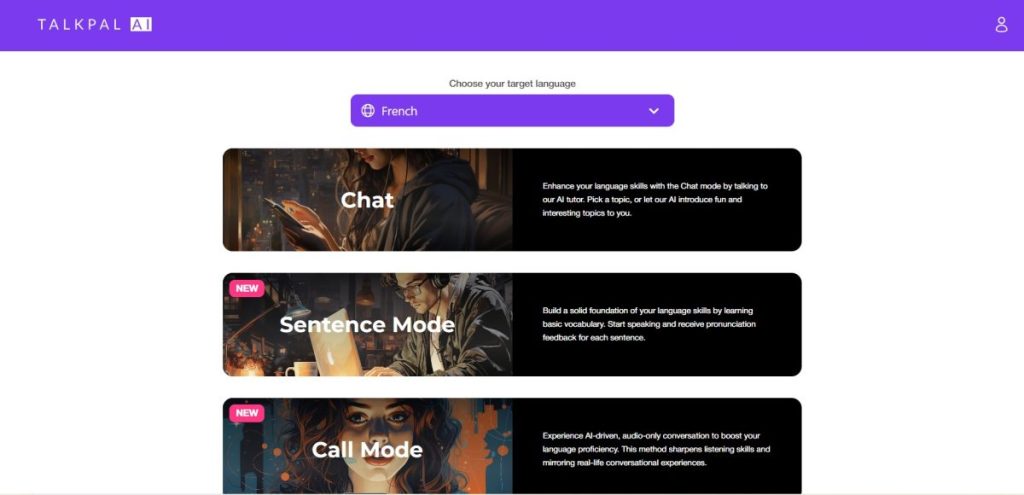
Talkpal AI is available on the web and mobile, with free and paid plans. My earlier French test focused on its chatbot Emma. It now advertises more than open chat, including personalized courses, sentence and dialogue practice, role-plays, calls and pronunciation feedback. Those additions do not erase the problems I encountered, but the current app is broader than the chatbot I originally reviewed.
The pros
-
You can choose the type of chat: serious, funny, or up to the bot’s discretion.
-
The paid plan allows expanded chatbot access.
Talkpal advertises a 14-day Premium trial. Check eligibility, the payment terms and the renewal price in your offer.
The bad
In my French test, Emma opened with Hé. That sounded abrupt to me; I would have preferred a greeting such as Salut in that informal conversation. It felt like an English “Hey” carried across too literally, although I cannot know how the reply was generated.
-
The bot’s pronunciation sounds off at times.
Some wording felt awkward to me. Emma asked, Quelle est la pire date que vous ayez jamais connue? I would have preferred rendez-vous in that lesson. The borrowed word “date” and its pronunciation made the exchange feel less natural to me; that is a judgment about this example, not a claim that French speakers never use the borrowing.
-
The chat format is a bit disorienting. It doesn’t indicate that your answer has been recorded and there is no transcript of what you’ve said. I actually thought this was yet another web app that didn’t recognize my microphone. Then, after a several seconds’ delay, there was a reaction from the bot, followed by a transcript of what I’d said.
-
The conversation couldn’t continue though, which I chalked up to Emma maybe being out of responses to the topic. So I pushed the button for her to ask me another question. She did, but when I tried to answer, this time it seemed that the app had simply stopped recognizing when I spoke. When I tried several other times, there would sometimes be dots as if my answer had been recorded and was being processed, but nothing ever resulted. The answers I gave were short and simple, so it’s not as if they were very long or out of context and would have confused the bot.
Good and bad
When I requested feedback, the app said sorti should be sortie for the female speaker in my answer. What frustrated me was that the app had produced the transcript itself. I could not tell what information it used to choose the agreement, and I wanted the distinction between a transcription issue and a learner mistake to be clearer.
-
The chatbot seems MUCH more adapted to written responses. Everything from the corrections to the response time works much better when conversations are text-only.
My written chat went on for a long time, although it became repetitive for me. That test does not establish unlimited free access.
How much does Talkpal AI cost?
Talkpal AI has both a free and paid version.
Talkpal’s Basic plan offers basic chat with a 10-minute daily limit. Premium expands access to modes and features, including personalized learning and feedback.
The US App Store lists one month at $19.99, three months at $49.99 and 12 months at $119.99. Check your actual offer for the price, trial and renewal terms. Its current listing also describes personalized courses and pronunciation feedback; those features have not been retested for this update.
The verdict
In addition to bugs and some other issues that no chatbot seems entirely immune to, Talkpal AI made several concerning errors in French during my testing - from unnatural greetings to questionable vocabulary choices that felt like direct translations from English.
Based on my experience, I’d suggest trying other options first if you’re learning French. However, your experience may vary, and Talkpal may perform better with other languages.
Langotalk
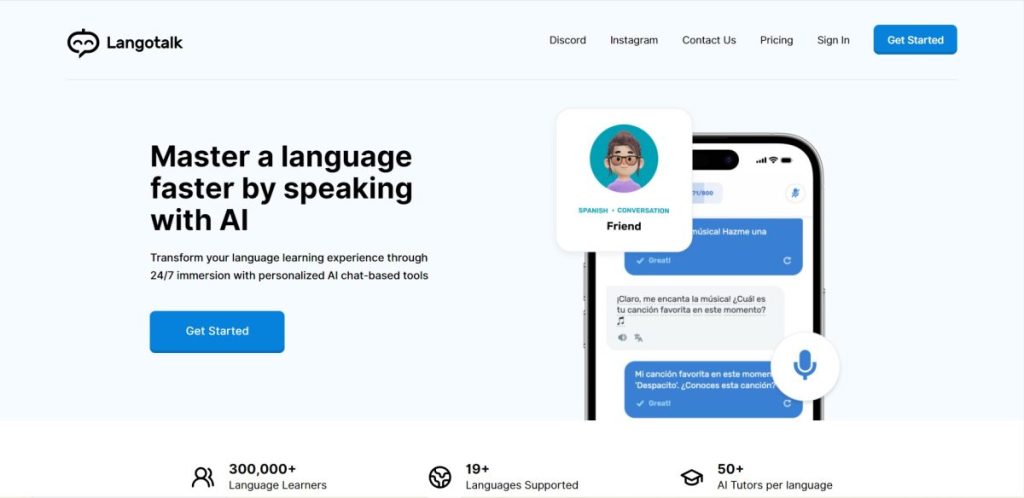
Not to be confused with Langua, Langotalk offers AI conversation and personalized lessons on web and mobile, in more than 20 languages. It now describes memory across sessions, progress tracking, and grammar and pronunciation analysis. The comments below preserve my earlier French experience; they do not represent a new test of those additions.
The pros
-
Langotalk has an easy-to-use platform, with no frills navigation, making it easy to find what you want.
-
Each chatbot is associated with a friendly-looking cartoon portrait, a bit like Duolingo.
The chatbot I chose sounded realistic to me. Its informal French included “Cool,” which felt natural in the conversation.
-
This is one of the few apps that could recognize my computer’s mic.
It transcribed the replies I tried without errors that I noticed. I liked seeing the written version alongside the audio, and I could switch to typing when I wanted.
-
A few bugs aside, I found the bot voice very convincing, as well as its ability to talk about a variety of topics, even very off topic from where we started.
-
This also may be the longest chat I’ve had. It went on so long that I almost found myself getting bored! So if you want a lot of pretty realistic practice with few bugs, this paid option could be a good choice.
-
There are even some role-plays that can help you practice things like job interviews. I was very impressed that the job interview one actually used typical phrases you’d hear in a real job interview…even if you said you were a magician, like I did.
-
Supports 20+ languages - Check the Langotalk website for the full list of available languages.
The bad
An announcement about a one-day streak interrupted my chat. A second encouraging message cut in before my recording appeared, and the bot repeated itself. I found that frustrating, although I could not establish what caused the recording problem.
-
The chatbot sometimes adds emoji to what it’s saying/typing. This is cute but the bot frequently says the emoji out loud, as if it’s part of what it was saying. For instance, if there’s a baguette emoji at the end of the phrase, you’ll hear: “Moi aussi. Baguette.”
-
The chat bugged at the end when I said I had to go - repeated a goodbye twice and then asked me a new question.
The male voices I tried sounded very similar to me.
The beginner chat overwhelmed me. It started with Bonjour and Comment t’appelles-tu, then moved quickly into other tenses and explanations. When I said I was not good at French, it reassured me, then started asking about être. I thought an absolute beginner might struggle with that pace. Langotalk now advertises personalized lessons, so this describes the chat I tried rather than every current beginner activity.
-
With this in mind, the Beginner chats lack the appeal of most chatbots (including the non-beginner ones on Langotalk), where you feel like you’re having a real conversation. This was truly like having a conversation with a robot!
Good and bad
In the version I tested, the microphone icon was in the top-right corner. I found it a little confusing at first.
In my test, corrections were not shown automatically while I typed. I could click a pen icon under my answer to see a translation and corrections, including accent marks.
-
There are many other chats, role plays, and more. The beginner ones do all seem more like lessons or having info thrown at you than role plays or general chats. But it’s cool to see the variety of chats available and the fact that they will be long is also impressive.
How much does Langotalk cost?
The US App Store lists monthly access at $19.99, annual access at $79.99 and lifetime access at $149.99, alongside other offers. Check Langotalk for the price, free access and trial terms available to your account.
The verdict
Langotalk stood out as one of the better chatbots in my earlier tests. I found its beginner chat too stiff and school-like, but the other conversations and role-plays felt convincing and gave me plenty of time to practice. I would try the current personalized lessons before deciding whether the beginner experience suits you.
Other AI language learning apps worth mentioning
Here are a few other AI language learning apps that might be worth knowing about.
Duolingo Max
When I reviewed Duolingo, the free app totally charmed me with its delightful characters and varied exercises. Now, there’s a paid option, Duolingo Max, that lets you practice a language with AI-powered features.
The Roleplay feature I tried used scenarios with Duolingo characters. Duolingo has since added Video Call, with more open spoken conversations, so those earlier role-plays do not describe all of Max today.
The AI-powered features include:
Explain My Answer: Explains grammar and vocabulary in correct and incorrect answers. It is now free for most learners in Spanish, French, German, Japanese, Portuguese, Italian and Korean courses; it is no longer a Max-only benefit.
- Roleplay - Practice real-world conversation skills with Duolingo characters in scenario-based challenges.
Video Call: Spoken conversations with Lily. Duolingo also offers guided calls with Falstaff for Max subscribers on iOS in nine languages, including French and Spanish, with rollout across course levels still in progress.
Duolingo’s Max guide lists Roleplay and Video Call for English speakers learning Spanish, French, German, Italian and Portuguese, and Video Call for Japanese, Korean and Chinese. Max is offered on iOS and Android, but the exact features available depend on the course, platform and rollout. Check your account before subscribing.
Roleplay uses scenarios connected to the course path. Video Call adds a more open spoken exchange, so the current product offers more conversation practice than the earlier Roleplay-only comparison suggested.
How much does Duolingo Max cost?
Check the Duolingo website or app for current Duolingo Max pricing in your area, as prices vary by location and subscription type.
Busuu
Busuu combines structured courses with AI practice and a learner community where people can correct each other’s exercises. Its AI Conversations are available across the Complete English, Spanish, French, German and Italian courses in the mobile app. If you want a course with conversation practice built in, it is worth considering. See our Busuu review.
How much does Busuu cost?
Busuu has Free, Premium and Premium Plus tiers. Premium Plus includes AI Conversations and speaking-practice access after the limited free tries. Detailed pronunciation explanations are restricted to Complete English and Spanish with an English or Spanish interface; other supported courses have different feedback. Check your account for the current price and included features.
ELSA Speak
ELSA Speak focuses on English. It offers AI pronunciation feedback, speaking practice and role-plays, so it is worth a look if English is your target language. It does not provide French or Spanish courses. This is a source-checked overview, rather than one of the firsthand reviews above.
How much does ELSA Speak cost?
ELSA’s plan comparison distinguishes Free, Pro and Premium access, with more AI conversation features on Premium. Check the current subscription offer for the total charge, billing period and any trial terms; offers vary.
Can an AI language learning app make me fluent?
Some AI language learning apps may be really advanced and convincing, but they remain AI, not people. This means even the best of them might have errors in their programming or not be able to really respond the way an actual person would.
An AI app can give you useful speaking practice, but a smooth chat or a high score does not establish fluency. I would use it as part of a broader routine, with listening, reading and conversations with people, rather than rely on one app to cover everything.
If you are starting from scratch, look for a course path as well as conversation. Copycat Cafe connects dialogue-based lessons with speaking practice; other options on this list also offer beginner guidance. If you already have a foundation, a conversation-focused app may be the part you are missing.
However you practice a language, bonne continuation (keep it up, and good luck) on your language learning journey!
Which one should you actually try?
Learning French, either Spanish variety, Italian or German and want a course connected to speaking practice? Copycat Cafe remains our pick for that combination.
Already have a foundation and mainly want conversation? Langua remains our favorite from the earlier chatbot tests, especially for its feedback options.
Prefer animated tutors? Consider Praktika. Need free practice? Compare the limited plans from Gliglish, Talkpal and Langua before committing to a subscription.
Product details and access terms checked September 30, 2026. Prices shown are in US dollars unless stated otherwise; verify your actual checkout offer before subscribing. Spot something out of date? Let us know.
Create content about language learning? If you run a blog, channel, or class, here’s our honest guide to language learning affiliate programs: which of the apps above actually pay creators, and how the commissions really compare.
Frequently asked questions
What is the best AI language learning app?
Copycat Cafe remains our pick for structured lessons connected to speaking practice in French, Latin American Spanish, Spanish from Spain, Italian and German. We make Copycat Cafe, so that recommendation comes with our own bias. For dedicated AI conversation, Langua was our favorite in the earlier tests. The best fit depends on your language, level and preferred kind of practice.
Can an AI language learning app make you fluent?
A smooth AI conversation or a high app score does not establish fluency. I would use AI practice alongside listening, reading and conversations with people, rather than rely on one app to cover everything.
Are AI language learning apps good for beginners?
They can be, if they give you enough guidance. Copycat Cafe combines a course path with speaking practice; Langua has an A1/A2 Guided Course, and several other apps now offer personalized lessons or beginner support. Check the help you receive when you do not yet know how to answer.
What is the best free AI language learning app?
For a quick trial without signing up, Gliglish offers 10 minutes a day, up to 50 messages per conversation and restricted access at busy times. Talkpal Basic has a 10-minute daily chat limit. Langua offers about 20 standard-chat messages weekly and 3 call minutes daily. These are limited options, so the best choice depends on which format you prefer.
Do AI language learning apps make mistakes?
Yes. In the earlier tests described here, we encountered unnatural phrasing, pronunciation problems and missed corrections. A bot can also mishear a reply. Treat its feedback as guidance and check doubtful explanations with a reliable language reference or teacher.