

Disclosure: This review isn't sponsored, and there is no Praktika affiliate link here. It does contain one clearly marked Langua affiliate link below. We make Copycat Cafe, but we still try to give Praktika a fair review.
Praktika starts with an AI tutor asking you questions. Copycat Cafe is the better fit if you want to hear useful language before you have to come up with an answer yourself. We use our unique Watch, Copy, Chat method. In Watch, you listen to a conversation and put each line back together. In Copy, you say those lines aloud and get help with your pronunciation. In Chat, you use the same words in a conversation with Copy, our AI conversation partner. This builds pronunciation practice into the lesson instead of leaving the detailed feedback behind a button you may forget to open.
Who is Praktika best for?
Praktika is a language-learning app for speaking practice with animated AI tutors. You choose a guided lesson or topic, answer the tutor out loud, and the app keeps the conversation going while offering feedback on pronunciation, grammar, vocabulary and speaking pace.
The appeal is simple: there is no person waiting for your answer, so you can pause while you search for a word. Nobody looks bored, finishes your sentence or makes the silence feel embarrassing. For a nervous beginner, that can be the difference between thinking about speaking and actually answering.
It makes the most sense for:
- Beginners who want the app to give them a situation and questions instead of asking them to start talking about anything.
- Lower-intermediate learners who know useful words and grammar but still struggle to keep a conversation going.
- Nervous speakers who want to make mistakes privately before talking to a teacher or exchange partner.
- Busy learners who want short speaking sessions without booking a lesson.
- People preparing for travel or work who want to rehearse interviews, presentations and everyday situations.
I would look elsewhere if you mainly want detailed grammar lessons, serious reading and writing practice, feedback from a real teacher or a complete exam-preparation course. I would also skip it if animated avatars distract you more than they help. The animated face remains part of the lesson, although you can minimize it.
How did I review Praktika?
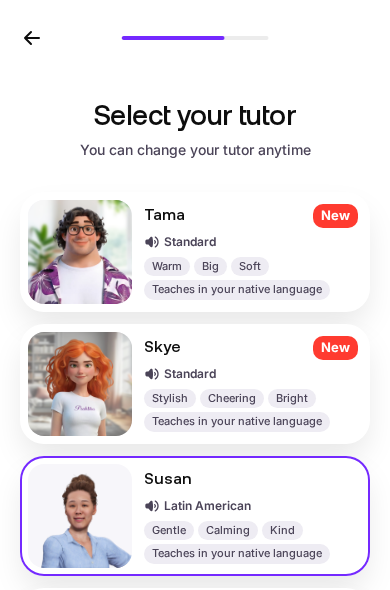
I signed up on Praktika's website, chose Spanish, answered its questions about my level and goals, picked a Latin American tutor and explored the plan it built for me. That is the part of Praktika I used myself.
Why trust me? I build Copycat Cafe, so I look closely at whether an app gets you speaking, explains your mistakes and teaches words and phrases you can remember and use again.
Which languages does Praktika teach in 2026?
When I signed up in August 2026, Praktika offered 12 choices: English, Spanish, Japanese, French, German, Korean, Italian, European Portuguese, Brazilian Portuguese, Russian, Simplified Chinese and Arabic. Praktika's current help page confirms the same list.
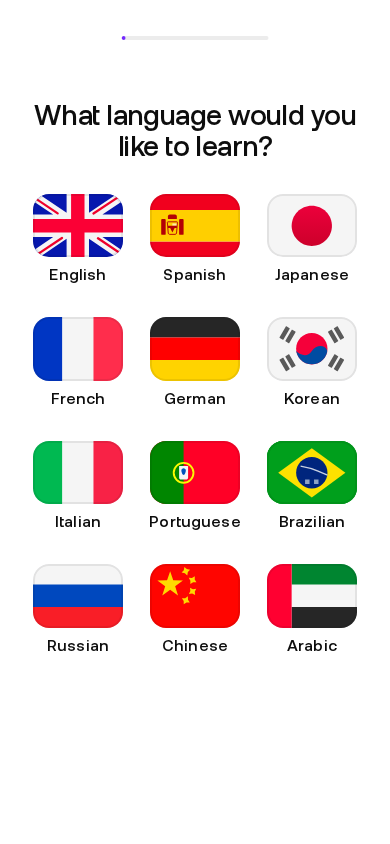
But a language appearing in the menu does not mean it has the same number and range of lessons as every other language. Praktika's App Store listing advertises more than 1,000 lessons across the whole app. It does not publish separate lesson counts for each language.
What is Praktika's onboarding like?
Praktika asked about my level, motivation, speaking fears, previous study methods, interests, upcoming plans and preferred practice time. It even gave me a short vocabulary check before building a study plan.
The questions were more thoughtful than the usual “beginner or advanced?” setup, and Praktika said it used my answers to build the plan. But reaching it took more than 30 screens. If you download an app because you want to speak right now, that feels long.
The Spanish tutor picker was a nice surprise. It showed several avatar personalities and labelled tutors as either “Standard” or “Latin American.” That is more useful than giving every learner one generic Spanish voice.
If the kind of Spanish matters to you, listen closely during your first lesson. The label is helpful, but check that the tutor keeps using the words and pronunciation of the region you chose.
What does Praktika actually offer?
Praktika is built around spoken conversations with animated AI tutors. It is not just an open chatbot. It also gives you a study plan, guided lessons, pronunciation scores, corrections, saved vocabulary and a record of completed lessons.
The basic loop
The tutor sets a situation, asks you a question and waits for your spoken answer. It then replies and keeps the conversation moving. After you answer, you can open feedback on that message, compare your version with the tutor's and try the sentence again.
How Praktika's AI tutor works
When you speak, Praktika listens to your answer and uses it to choose what the avatar says next. In a guided lesson, the conversation has a goal, such as introducing yourself, handling a job interview or discussing travel plans. The tutor keeps asking questions that move you towards that goal. In Free Talk, you choose the subject and have more control over where the conversation goes.
There are really two AI jobs happening at once:
- Conversation: the tutor understands enough of your answer to reply, ask another question and keep you talking.
- Coaching: the app checks your pronunciation, grammar, vocabulary, speaking pace and word choice, then attaches feedback to your answer.
A smooth reply only shows that the tutor understood enough to continue the conversation. It does not prove that every word was pronounced correctly or that the sentence was grammatically perfect. The tutor can handle pauses, partial answers and self-corrections, but it may still miss smaller grammar or word-order mistakes. You still need to open the feedback and check the individual words.
Praktika says the tutor adjusts lessons to your level, pace and common mistakes. You can also turn on Study in your native language, so instructions and explanations appear in a language you already understand.
A study plan built around your goals
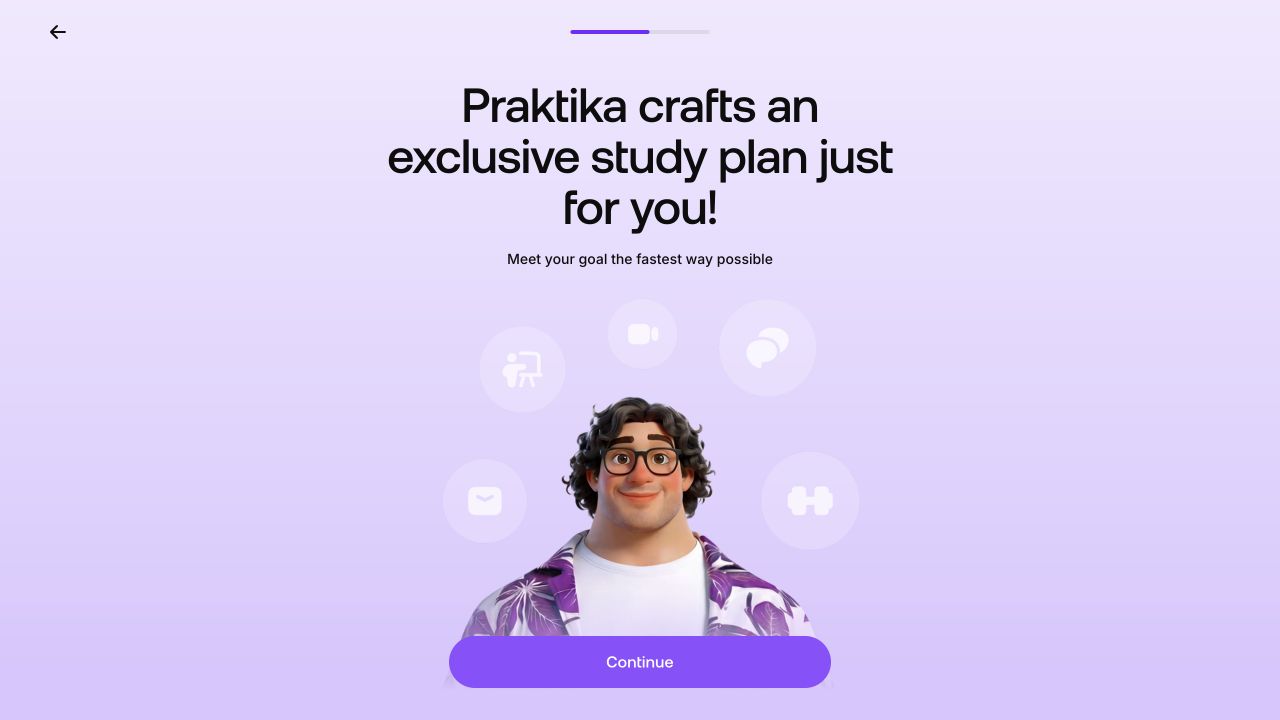
During signup, you choose your level, daily practice time, interests and a main goal, such as travel, living abroad or career growth. Praktika says it uses those answers to build a path of lessons instead of dropping you into an empty chat screen.
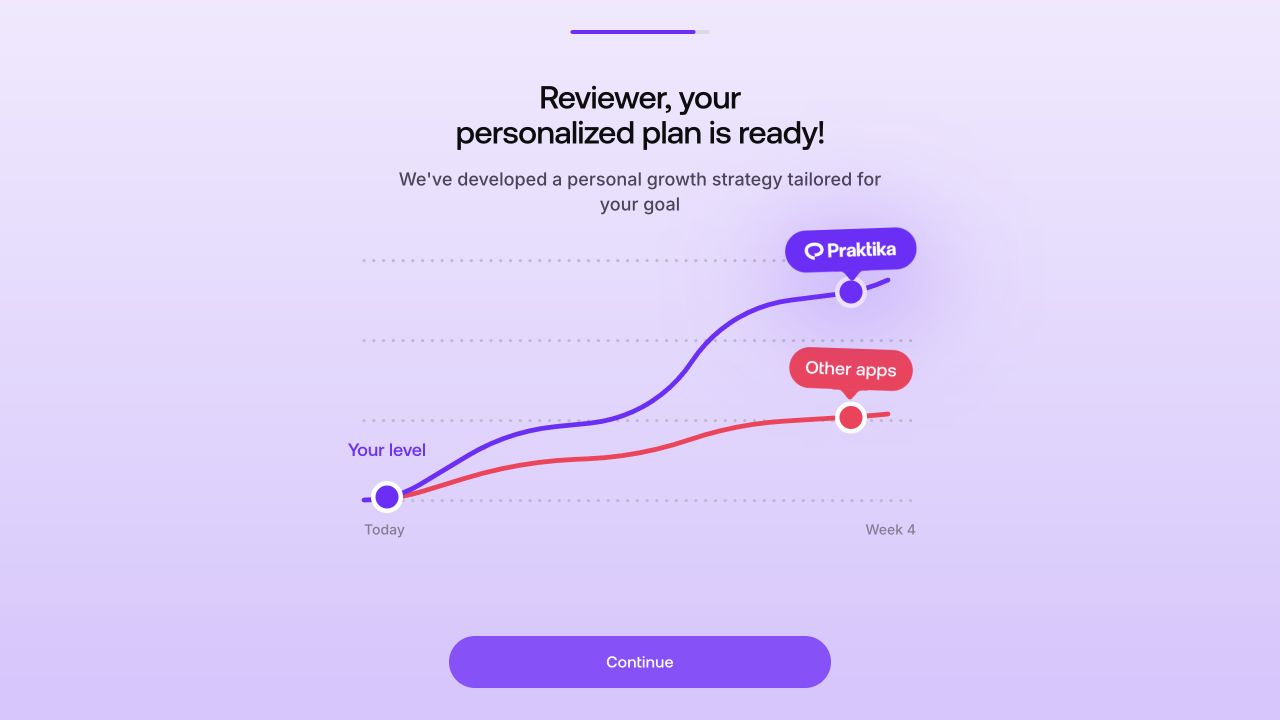
The graph comparing Praktika with “other apps” is Praktika's own marketing claim. I did not measure that comparison.
A structured plan is useful if you want the app to decide what to do next. Praktika's help page says you can change your goals later from the Lessons tab, and completed lessons remain available in your profile. The trade-off is that the plan is more structured than a general chatbot. Guided lessons have a set subject, so the tutor may steer you back to it when you ask an unrelated question.
Guided lessons, Free Talk and video calls
Praktika's help center describes three main ways to speak. They are different enough that it helps to know what each one is for:
- Guided lessons give you a situation, a skill to practise and questions to answer. They are the easiest place to start if you cannot yet keep a conversation going by yourself.
- Free Talk lets you choose the subject and lead the conversation. Praktika lists examples including food, relationships, music, work and identity. I think it is more useful once you can already form simple answers without much help.
- Video-call mode removes the need to press the microphone for every turn. Praktika says the avatar speaks, waits and processes your answer before replying, so the rhythm is closer to a phone call.
In a normal lesson, you press and hold the microphone while speaking, or slide to lock it for a longer answer. You can also change the tutor's speaking speed and switch tutors. Available voices and accent choices depend on the language. For Spanish, the tutor picker labels options as Standard or Latin American.
How Praktika's pronunciation feedback works
Praktika does more than check whether it recognized a sentence. Its current help page says you can tap the question-mark icon on one of your messages to see an overall score plus scores for individual words.
Praktika does not publish the scoring formula. It says the score considers four parts:
- Pronunciation
- Fluency
- Completeness, meaning whether you said the whole phrase
- Rhythm
You can play the tutor's version next to your own and tap Try Again. The useful part is not the number by itself. It is seeing which word got a lower score, listening to both versions one after the other and repeating the same sentence while it is still fresh in your mind.
Use the score as a hint about what to practise, not as an official grade for your accent or language level. A high score does not guarantee that a teacher or examiner would judge every sound in the same way.
Grammar, vocabulary and word-choice feedback
Praktika checks more than pronunciation. Its feedback can suggest a grammar correction, a more suitable word or a smoother way to express the same idea. It also looks at speaking pace.
The corrections are attached to each answer instead of stopping the conversation every time you make a mistake. That keeps the exchange natural, but it creates the app's biggest weakness: feedback is easy to skip. The feedback button can appear even when there is no obvious mistake, so you need to open it regularly to find the useful comments.
Corrections stay attached to individual answers. Praktika does not gather them into a clear end-of-lesson error list or turn them into automatic review exercises. A good routine is to stop after an important answer, open the correction, listen and say it again. If you wait until the end of a long conversation, it is easy to forget which answers needed work.
Grammar support is mainly tied to the conversation and your study path. Praktika includes occasional grammar activities, but it does not give you a complete list of grammar topics to browse or let you build a course around one weak point.
Saved vocabulary, lesson history and progress
If you meet a useful word or expression, tap it during the lesson to see its meaning and save it to the dictionary in your profile. This is handy for collecting words from your own conversations.
Think of the dictionary as a saved list, not a complete flashcard system. You can save words, but Praktika does not automatically bring them back for review. You need to return to the list and use them again.
Finished lessons appear under Completed lessons, and Praktika says you can download them as PDFs. That gives you lesson material to review after the conversation instead of losing access when you close it.
Work, travel, exams and your own material
The lesson library covers everyday conversation, travel, work and academic situations. Praktika specifically advertises practice for interviews, presentations and negotiations.
Praktika advertises IELTS and TOEFL practice. I could not find a claim that it applies the official scoring rules, covers the complete tests or marks your writing. Treat it as extra speaking rehearsal rather than a full exam course.
You can also upload a photo, PDF or voice note and use it as lesson material. A photo can become a vocabulary prompt, while a resume can become interview practice. This is one of the easiest ways to make the conversation relevant to something you will actually need to say.
What does a Praktika lesson feel like from start to finish?
- Choose a lesson or topic. Follow the study plan, pick a practice situation or open Free Talk.
- Listen to the setup. The avatar explains the situation and asks the first question.
- Answer aloud. Hold or lock the microphone, or use video-call mode for hands-free turns.
- Continue the conversation. The tutor responds to what you said and asks a follow-up question.
- Open the feedback. Check the feedback on your message for pronunciation scores and any grammar, vocabulary or pace suggestions.
- Compare and retry. Listen to the tutor's version beside your recording, then say the answer again.
- Save what matters. Add useful words to your dictionary and revisit the completed lesson later.
The main strength is that the lesson keeps moving. You do not have to invent a roleplay, wait for a teacher or worry that a pause is wasting someone else's time. The tutor keeps giving you something to answer.
The weakness is that Praktika lets you keep talking without fixing your mistakes. You can have a lively conversation while ignoring the detailed feedback, and the AI may continue past smaller grammar or word-order mistakes. The app becomes much more useful when you treat Try Again as part of the lesson rather than an optional extra.
If you prefer to hear a sentence first, copy it aloud and check your pronunciation before starting a conversation, see how Copycat Cafe teaches speaking.
Is Praktika free, and how much does it cost?
Praktika says it has a limited free version with fewer tutors and features. Its help center tells mobile-app users to close the subscription screen after the introduction.
I couldn't find a free lesson on the website. After signup, Praktika kept returning me to its subscription offer. Praktika says a limited free version is available in its mobile app.
Praktika's paid-plan page lists unlimited speaking practice, instant feedback, translation help, all avatars, realistic tutor voices, daily speaking challenges and tutor memory. Praktika describes tutor memory as remembering your progress between lessons.
Praktika says it offers weekly, monthly, quarterly and annual subscriptions. The web checkout I opened showed one-month, three-month and annual options. These were the promotional prices displayed in euros on August 17, 2026:
| Plan | Price shown | Discount shown |
|---|---|---|
| 1 month | €11.99 | 33% off |
| 3 months | €23.99 | 50% off |
| 1 year | €59.99 | 50% off |
Prices change by country, platform and promotion. Check both the amount charged today and the renewal price before you subscribe.
What are Praktika's main pros and cons?
What Praktika does well
- Gets you answering out loud instead of only recognizing words
- Gives beginners a plan, prompts and a visible tutor
- Includes structured lessons, Free Talk and video calls
- Shows which words may need another try and lets you repeat them
- Covers travel, work, exams and your own uploaded material
- Now teaches 12 languages
Where it falls short
- The signup takes more than 30 screens
- Detailed corrections sit behind a separate button
- The study plan can feel rigid, although you can skip lessons
- Some learners report uneven pronunciation and voice quality, and the experience can vary by language
- It is not a complete grammar, writing or exam course
The real trade-off
Praktika is good at getting a first answer out of you. The avatar asks, waits and keeps the exchange moving. That matters if you normally avoid speaking because you are afraid of freezing.
But the app does not force you to deal with mistakes. You can finish a lively conversation without opening the detailed feedback or retrying a corrected phrase. The more often you do that, the less useful the subscription becomes.
I would put beginners and lower-intermediate learners at the front of the queue. Advanced learners may still enjoy the lessons about work meetings and presentations, but a skilled teacher is better for precise word choice, detailed pronunciation help and preparation for an important exam.
What are the best Praktika alternatives?
Copycat Cafe if you want to hear and copy before you chat
Copycat Cafe is the better fit if blank AI chats make your mind go blank. We do not ask you to invent an answer from the first second.
In Watch, you listen and put each line back together. In Copy, you say short, useful phrases aloud and get help with your pronunciation. In Chat, you use those phrases with Copy, our AI conversation partner.
We offer complete courses in French, Spanish (Latin America), Spanish (Spain), Italian and German, and one subscription includes all five. Copycat Cafe is not the right choice if all you want is to talk to an AI about any subject, or if you prefer a live teacher.
Langua for AI conversations about any topic
Langua is a better fit if you already have a foundation and mainly want flexible conversations with detailed reports afterwards. Copycat Cafe has an affiliate relationship with Langua, so we may earn a commission if you use this link: see Langua's current offer.
Compare more options
If you are still deciding between an animated tutor, an AI you can talk to about anything and a full course, see our guides to the best AI language-learning apps and the best language-learning apps overall.
For closer comparisons, read our Jumpspeak review and Duolingo Max review. Both look closely at guided AI speaking practice, but they take different approaches.
Spanish learners can compare the best AI apps for learning Spanish, the best Spanish learning apps overall and our Spanish conversation-practice guide. French learners can start with our guide to the best French learning apps.
Is Praktika worth it?
Yes, if the animated tutor gets you speaking more than you do now and you are willing to slow down for the corrections. Praktika tells beginners what to talk about, while Free Talk and lessons about work let intermediate learners choose harder subjects.
I would not subscribe because the animated tutors look impressive. Try a lesson first and watch what happens after a mistake. Can you find the correction? Does it make sense? Can you try the sentence again? Does the tutor keep using the language and regional accent you chose?
If the feedback is useful and you enjoy talking to the avatar, Praktika is a sensible way to get more speaking practice. If you keep skipping the corrections, or you want grammar, writing and a real teacher, choose something else.
For a method that gives you a sentence to hear and copy before asking you to improvise, see how the Copycat Method works.
Frequently asked questions
How does Praktika work?
Praktika builds a study plan from your level and goals, then teaches through conversations with animated AI tutors. You can follow lessons that give you a situation and questions, choose your own topic in Free Talk or have a hands-free conversation in video-call mode. Praktika says its corrections cover pronunciation, grammar, vocabulary, speaking speed and word choice.
Is Praktika AI any good?
Praktika is good for beginners and lower-intermediate learners who still struggle to keep a conversation going. The tutor asks questions and gives you a subject, so you do not have to invent every answer from nothing. It is less useful if you want detailed grammar, lots of reading and writing, a live teacher or official exam scoring.
Is Praktika free?
Praktika says its mobile app has a limited free version with fewer tutors and features. On the website, signup led me back to the subscription offer instead of a free lesson.
What languages does Praktika support?
In August 2026, Praktika offered English, Spanish, Japanese, French, German, Korean, Italian, European Portuguese, Brazilian Portuguese, Russian, Simplified Chinese and Arabic. Praktika advertises more than 1,000 lessons across the whole app, but it does not publish a separate count for each language.
Is Praktika good for learning Spanish?
Praktika gives Spanish learners lessons with set subjects and questions, a choose-your-own-topic mode called Free Talk, and tutors labelled Standard or Latin American. It is a good fit for beginners who need help deciding what to say and lower-intermediate learners who need more time speaking. Listen closely to make sure the tutor keeps using the regional accent you chose.
How does Praktika's pronunciation feedback work?
Tap the question-mark icon on your message to see an overall score and scores for individual words. Praktika says the score considers pronunciation, fluency, completeness and rhythm. You can compare your version with the tutor's and try the sentence again. Use the score to find words that need another attempt, not as an official grade for your accent or language level.