
Note: App pricing and features change frequently. Check official websites for current pricing.
In August 2026 we re-checked Jumpspeak’s pricing, refund policy, AI limits, language availability, supported devices, and app activity, and corrected several details that had changed or conflicted across Jumpspeak’s own pages.
I haven’t explored many AI language learning apps because I’ve been using Copycat Cafe’s AI conversation partner, Copy, to work on my conversation skills. But I stumbled upon Jumpspeak recently and wanted to share my honest thoughts.
With so many AI language apps out there, it’s refreshing to find one with a unique approach. But my experience had both highs and lows. In this review, I’ll share what I appreciated most about Jumpspeak, what needs improvement, and whether it’s worth adding to your language learning toolkit.
How we reviewed this
I originally used Jumpspeak myself, and the opinion sections below reflect that experience. For this August 2026 refresh, we checked Jumpspeak’s current website and help center, its US Apple and Google Play listings, recent release notes, and recent public reviews. I’ve kept my original observations and clearly noted where the product has changed since then.
💬 Had to take a FIDE test here in Switzerland to renew my resident permit and passed B1 oral A1 written with 92 and 95 percent pass rates. No way would have achieved that without this course.
Chris Horler, Copycat Cafe user, Switzerland
Don’t just find out whether you passed—see what to improve. Copycat Cafe scores your pronunciation from 0 to 100 during Copy practice, gives you focused feedback, then lets you use what you practised in conversation.
| At a Glance | Jumpspeak | Copycat Cafe |
|---|---|---|
| Pronunciation feedback | Speech matching and AI feedback | 0 to 100 scoring with focused feedback in Copy practice |
| Audio speed | Adjustable in settings and lessons | Slow and normal |
| Free trial | 7 days when offered; eligibility varies | 7 days |
| Annual price | $79 on the main web pricing page | $174 |
What is Jumpspeak?
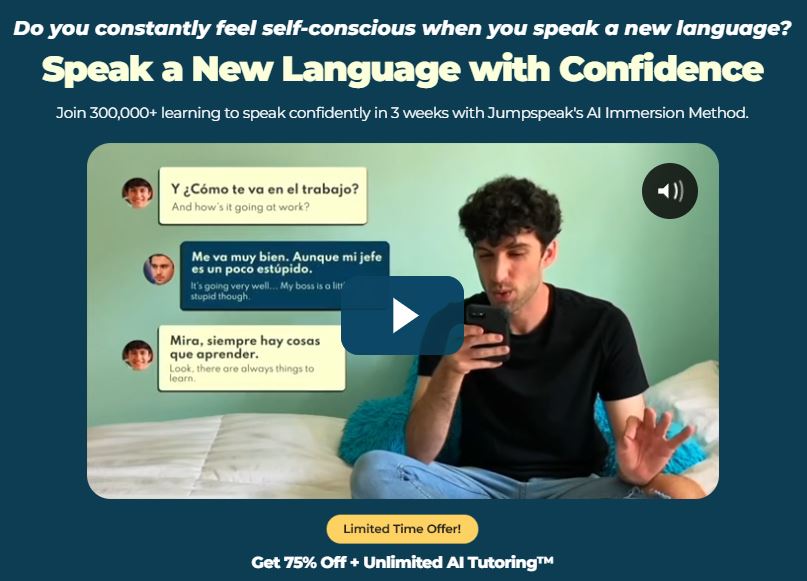
Jumpspeak is a mobile AI language-learning app built around what the company calls active immersion. Its lessons and AI conversations are designed to get you speaking in practical situations from the beginning.
Through interactive conversations, Jumpspeak lets you practice scenarios such as ordering food, chatting casually, traveling, and handling work situations. Its AI Tutor offers dynamic roleplay and gives written feedback on grammar, vocabulary, and speaking after a session.
Jumpspeak Features
Lessons
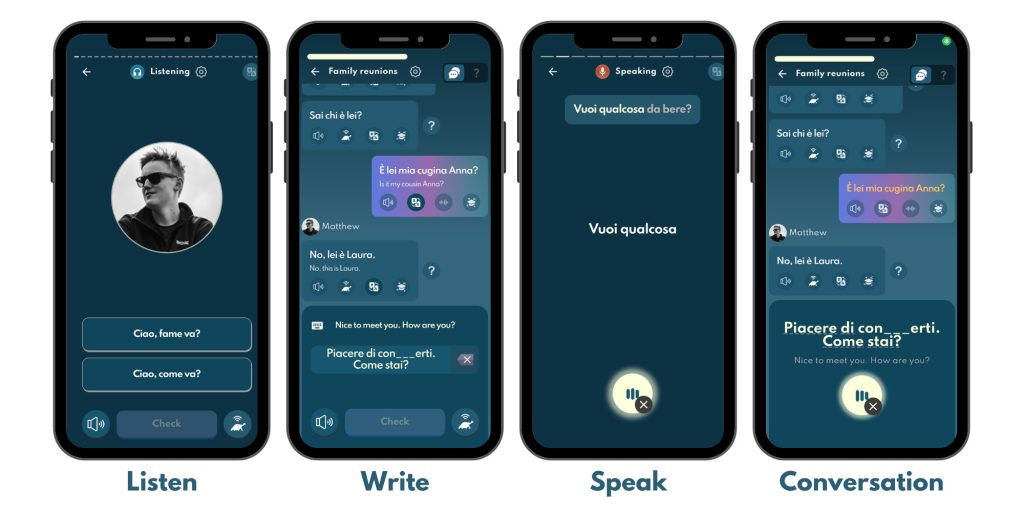
The lessons are tailored to your selected level and follow the CEFR framework. In my original test, each lesson was divided into four sections: Listen, Write, Speak, and Conversation. Jumpspeak’s current help center still describes those four sections. Stories and Words now appear as additional areas of the app rather than replacements for Write.
- Listen: Listen carefully to an audio clip and select the correct answer from multiple-choice options. A listening comprehension test.
- Write: Follow along with a simulated conversation. Type your responses or pick answers from multiple choices to practice forming sentences.
- Speak: Listen to an audio clip with a word or phrase, then repeat it out loud. If your pronunciation passes, you move to the next word. A mini pronunciation challenge.
- Conversation: Like the Write activity, but you speak your responses instead of typing. Choose between “normal” mode (easier) or “immerse” mode (more challenging) to simulate real-life conversations.
AI Tutor
AI Tutor is Jumpspeak’s main feature for practicing speaking and understanding in everyday situations. Like having a personal language coach on your phone, it guides you through conversations in various real-life scenarios: relationships, work, food and drinks, travel, family, health, and more.
The AI Tutor works similarly to the Conversation activity in Lessons, but instead of focusing on your language level, it tailors conversations to topics you choose.
Here’s how it works: Pick a topic and choose your AI Tutor’s gender. Then start a conversation based on your selection. If you chose “travel,” you might practice booking a hotel, asking for directions, or ordering food at a restaurant.
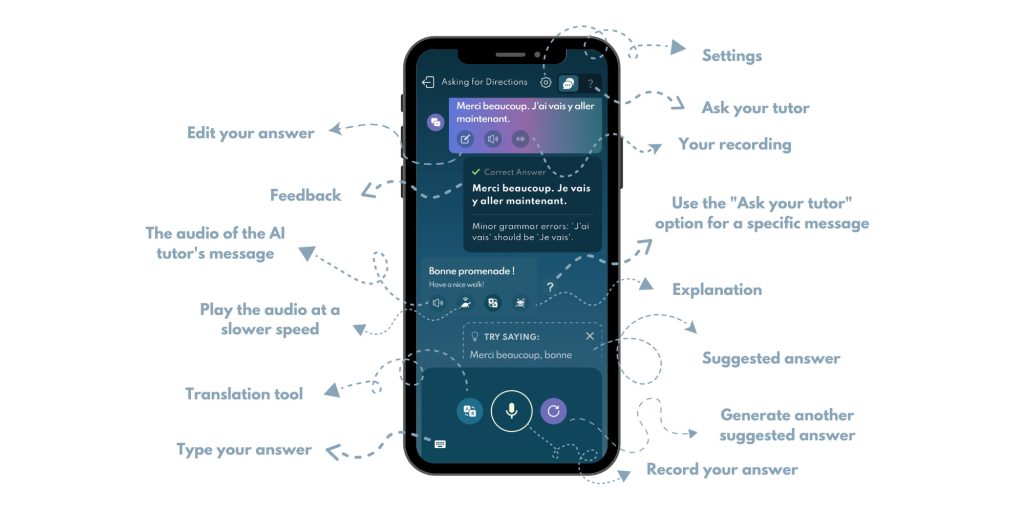
You can switch between preset topics and create a custom scenario. Jumpspeak also lets you choose the AI voice’s gender and set the tone to formal, neutral, or casual. Super flexible.
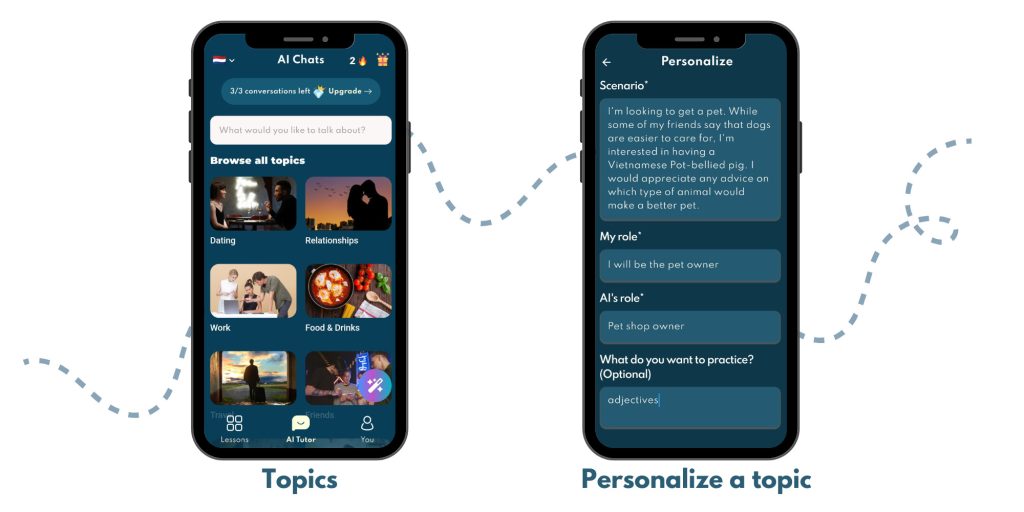
You can respond by typing or recording your voice to focus on speaking skills.
If you’re unsure about something, ask the AI Tutor for clarification, examples, or alternative expressions. The app provides suggested responses to guide conversations, but you’re not locked into those suggestions. Answer however you want for more natural practice.
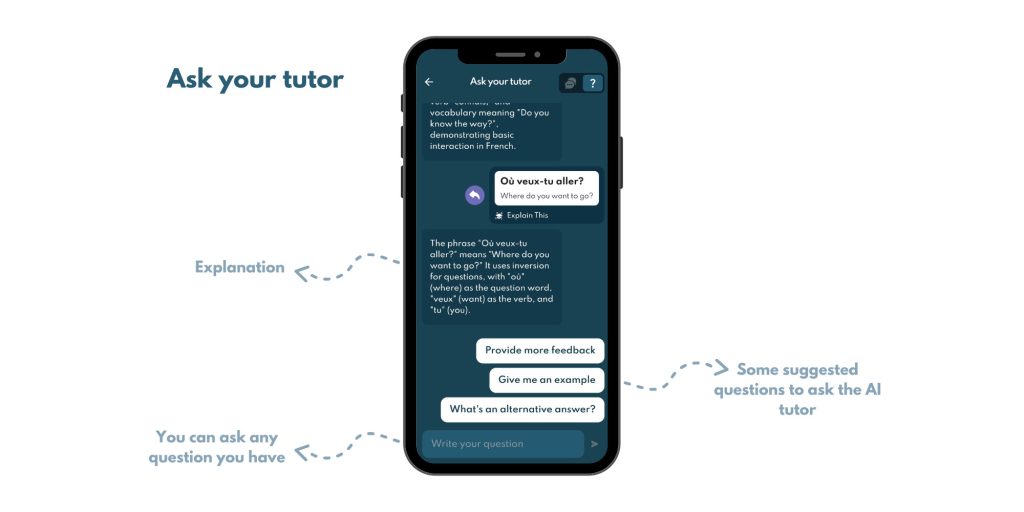
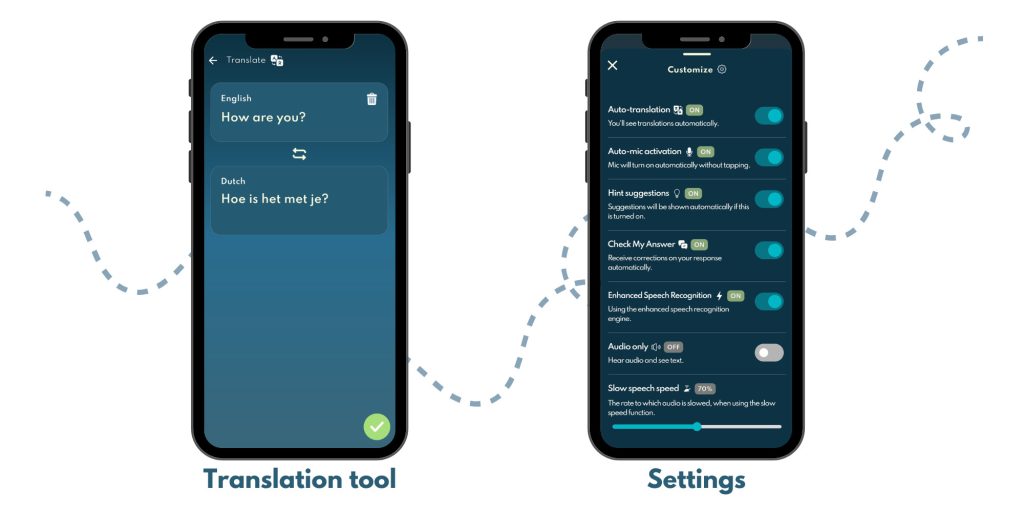
Turn on the translation feature when needed, or turn it off to challenge yourself more.
Current settings include audio speed, auto-translation, automatic microphone activation, hint suggestions, answer checking, gender role, and a recognized-speech display.
Account Settings and Profile Page
Within the app, you’ll find terms and privacy policy, bug reporting, self-service articles, and a chatbot for assistance. For additional support, email [email protected]. The app also offers account management options like account deletion or restoring previous purchases.
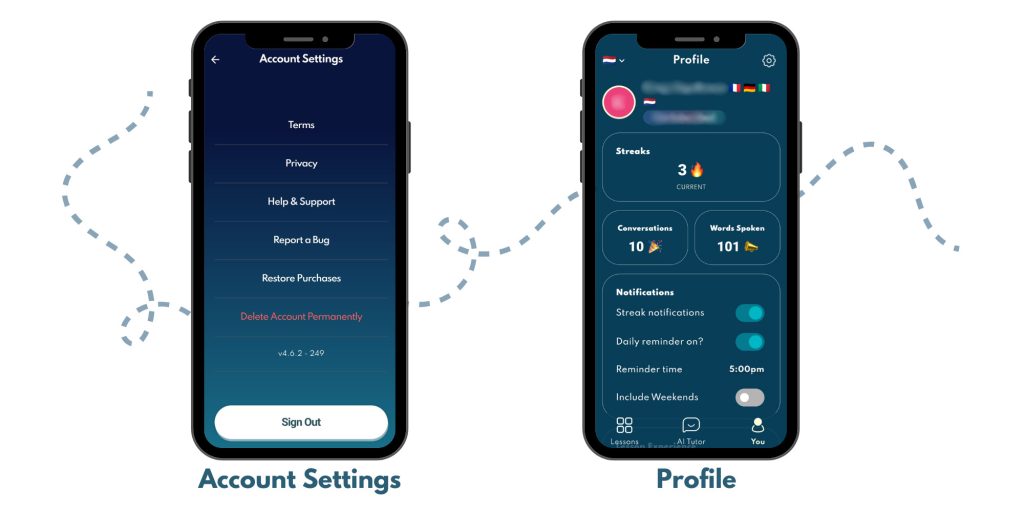
Your profile page shows your progress: streaks (consecutive lesson days), completed conversations, and words spoken. Missing a day resets your streak to zero. Settings let you personalize your account.
Additional Features
Beyond the core app, Jumpspeak lists Live Tutoring, Masterclasses, Text Tutoring, and a Language Hacking course. Text Tutoring is included with Premium, while the other extras can have separate terms or charges.
Live Tutoring is delivered through Rype, the company behind Jumpspeak. It uses a separate Rype account and is sold in monthly packages of 4, 8, or 15 hours.
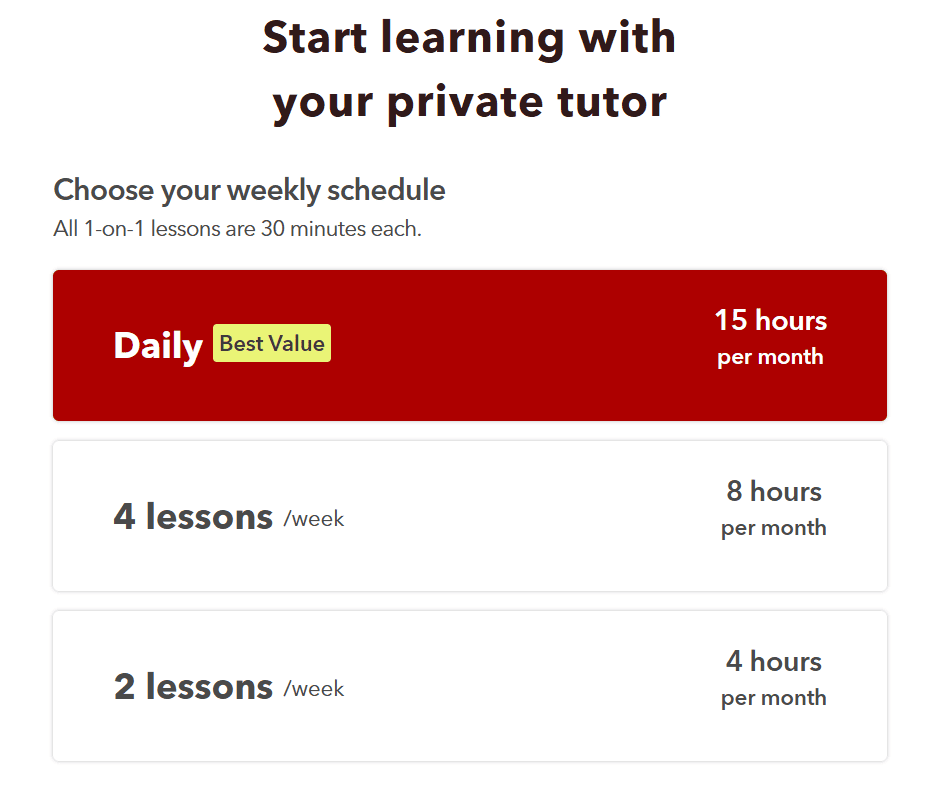
Check the checkout terms carefully: Jumpspeak’s own help pages currently disagree about whether the Live Tutoring trial is 7 or 14 days, and their refund wording also conflicts. I could not verify one definitive current answer, so confirm the exact trial and refund terms shown at checkout before paying.
Why I Think Jumpspeak is Awesome:
- You can skip ahead to higher levels without completing everything in the current one. Great if you’re ready for more advanced material or want to explore different topics.
- If you’re working on a conversation activity and accidentally close the app, Jumpspeak saves your progress automatically. You can pick up right where you left off when you reopen it.
- Jumpspeak is available on Android and iOS, with no web or desktop app. Jumpspeak’s help center says iPhone, iPad, Android phones, and Android tablets are supported, although Apple’s US listing still labels it “Only for iPhone.”
- No limit to how many languages you can learn. Unlike apps that restrict you to one language per subscription, Jumpspeak lets you switch between any languages without extra cost. Learn Spanish one day, jump into French the next.
- Real-time feedback tells you immediately if you got the answer right or made grammatical mistakes. If you slip up and speak English instead of your target language, it reminds you to switch back.
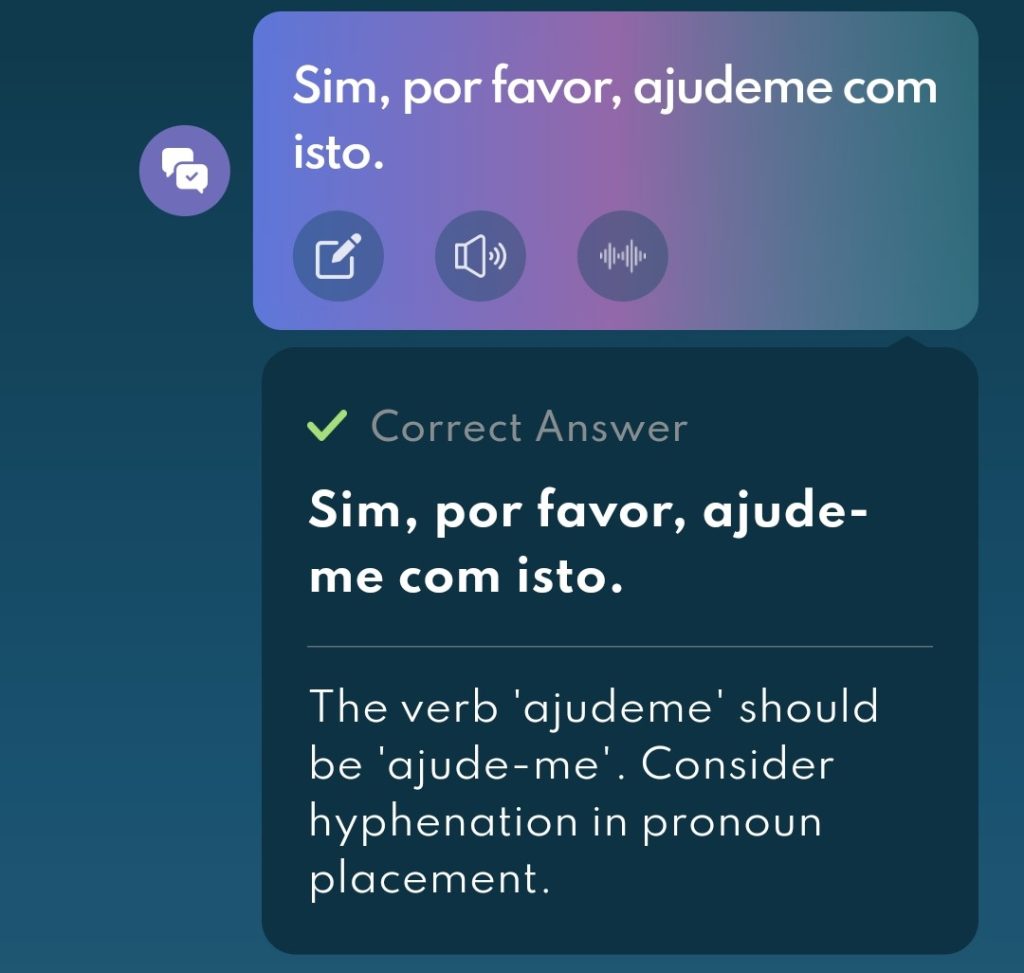
- The built-in translation feature is a lifesaver when you can’t remember a word or phrase. Figure it out quickly without interrupting your flow.
- I found the app super easy to use. The interface felt intuitive and straightforward to navigate.
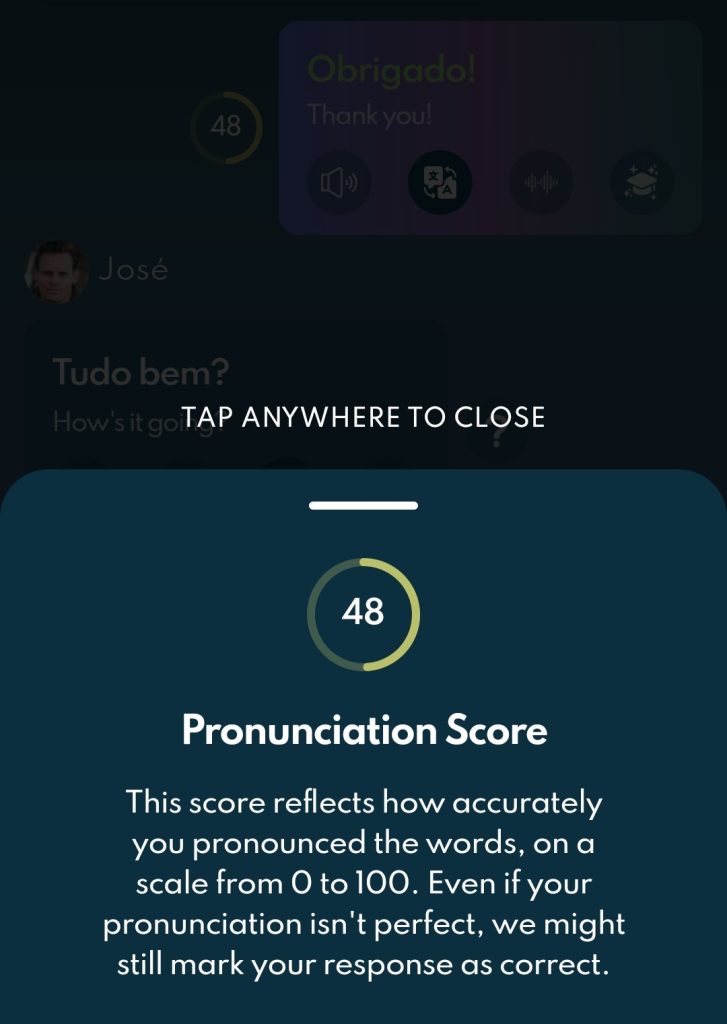
- In my test, Jumpspeak scored pronunciation on a 0 to 100 scale and gave instant feedback. Current release notes also describe word-by-word speech matching and AI-powered pronunciation feedback in lessons.
The Not-So-Good Stuff:
These are my original hands-on impressions, not claims about every device or the latest build. Jumpspeak has released many updates since my test, so I’ve noted the changes we could verify without rewriting what I actually experienced.
- I tested the Speak activity where you repeat what the audio says, and it’s not always accurate. I tried mispronouncing words on purpose or saying something that sounded similar, and I still passed most of the time. Only once did it catch that I said something wrong. This is a significant issue if you want reliable pronunciation feedback.
- Translation issues: When I switched on the translation feature, nothing appeared. It should automatically display translations for words or phrases, but nothing showed up. I had to close and relaunch the app to fix it.
- When using the AI Tutor, it doesn’t save your previous conversation after you close the app. If you stop a session and return later, you start from the beginning, breaking the flow. Would be nice if it remembered where you left off like the Conversation activity does in lessons.
- I like being able to personalize topics and set roles, but the AI’s responses can be limited. When you choose your own topic, the AI tends to give shorter, more basic answers compared to suggested topics. Makes it harder to have in-depth conversations. Would be great if the AI provided more comprehensive answers for more natural, immersive conversations.
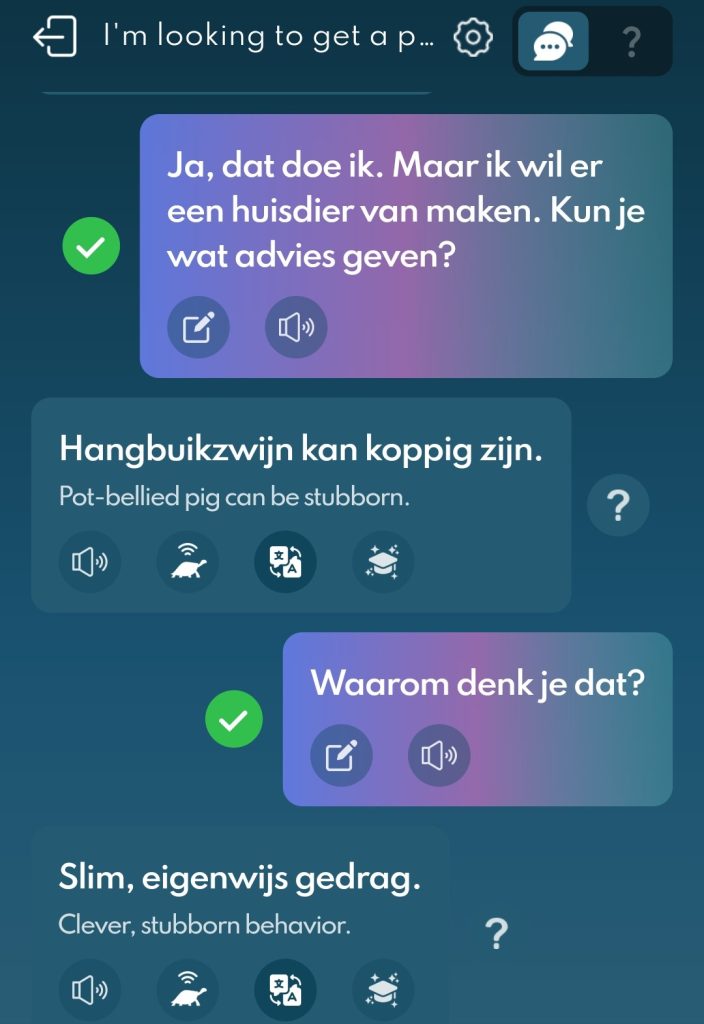
- In my test, I wished the AI Tutor could play suggested answers more slowly. Jumpspeak now documents adjustable audio speed in profile settings and individual lessons, and its June 2026 release notes mention a slow-speech fix, so this may be better in the current build.
- Sometimes there’s a delay when I try to play back my recorded answers. Sometimes it doesn’t work right away or takes a while to load. Minor but annoying when you’re trying to quickly check your performance.
- In my original test, I wanted a more dedicated pronunciation practice area with specific feedback and a score. Since then, Jumpspeak has added a Words section for focused vocabulary pronunciation, and its April 2026 release notes added word-by-word speech matching and AI-powered pronunciation feedback to lessons. That does not change the weakness I saw in the version I used, but it does narrow the gap.
Languages Available
Jumpspeak’s language pages do not currently agree with each other, so I would not rely on one headline total. The most detailed current help article gives this split:
Scripted lessons:
- Spanish
- French
- German
- Italian
- English
AI Tutor conversations:
- English
- Spanish
- French
- German
- Italian
- Dutch
- Japanese
- Korean
- Russian
- Portuguese
- Vietnamese
- Swedish
- Polish
- Danish
- Norwegian
- Hungarian
- Turkish
Mandarin is a special case: Jumpspeak says it remains available with the subscription, but the detailed page does not place it in either list above.
Another Jumpspeak help page says the app supports “approximately 20” languages and includes Greek and Thai, while the marketing site says 23. Because those official sources conflict, check the language picker in the current app before subscribing for one specific language.
Pricing and Refund
Jumpspeak’s prices vary by promotion and purchase channel. On August 23, 2026, the main web pricing page showed:
- 3 months: $69
- Annual: $79 per year
- Lifetime Premium: available as a one-time web purchase, with the exact price varying by promotion
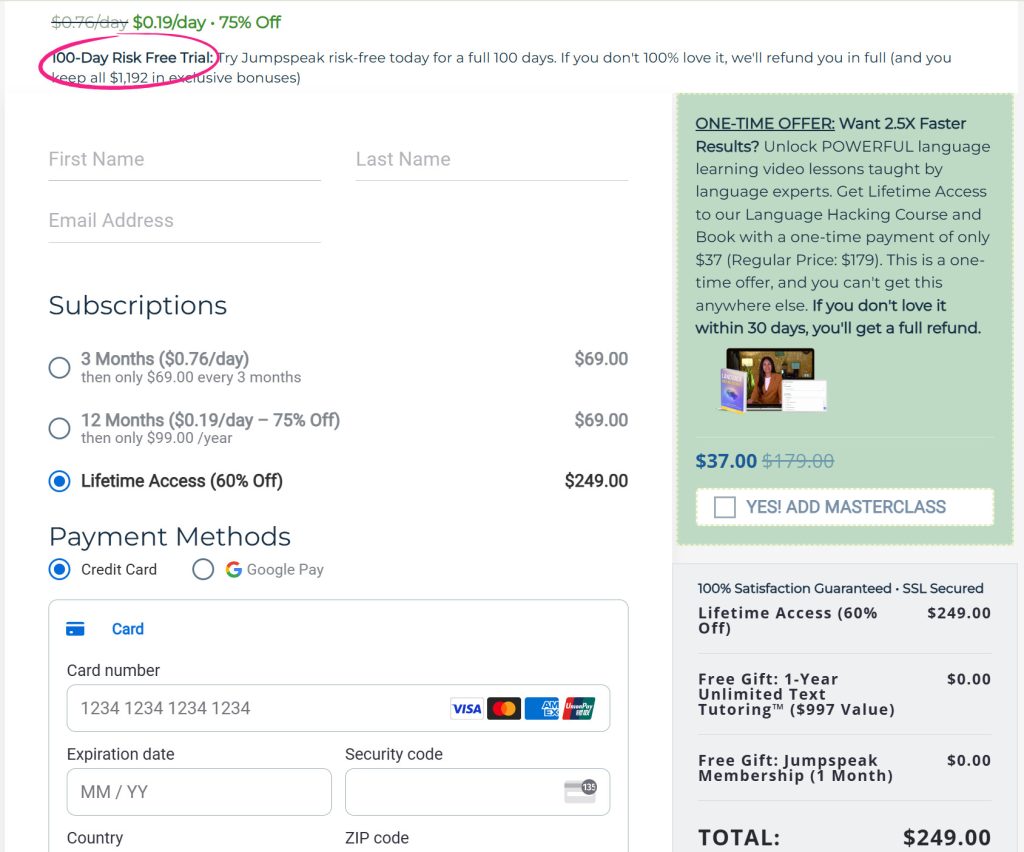
Other official offer pages were still advertising different introductory prices, including $69 annually and $249 for lifetime access. Treat every number as a promotional or channel-specific price and check the amount at checkout.
AI usage has a separate limit: regular Premium currently includes 7 AI minutes per day and 60 per month. Premium AI removes those limits. Lifetime Premium keeps the regular Premium limits, so lifetime access does not mean unlimited AI use.
Store pricing differs. Google Play listed $79.99 per year and $44.97 per quarter in the US, while Apple’s US in-app purchase list included Lifetime Access at $499. Check the exact checkout screen for your platform and region.
Free access and trials: free users can sample lessons at each level, switch between supported languages, and try a limited number of AI Tutor conversations. A 7-day Premium trial may appear depending on the promotion, platform, and your eligibility, but Jumpspeak says it is not available to everyone. Any trial shown at checkout renews automatically unless you cancel before it ends.
Refund policy for direct website purchases:
- Initial Premium purchase: 100 days
- Premium AI, Live Tutoring, and masterclasses: 30 days
- Renewal charges: 24 hours from the renewal charge
- Apple and Google Play purchases: refund requests are handled by Apple or Google
Approved refunds are full rather than partial or prorated. Jumpspeak directs eligible web customers to its self-refund portal.
Public feedback is mixed. On August 23, 2026, Jumpspeak had a 3.2/5 TrustScore across 2,143 Trustpilot reviews, a 4.6/5 Apple rating across about 15,000 ratings, and a 4.0/5 Google Play rating across about 7,480 reviews. Recent reviews include both complaints about renewals, cancellation, refunds, speech recognition, and AI coherence and positive reports about speaking practice, ease of use, and helpful support. The BBB listed 66 complaints in the previous three years, with some recent complaints marked unanswered. These are self-selected reports, not evidence that every customer has the same experience, but they are a good reason to save your receipt and note your renewal date.
Jumpspeak vs Copycat Cafe: Full Comparison
If you’re learning French, Spanish, Italian, or German, here’s a current side-by-side. Jumpspeak offers broader AI Tutor language coverage, while Copycat Cafe focuses on five complete courses.
| Feature | Jumpspeak | Copycat Cafe |
|---|---|---|
| Languages | 5 listed scripted-course languages plus a broader AI Tutor list; official totals conflict | French, Spanish (Latin America), Spanish (Spain), Italian, and German |
| Method | CEFR lessons and AI roleplay | The Copycat Method: Watch, Copy, Chat |
| Pronunciation feedback | Speech matching and AI feedback; word-by-word lesson update added in 2026 | 0 to 100 pronunciation scoring with focused feedback in Copy practice |
| AI conversation | Preset and custom topics; Premium has 7 daily and 60 monthly AI minutes | Up to 1,000 messages per day with Copy |
| Audio speed | Adjustable in app settings and lessons | Slow and normal audio in structured conversations |
| Conversation history | AI Tutor chats are not saved as permanent history | Authenticated lesson and conversation progress is saved |
| Lessons | 1,000+ short lessons across A1 to C1, according to Jumpspeak | 200 complete structured lessons per course, A1 to B2 |
| Recognized speech display | Available as a setting | Speech transcription shows what the system heard |
| Available on | iOS and Android; no web or desktop app | Web app on desktop and mobile browsers |
| Trial | 7 days when offered; eligibility varies | 7 days |
| Annual price | $79 on the main web pricing page | $174 |
| Refund policy | 100 days for initial Premium web purchases; shorter windows for add-ons and renewals | 30-day guarantee on the first payment |
| Best for | Learners who want broader language choice and flexible AI roleplay | Learners in five course options who want a structured copying-to-conversation path |
The Verdict: Is Jumpspeak Worth It?
After using Jumpspeak, I’d say it’s definitely worth checking out if you’re looking for something easy to use and not overwhelming. The design is super simple and straightforward. I really like how user-friendly it is. Everything just clicks, and you don’t have to spend ages figuring things out.
That said, there are things that could use improvement. One big issue was voice detection accuracy, which was frustrating at times. It didn’t always catch what I was saying, and I had to repeat myself multiple times.
But overall, everything else worked smoothly. The courses, the AI, and the resources are all great. I definitely became more familiar with certain words and phrases. Did I become fluent overnight? No. But it helped me get more comfortable with the language and improved my vocabulary.
Honestly, Jumpspeak is solid for practicing conversations and improving grammar understanding. It’s useful for building vocabulary and understanding sentence structure. But if you’re looking to improve pronunciation, it’s not the best. As mentioned several times, the voice recognition feature isn’t always accurate, so it might not help you nail down how words are supposed to sound. It’s better for getting comfortable with speaking and grammar rather than perfecting accent or pronunciation.
If you’re looking for a solid, easy-to-use language learning tool, Jumpspeak is definitely worth it. Just be prepared for a few minor hiccups, but nothing that ruins the experience.
Your Next Step
Use Jumpspeak if you want:
- Broader language choice within one subscription
- Preset and custom AI roleplay topics
- A dedicated iOS or Android app
- A lower promotional web price
- And you are comfortable tracking AI-minute limits and renewal terms
Use Copycat Cafe if you want:
- Structured French, Spanish (Latin America), Spanish (Spain), Italian, or German lessons
- The Copycat Method: Watch, Copy, Chat
- A 0 to 100 pronunciation score with focused feedback during Copy practice
- Slow and normal audio in structured conversations
- Speech transcription that shows what the system heard
- A consistent 7-day free trial
The honest truth: Jumpspeak is a solid multi-language app with flexible AI conversation practice at an attractive promotional price. Copycat Cafe is more focused. If you want to turn phrases you recognize into lines you can say in French, Spanish, Italian, or German, its structured Watch, Copy, Chat progression may fit you better.
If Praktika is also on your shortlist, our Praktika review explains how its lessons, feedback and animated tutors work.
I hope this Jumpspeak review helped you decide which app is right for your language learning journey!