

Prices checked November 13, 2026. Prices are in US dollars.
Heard that you can learn a language by reading and listening to things you enjoy, and wondering whether LingQ is the app to do it? LingQ turns stories, articles, podcasts and videos into lessons: you read along with the audio, tap words you don't know, and the app tracks every word you learn.
This review covers what a LingQ lesson is like, how good its word meanings are, how it corrects you, whether it is free and what Premium costs.
How we tested LingQ
In November 2026 our team used LingQ's web app on a free account in three courses. In French, we read and listened to the first Mini Story, tapped words to look them up, and did both review sessions, answering wrong on purpose. In Italian, we read and listened to its first Mini Story, looked up words and did a sentence review with a word order we got wrong on purpose, and in German we read and listened to the second Mini Story. We pulled out the lesson and word audio to listen to them closely, and checked the prices and free limits.
What is a LingQ lesson like?
Beginners start with LingQ's Mini Stories, short stories written for learners. The first French one, "Michel est cuisinier", is 79 words and 42 seconds of audio: Michel se lève à six heures tous les matins. Il déjeune et boit son café. The Italian and German libraries open with their own versions.
In the reader, every word you haven't met is highlighted in blue. Tap one and a side panel shows its meanings, a button to hear it, and links to dictionaries such as WordReference. When you tap a word and move on, LingQ saves it as a "LingQ", highlighted in yellow until you mark it as known. Counters at the top track your new, saved and known words, which makes progress easy to see.
Once you finish the Mini Stories, you choose what to read next from the library or import your own articles and videos. That freedom suits learners who know what they like, and can leave a beginner wondering what to do next.
How good are LingQ's word meanings?
Useful, but you need to check them. The "Popular Meanings" come from other learners, so they arrive in mixed formats and sometimes in other languages. For French se in "Michel se lève", the list offered "himself", then "if" (which is si, not se), and further down a Korean entry. For affamés (hungry), one meaning was in German. In our Italian test, sveglia also got a German meaning.
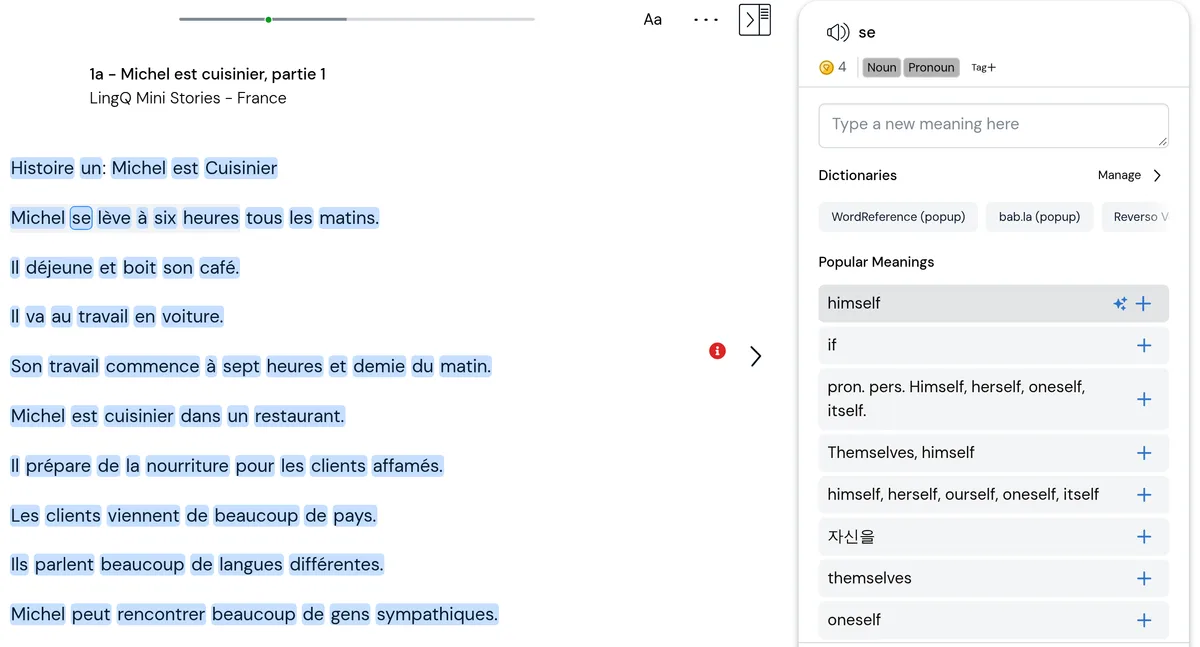
The bigger catch is that LingQ saves the top meaning automatically when you tap a word and move on. For déjeune in "Il déjeune et boit son café", it saved "he has lunch", although Michel has just got up and the story means breakfast. The review session then quizzed us on "he has lunch". If you're a beginner, read the sentence again before you trust a saved meaning.
How does LingQ correct your mistakes?
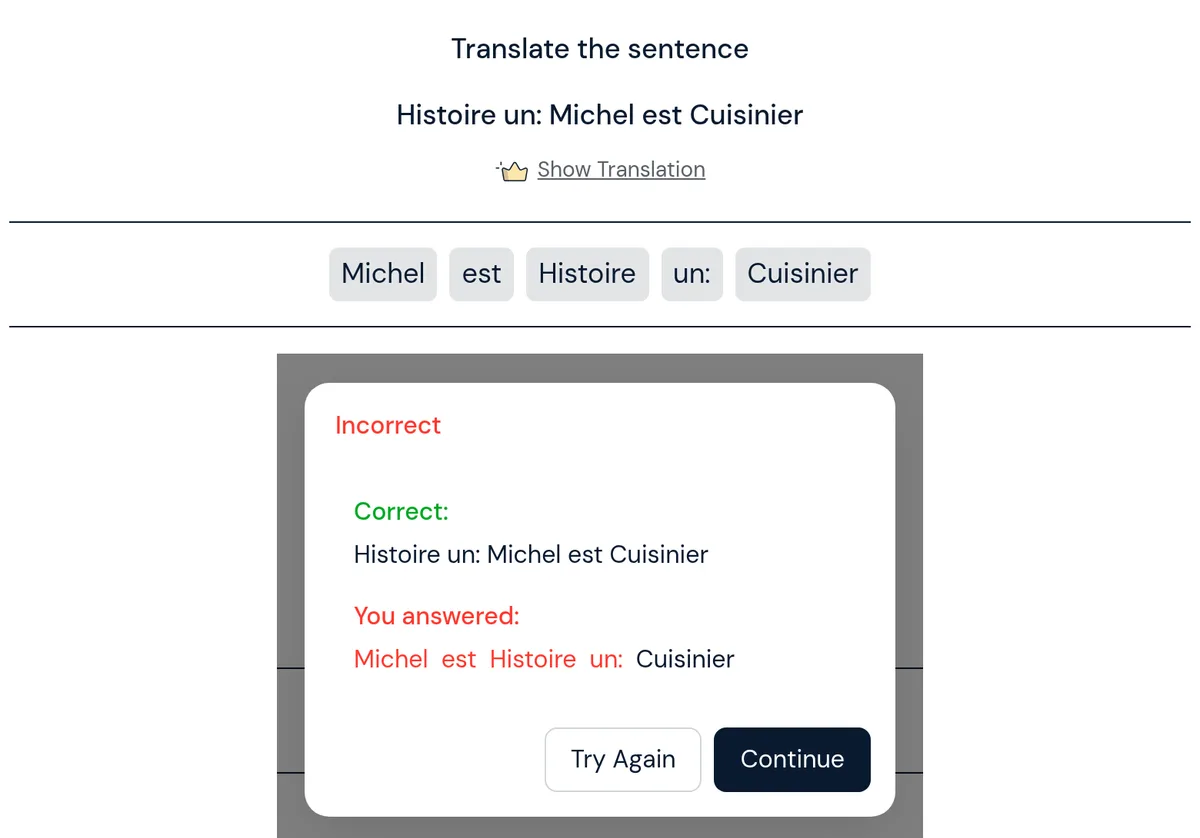
Some exercises check your answer and show the right one; others leave it to you. In the word-order exercise, we put the French words in the wrong order on purpose, and LingQ showed "Incorrect", the correct sentence and our answer with the misplaced words in red. In the Italian course it did the same. When we typed a wrong word in dictation or picked the wrong word to fill a gap, LingQ showed "Incorrect" with the right word and its meaning, and usually its sentence. It accepted dejeune without the accent as correct.
Flashcards are self-graded: you flip the card and tap "I got it right" or "I got it wrong". None of the corrections explain why an answer was wrong, and the fill-the-gap options were just the lesson's other saved words, so they were easy to rule out.
Does LingQ help you speak?
Not much. LingQ is built for input: reading and listening a lot so you understand more. The only speaking step we saw was "Speak the sentence", one item in the sentence review you can open from the reader.
For speaking practice, Copycat Cafe goes further. You hear an everyday conversation, slow a line down and rebuild it by ear, then say it aloud and get a 0–100 pronunciation score on every word, with a tip on what to change. You then use the same language in conversation with Copy, your AI conversation partner.
How does the audio sound?
The lesson audio is good. The French and Italian Mini Stories we played are human recordings, each read by one woman at a slow learner pace in standard French and standard Italian. The German one we played is read by one native speaker of standard German, slowed for learners. The French story runs at about 112 words a minute, pauses included. In French, the words you tap are read by a computer voice instead, which is clear but noticeably quieter than the story.
What's good about LingQ
- Lots of input. Mini Stories, the wider library and your own imports give you plenty to read and listen to.
- Fast lookups. One tap shows a word's meanings, its sound and dictionary links.
- Visible progress. Blue, yellow and known words make it easy to see how much you understand.
- Clear native story audio. The Mini Stories we played in French, Italian and German were each read by one native speaker at a learner pace.
- A free plan to try it. You can read and listen to lessons without paying.
What's not good about LingQ
- Unreliable word meanings. Learner-written meanings include wrong ones and other languages, and the top one is saved automatically.
- Little guidance. After the Mini Stories, you choose your own path.
- Corrections without explanations. You see the right answer but no reason why yours was wrong.
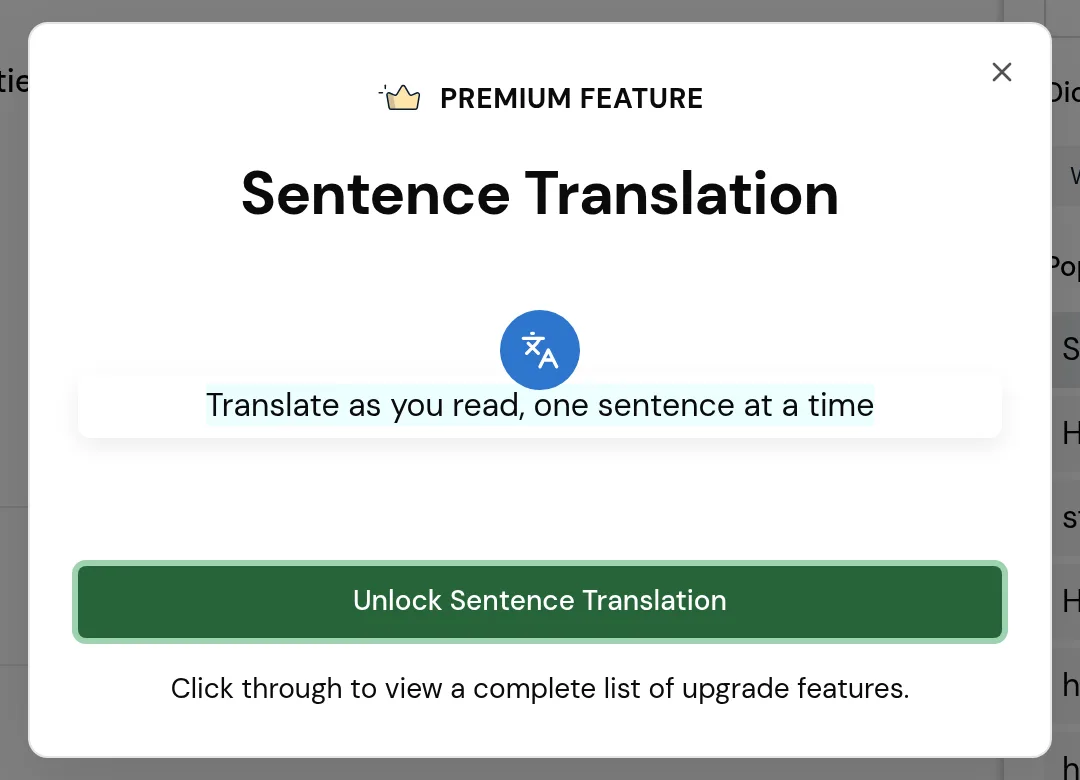
- Sentence translation is Premium. On the free plan, "Show Translation" opens an upgrade screen.
- Speaking isn't the focus. The only speaking step we saw was one item in the sentence review.
Is LingQ free?
Yes, with limits. The free plan lets you read and listen to lessons, but you can save only 20 LingQs, import 5 lessons and keep 1 playlist. Sentence translation is Premium only. 20 saved words go fast: our first French story used four, three words we tapped and one LingQ saved when we opened Sentence View, so the free plan is a trial more than a way to keep learning.
How much does LingQ cost?
LingQ's subscription page showed these prices in US dollars on November 13, 2026:
| Plan | Monthly | Yearly |
|---|---|---|
| Free | $0 | $0 |
| Premium | $14.99 a month | $119.99 a year (about $10 a month) |
| Premium Plus | $29.99 a month | $269.99 a year (about $22.50 a month) |
Premium removes the free plan's limits on saved words and imports and adds sentence translation and 600 minutes of audio transcription a month. Premium Plus adds ElevenLabs voices, AI-simplified lessons and 3,600 minutes of transcription a month. Prices may differ in your currency, so check yours on its sign-up page. For seasonal deals, see our LingQ Black Friday guide.
Is LingQ worth it?
Yes, if you already know some of the language and want to read and listen a lot. Premium at $119.99 a year is about $10 a month for unlimited saved words and imports, plus sentence translation. It is a weaker buy for complete beginners, who will meet the unreliable meanings and the open-ended library most, and for anyone whose goal is speaking.
To see how LingQ compares with other apps in one language, read our guides to the best Italian and German learning apps, or our guide to reading in French.
Alternatives to LingQ
If your main goal is to speak, our pick is Copycat Cafe. It teaches French, Spanish, Italian and German, and costs $29 a month or $174 a year, with a 7-day free trial and a 30-day money-back guarantee on your first payment.